
stremio-web
 stremio-web copied to clipboard
 Stremio
Stremio web with self hosted server
I am using latest version of stremio web with a dockerized server container using https://hub.docker.com/r/sleeyax/stremio-streaming-server
While adding server url, I get CORS error.
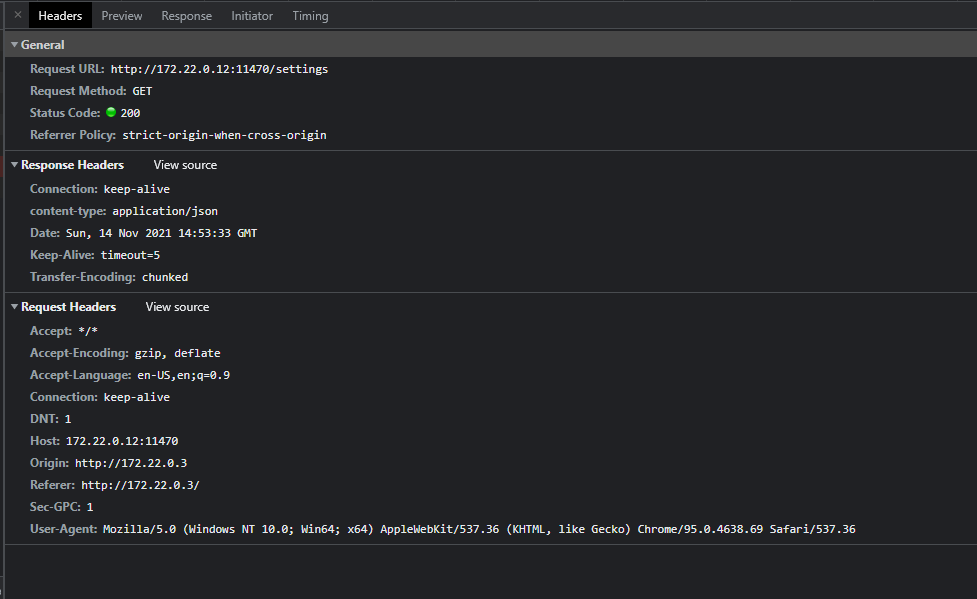

How can it be resolved?

latest version of stremio web
Are you sure it's the latest version? Are you running stremio-web locally from the latest source code?
I just pulled in the latest changes from the master branch and set the streaming server url to http://127.0.0.1:11470/ and all seems to work fine on my end:
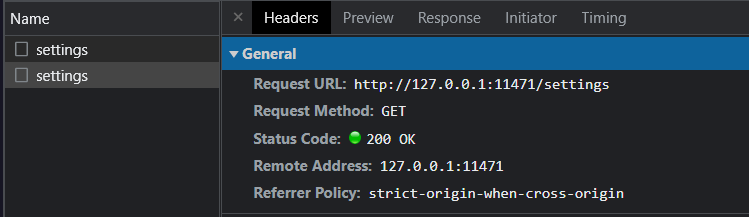

Oh wait never mind, this seems to be an issue regarding LAN IP (not the local interface).
Huh no, seems to be working too with a LAN IP...
Please check the following:
- You're using the latest version of
stremio-webandsleeyax/stremio-streaming-server - You are pointing to the correct (LAN) IP address of the device that runs the streaming server
- The docker container is accessible on the right IP and port (should be
0.0.0.0:11470in this case). Manually try to access the/settingspath in a browser to see if you get a proper response.
Excuse me for unnecessarily spamming this issue with multiple comments😅
Hi @sleeyax thanks for your response
I have used latest versions of both components
To verify, I used this extension - https://chrome.google.com/webstore/detail/moesif-origin-cors-change/digfbfaphojjndkpccljibejjbppifbc/related?hl=en-US and the error is gone
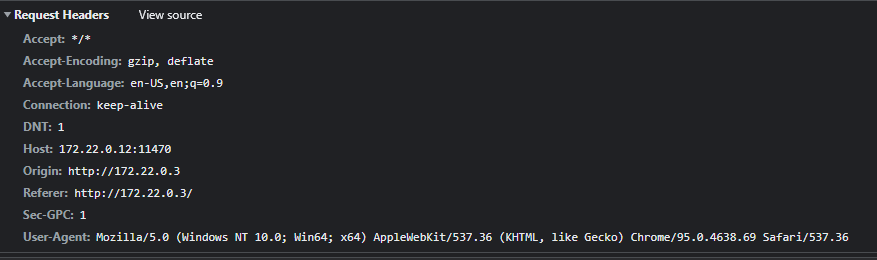
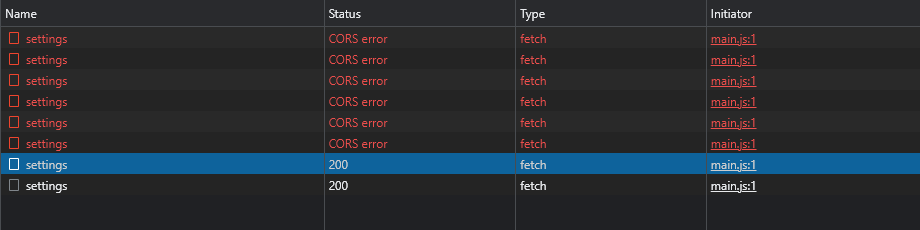
Now a different error comes while starting the media - 415 unsupported media
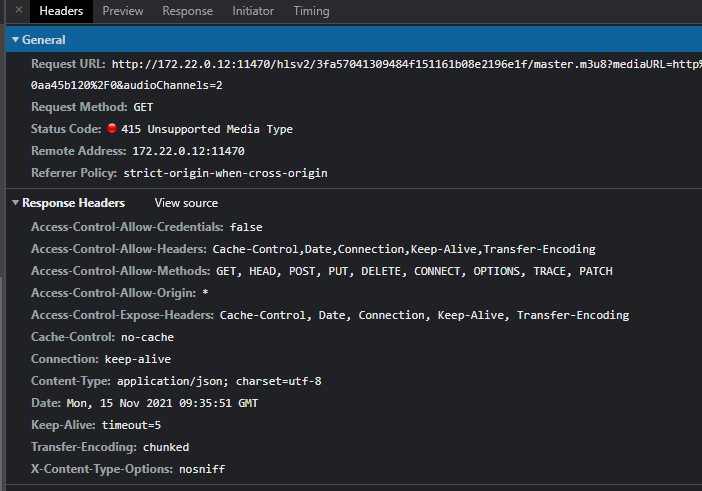
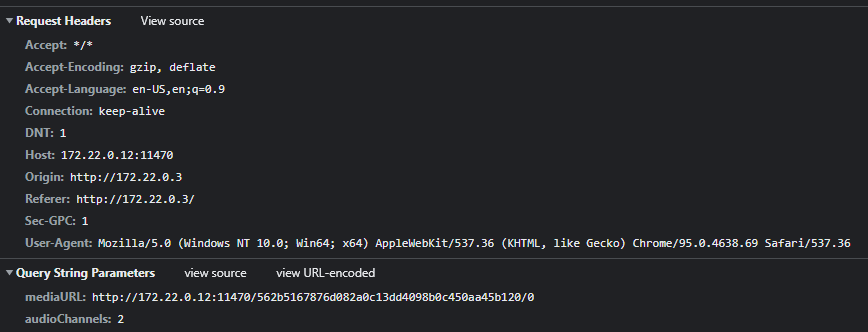
PS Same server instance works when exposed and run with https://app.strem.io/shell-v4.4/
EDIT: Response via browser GET
{"options":[{"id":"localAddonEnabled","label":"ENABLE_LOCAL_FILES_ADDON","type":"checkbox"},{"id":"remoteHttps","label":"ENABLE_REMOTE_HTTPS_CONN","type":"select","class":"https","icon":true,"selections":[{"name":"Disabled","val":""},{"name":"172.22.0.12","val":"172.22.0.12"}]},{"id":"cacheSize","label":"CACHING","type":"select","class":"caching","icon":true,"selections":[{"name":"no caching","val":0},{"name":"2GB","val":2147483648},{"name":"5GB","val":5368709120},{"name":"10GB","val":10737418240},{"name":"∞","val":null}]}],"values":{"appPath":"/root/.stremio-server","cacheRoot":"/root/.stremio-server","cacheSize":5368709120,"btMaxConnections":200,"btHandshakeTimeout":20000,"btRequestTimeout":4000,"btDownloadSpeedSoftLimit":4194304,"btDownloadSpeedHardLimit":39321600,"btMinPeersForStable":10,"remoteHttps":"","localAddonEnabled":false,"serverVersion":"4.18.0"},"baseUrl":"http://172.22.0.12:11470"}
Hmm you shouldn't need to install that browser extension to make it work in the first place. Now I don't know if the error you're getting is caused by that extension or not.
@akashkj Could you confirm that the issue is reproducable by using the development deployment on netlify? That cors error occurs because the streaming server is configured to server cors headers only for specific domains for security reasons. One of those domains is stremio-development.netlify.app so there it should work without that cors browser extention.

@sleeyax does this docker image uses the latest commit from hls-converter branch in stremio-server?
@nklhtv
Ah most likely not, it's currently just pulling and running server.js v4.4.142 from dl.strem.io.
@nklhtv I get same CORS error by using my hosted server with netlify deployment also. Same server works with https://app.strem.io/shell-v4.4 deployment. I see both the deployments have different versions of app. Netlify(5.0.0) and app.strem.io(4.4.142) Is this some new change in v5?
EDIT: Server version that gets installed via docker image is 4.18.0
@sleeyax i just double checked. by default it only works if the streaming server url is 127.0.0.1 or localhost. if you want to use the http protocol with different domain you must change the settings of the browser (or maybe use some extention), otherwise you must use the https protocol. those restrictions does not apply for chromecast.
Funnily enough I'm also having trouble regarding this CORS issue OP is having on my linux desktop. I think the streaming server just needs an update. I'll look further into it when I get the time.
@nklhtv I looked further into it and turns out we're currently in the the following situation:
The sleeyax/stremio-streaming-server docker image is currently not based on actual source code but rather public builds from dl.strem.io. For example at the moment it's downloading the server fromhttps://dl.strem.io/four/master/server.js, which I'm assuming is a production build of the master branch in Stremio/stremio-server. But your additions, like adding the proper CORS headers for the netlify domain, are in the hls branch. Are there any public builds available for this branch or are there plans to merge it with master any time soon?
Another option would be to create a docker image from source code, but I'm not sure that would be ideal considering the streaming server is not open source (yet) nor licensed. Sure, it's possible to publish a 'closed source' docker image but to me it comes over as less trustworthy and customizable without the Dockerfile being public somewhere.
I'm looking forward to hearing your thoughts on this.
@sleeyax the hls-converter should be merged by now. i will check it again and will tell you when its done.
@nklhtv any updates? Sorry to bother, I would investigate this further myself but I'm a little confused. Also, what about local instances of stremio web? Maybe there should just be a CORS rule allowing all from localhost so users/devs can run it on any port?
@akashkj I've merged a temporary patch yesterday, which bypasses all CORS restrictions for now. You can probably use that until it's fixed (re-pull the docker image)
Hey @sleeyax thanks for this. It works now with stremio docker latest. Thanks.
@akashkj @sleeyax take a look at this: https://github.com/n0bodysec/docker-images/discussions/3#discussioncomment-2272314
"Fix" for Unsupported Media Type

I've looked into what is causing this.
stremio-web depends on stremio-core-web which is a Rust program compiled to WASM. Stremio web does not fetch things for itself, it passes messages for what the user selected to stremio=web-core whihc then makes a fetch request for itself. The problem is with that fetch request, it is not including in the request config mode which by default sets it to be 'cors' for this issue we would want it to be set to 'no-cors'. But if you see the documentation around this you'll see this limits which headers can be sent to just:
Accept Accept-Language Content-Language Content-Type with a value of application/x-www-form-urlencoded, multipart/form-data, or text/plain
Which may or may not be acceptable by stremio.

A part of stremio-server on which stremio-web depends is not merged yet, so disabling cors won't make it work. The entire hls convention has been changed.
Has anyone been able to achive this ? I have the current stremio-docker hosted and it works well with the app.strem.io but I was told for streamio web it needs to be in same server but I was unable to get it working out of the local network

Has anyone been able to achive this ? I have the current stremio-docker hosted and it works well with the app.strem.io but I was told for streamio web it needs to be in same server but I was unable to get it working out of the local network
My docker image works out of the box: https://github.com/n0bodysec/docker-images/tree/main/stremio
@ramkuar0020 try docker run -d -p 0.0.0.0:11470:11470 -p 12470:12470 stremio/server:latest. It should explicitly expose the container on all local interfaces. Then try to connect to your local IP from another device on your local network; e.g. http://192.168.1.18:11470/. You may need to adjust your firewall settings for this to work though.
I suppose you can host the server remotely as long as it's HTTPS enabled and has proper CORS headers set up. I might try this out myself later.
@sleeyax The Stremio Server Seems to be Working fine With the app.strem.io interface , but I have the stremio-web also hosted in the same server. (srv.motiaunty.tv:11470) It redirects to app.strem.io and it works for most of the case other than the random Playback Errors which happen due to the interface trying to call the server via https. I have stremio web hosted via podman in port 8080 and I even used nginx to proxy port 80 to port 8080 , When I open the directory from the server itself it shows up but when trying to open it from a remote device , it doesn't open , ports are open as the default nginx page was working well in port 80 beforehand.

@akashkj How did you deploy the front-end? via docker? I am trying to build the docker image for a front end. I am getting some errors and unable to build it. Maybe it was an issue with my local environment. If you have the docker image built already can you share the docker image url here?
