

 Stremio
Flaky addon installation
Whenever I'm running an addon, I'm getting inconsistent results with installing it in the desktop app on Windows.
When I launch any addon and try to add it, sometimes it works, but usually the app gives me "Error occurred while adding add-on". Sometimes the addon is added, but its name and version are empty. Basically, if I clone stremio-twitch and change the hostname to anything else (reachable, of course), it becomes flaky. Localhost seems to work best, but still not always. Uploading to a remote server and using it doesn't help. When I do the same in the web app (localhost:11470), everything works wonders.
The behavior seems as it might be related to caching, but it doesn't explain all the issues.
Also, I'm not sure if it is related, but a publicly announced add-on hasn't appeared in the Add-ons section after a day of being online. Given that quite a few add-ons have popped up there, I'm starting to feel a little dumb. Am I missing something obvious?

My guess here will be that you are trying to enable addons that don’t support https or with a http url
Try enabling an addon with an https url and let us know if it works more consistently

Yep, enabling HTTPS helped. Thanks!
Why was it required, though? Some other addons work via HTTP.
When you're running stremio in the desktop app, it runs in HTTPS, which also implies accessing http content is not allowed in JavaScript for security reasons.
An exception to this is add-ons with a hostname of 127.0.0.1 (not localhost), but all others should support https.
If you're trying to install local add-ons, use 127.0.0.1 rather than localhost
Thanks for the help! My issue is now resolved, but I want to provide some details just in case.
I've just tested setting the endpoint of an addon to http://localhost and launching it on port 80. This is how it behaved:
- When I entered
http://127.0.0.1orhttp://127.0.0.1:80in the desktop app, it worked fine -
http://localhost:80also did the job -
http://localhostfailed with an error - When I pressed the Install button on the addon page (whose href is
stremio://localhost), it resulted in this:
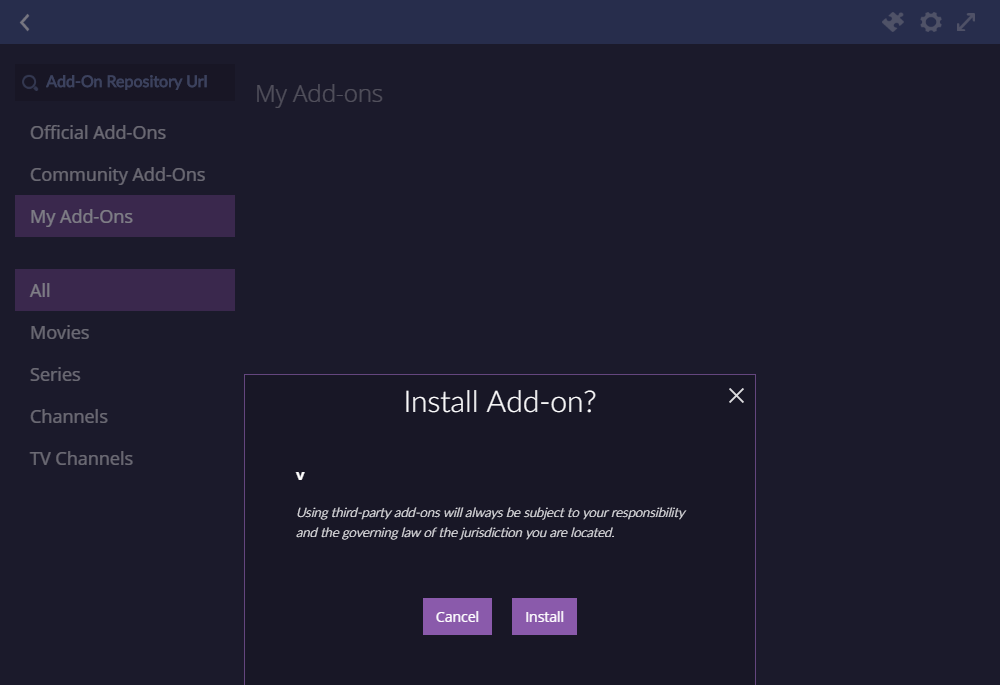
Then I restarted the app and tried again. This time both http://localhost and the Install button worked normally. That's what I call inconsistency! :)
P.S. The docs say that HTTPS is required only by the Android and iOS apps making it even more confusing.
Thanks for reporting those issues @ax-schneider
btw, we reworked our entire add-on system, and the new one will have significanly less issues; the core modules are at https://github.com/stremio/stremio-addon-sdk and https://github.com/stremio/stremio-addon-client/, while the beta is at https://staging.strem.io ; it may still have issues related to CORS, but it now universally unifies everything to https, except localhost/127.0.0..