
home_assistant_solarman
 home_assistant_solarman copied to clipboard
 StephanJoubert
Avoid reset of yesterdays daily production in diagram
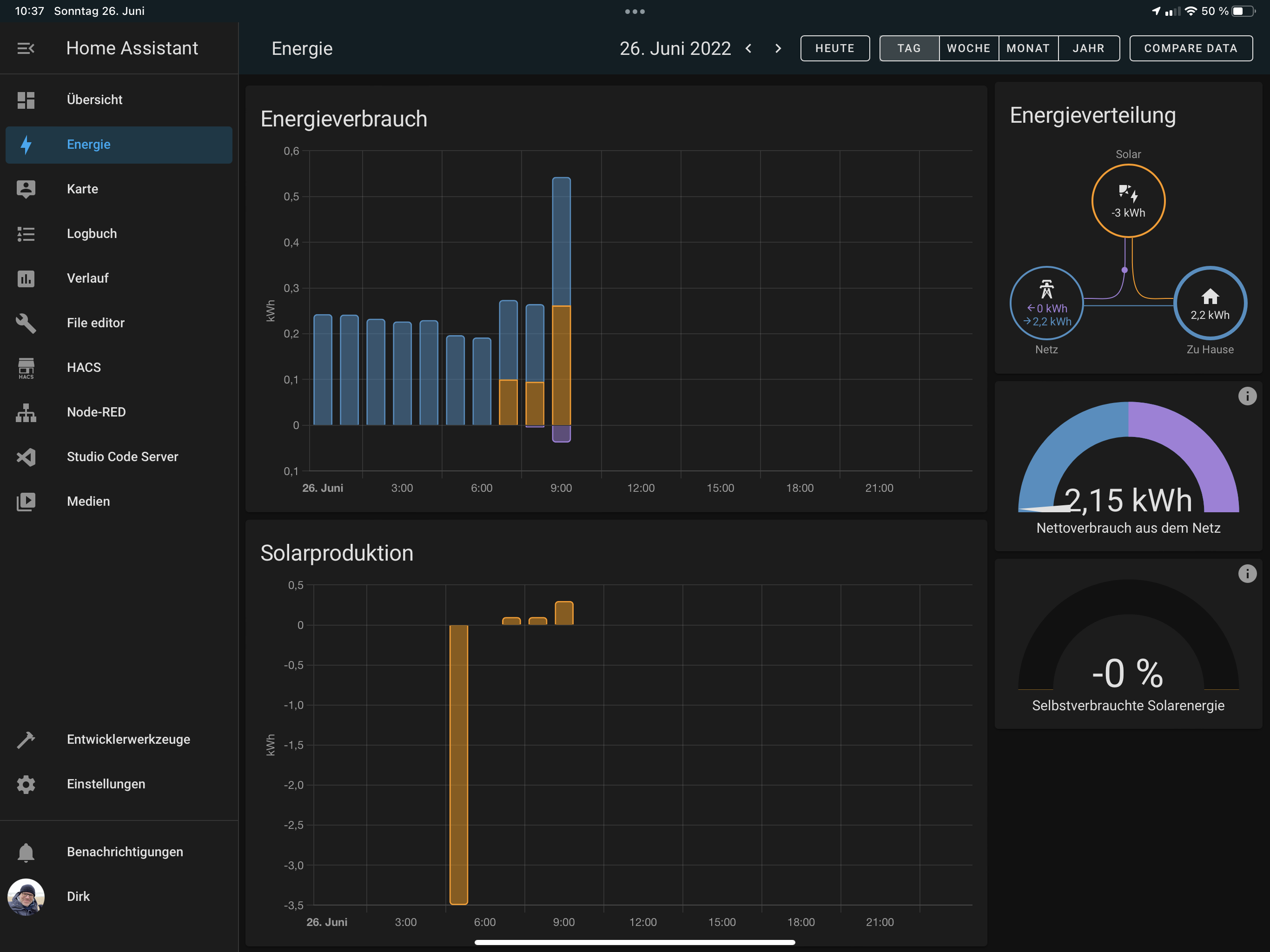 How can I avoid the reset of the daily production at the beginning of the diagram?

I got the same issue on a SA3ES230 3kw mono inverter
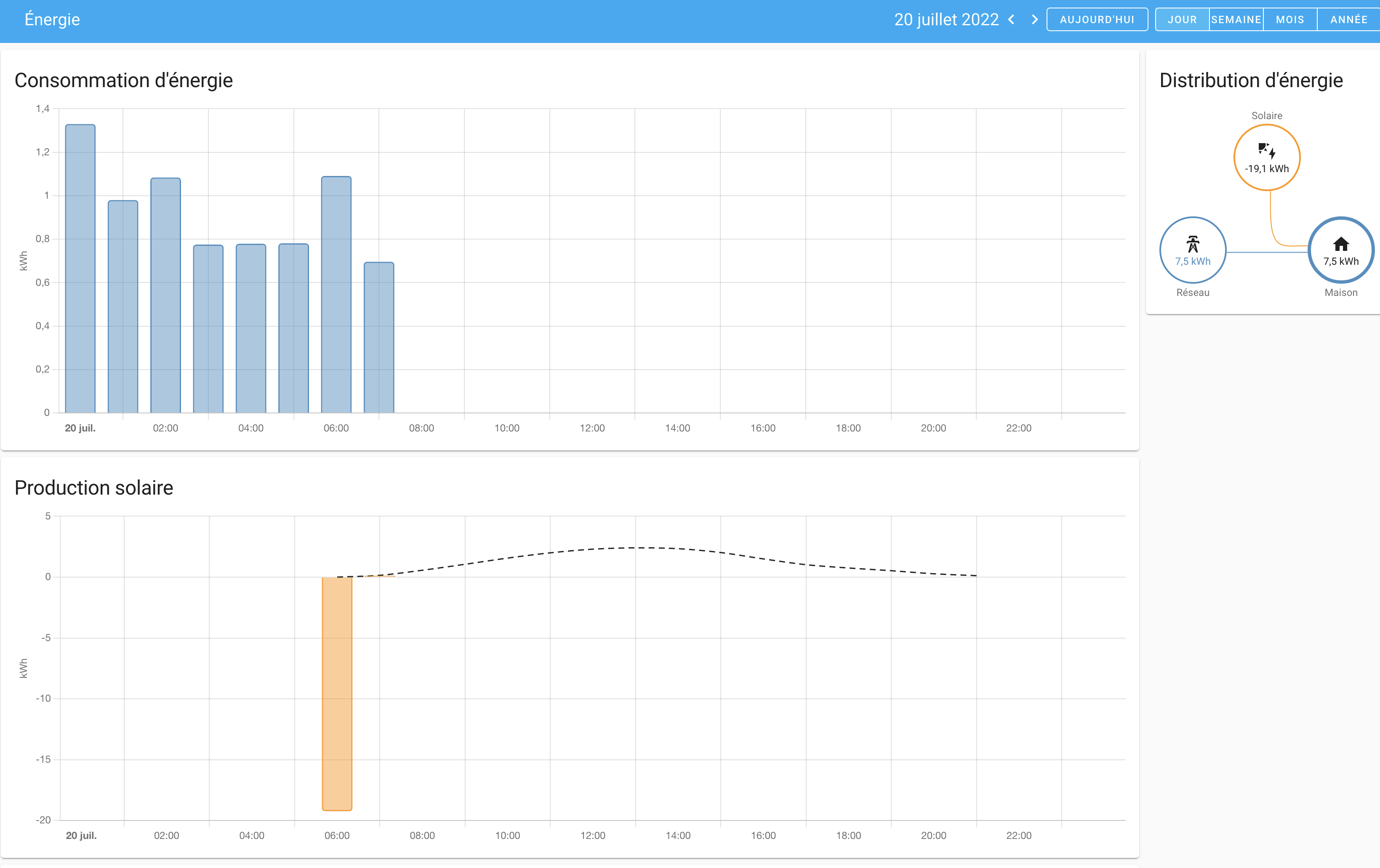 I'm using daily production, cause total production seems not working

I am facing the same issue... every day in the morning when the micro inversors turn on, they make an negative reading with all produced amount from last day. I am using the sensors [sensor.deye_1_daily_production] and [sensor.deye_2_daily_production]
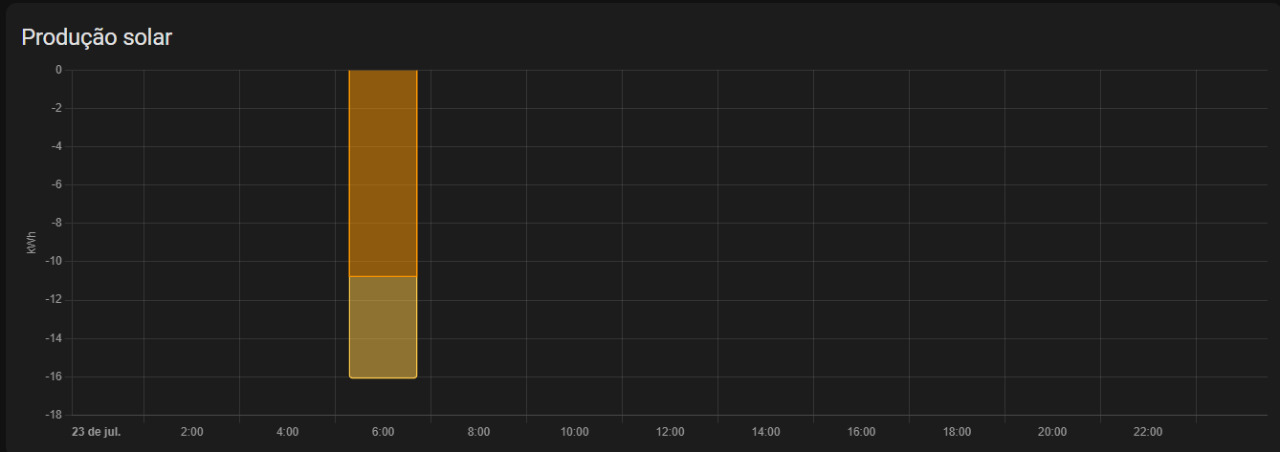

Hi, I have the same problem with a SUN600G3 inverter. I think I found the root cause. Every night the inverter powers down (to standby?). When it starts up in the morning, the first value for total_production is "0". I think that messes up the calculations in the energy dashboard.

You're right Martin, I came to the same conclusion. It would be good to handle this power down... Means connection lost to the inverter to a reset of the daily production counter. I've seen such features in HA counters classes. But I haven't check how to implement. Let's do it;-)
Le ven. 29 juil. 2022 à 10:05, Martin Heiden @.***> a écrit :
Hi, I have the same problem with a SUN600G3 inverter. I think I found the root cause. Every night the inverter powers down (to standby?). When it starts up in the morning, the first value for total_production is "0". I think that messes up the calculations in the energy dashboard. [image: image] https://user-images.githubusercontent.com/72709392/181713710-6e7987d8-86b1-4132-9707-2ba9c6145d27.png
— Reply to this email directly, view it on GitHub https://github.com/StephanJoubert/home_assistant_solarman/issues/66#issuecomment-1198995911, or unsubscribe https://github.com/notifications/unsubscribe-auth/AETJYKRRBKC67SVMN7FV67TVWOGDRANCNFSM5Z3S7DAQ . You are receiving this because you commented.Message ID: @.***>
Yes, this is the root case.
I've found a way to workaround this issue. I created a manual Utility Meter inside configuration.yaml, the Utility Meters I created in the Helpers didnt solve the problem.
See below the code I put, the trick for me is the line "Offset"
utility_meter:
  energy_deye1_daily:
    source: sensor.deye_1_daily_production
    cycle: daily
    offset:
      days: 1

  energy_deye2_daily:
    source: sensor.deye_2_daily_production
    cycle: daily
    offset:
      days: 1
After that I never had this negative counting in the dashboards.
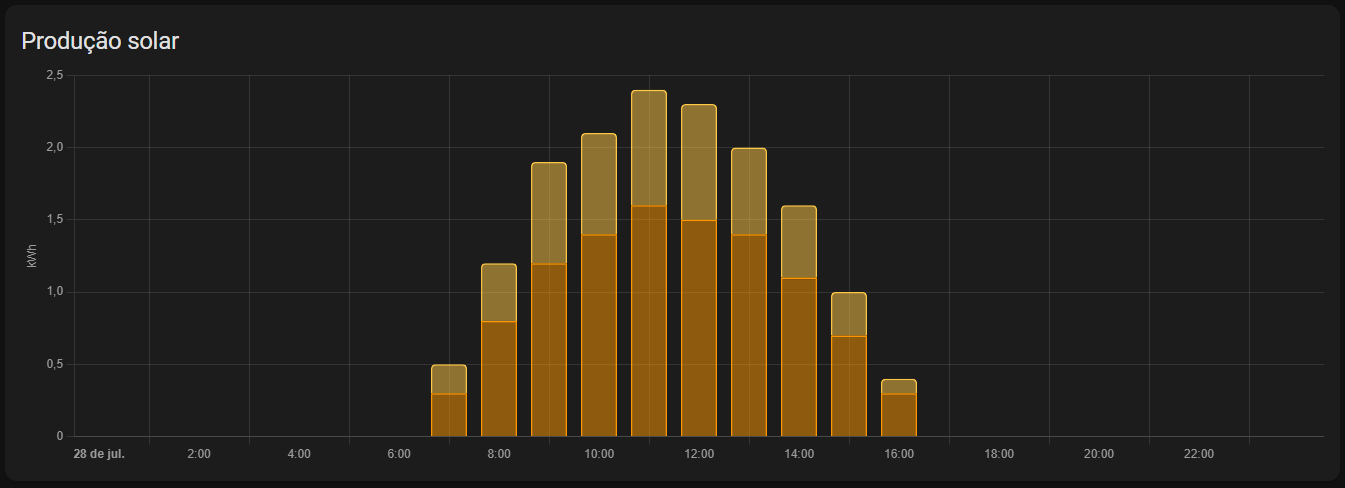

Are you sure that daily_production is the problem? I think, total_production is the problem, since total_production should be the input for the energy dashboard, or not? We have to prevent total_production to decrease (to "0").
Are you sure that daily_production is the problem? I think, total_production is the problem, since total_production should be the input for the energy dashboard, or not? We have to prevent total_production to decrease (to "0").
This is the way I've found to have my dashboard working properly. I've tried many things. While we dont have the 0 counting on total production solved I can monitor my generation in dashboard :)
Yes, this is the root case.
I've found a way to workaround this issue. I created a manual Utility Meter inside configuration.yaml, the Utility Meters I created in the Helpers didnt solve the problem.
See below the code I put, the trick for me is the line "Offset"
utility_meter:
  energy_deye1_daily:
    source: sensor.deye_1_daily_production
    cycle: daily
    offset:
      days: 1

  energy_deye2_daily:
    source: sensor.deye_2_daily_production
    cycle: daily
    offset:
      days: 1
After that I never had this negative counting in the dashboards.
Works perfect for me. Thx.
Hi, doing the above worked fine for me, however in some specific occasions there is still error in the reading, generating a huge spike (i.e: electricity provider power outages middle of the day, causing the inverter to become offline and start reporting zero in enegy). When the electricity comes back and the inverter come online again and start reporting, then the spike happens.
Is there any way to correct that at the reading, maybe making the sensor unavailable instead of reporting zero in Homeassistant?
Thanks.

I tried that work-around but i cant select that sensor on energy dashboard. What did i do wrong?

I tried that work-around but i cant select that sensor on energy dashboard. What did i do wrong?
Ensure you add in the format mentioned above (including the offset) - that was the only format it appeared for me in the dashboard to be added.
I tried that work-around but i cant select that sensor on energy dashboard. What did i do wrong?
Ensure you add in the format mentioned above (including the offset) - that was the only format it appeared for me in the dashboard to be added.
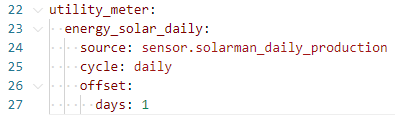

I can't see my mistake
My installation had this issue also, so I will try the daily sensor now over the weekend. Hopefullt it is so easy.
However, while reading the docs. Shouldn't the state_class total_increasing never ever go backwards in HA? Or am I missing something. Perhaps it gets some bogus data which is not handled correctly on HA side that makes this happen?


@Geliras @Floppe @paulocanedo Try to set it via UI. My configured code inside the configuration file doesn't work either.
