

 Stellarium
Star discs not projected
Good morning,
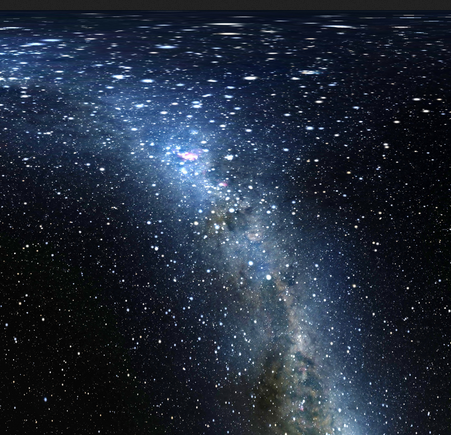
Is your feature request related to a problem? Please describe. I am interested in using the cylindrical (equirectangular) projection as an exchange format with other SW (Blender/...). I have noticed that, when activated, this projection (but also other types) applies to the galaxy background, and to the positions of the stars, but not to their discs, which appear circular even at very high latitudes.
Describe the solution you'd like I am not sure what is the current use-case for the projections, but for me, it would be useful if the geometry transformations were applied after the rendering of the star discs on the sphere, so as to affect also the shape of the star discs.
Describe alternatives you've considered Alternatively, for my needs, I could try and follow the recipe given here. But this adds a lot of extra processing if, like in my case, one wants to export footage for high-res videos.
Additional context
High latitude portion of the sky obtained with Stellarium 0.22.2. Star discs are circular across the entire map.
 High latitude portion of an equirectangular star map. Stars appear more elongated with increasing latitude.
My apologies if I've overlooked something.
Kind regards,

Thanks for adding your first issue to Stellarium. If you have questions, please do not hesitate to contact us.
![github-actions[bot] avatar](https://avatars.githubusercontent.com/in/15368?v=4 "Published by a pub.dev verified publisher")
On one hand, stars are point sources and should always appear point-like. On the other hand, however, wide-angle lenses will show stars as elongated if they are near the edge of the frame. I think your solution better represents photos I have taken of the night sky with wide-angle lenses.

The primary use case is screen use, not re-use in separate applications. On screen, distorted star disks are ugly. You will also notice that you cannot simply export a 360x180° map without missing parts of the Milky Way. For separate use e.g. in Blender or Unity, use the skybox.ssc script which keeps distortion in the skybox panels moderately small. I would be BTW interested some day in a little tutorial how to construct a skybox with my own 6 textures for Blender. Even better would be an interactive link similar to the Unity bridge tools here to provide a live and changing sky to the Blender rendering.

@Atque Yes, stars are points, but we see them as (Airy's) discs, and they are represented as (larger than life) discs in Stellarium, so in theory they could be projected along with the rest. The real point is: what is the intended use of the cylindrical projection? If it is about using it as a sky chart, on-screen or printed, then it is fine that star discs are not projected. If it should be possible to use the projection for generating spherical textures, then also discs should undergo projection.
@gzotti Okay, if there are intentional limitations aimed at avoiding what I'm trying to do, then that's it, fair enough. I have tried the sky-box, but the result is not as I hoped: if you display lines, such as the equator or the azimuthal grid, then their bending at the cube edges are pretty evident.
If it's not hard to implement, then there could be an option such as "Elongate stars with projection" or something, which lets the user decides for themselves what is ugly and what is useful.
If it's not hard to implement, then there could be an option such as "Elongate stars with projection" or something, which lets the user decides for themselves what is ugly and what is useful.
OK, please try it.
@gzotti Okay, if there are intentional limitations aimed at avoiding what I'm trying to do, then that's it, fair enough. I have tried the sky-box, but the result is not as I hoped: if you display lines, such as the equator or the azimuthal grid, then their bending at the cube edges are pretty evident.
Did you cut out squares from the skybox screenshots?
@gzotti Not sure I understand. I used the built-in script for taking the 6 screenshots, then I stitched them together, and I obtained the single texture (another limitation of using a skybox in this way, would be the sub-optimal usage of texture space: if you want to make a video, those wasted portions of the stitched texture have an impact). Then I imported the texture into Blender, and applied it to an uv-unwrapped cube. Probably, in a sky with no lines the seams would not be evident, but I definitely would like to have the overlays. Concerning the 360x180 limitation, I think I have already worked around that, by exporting the cylindrical projection in two square pieces, and then by stitching them into a rectangular texture. The problem of the discs instead is a no-go. But then again, if you don't want this use of the SW, working around limitations is not the right thing to do.
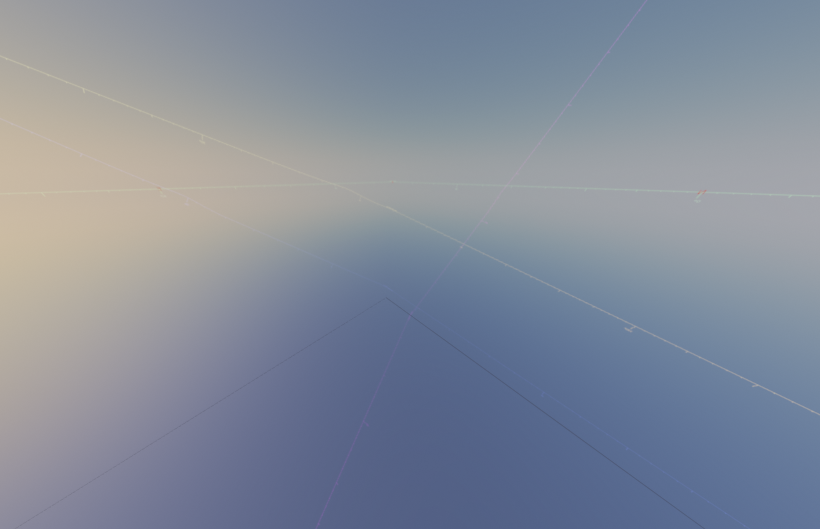


@gzotti Thinking of it, I could change approach. Since the videos I'm interested in, would use only a portion of the sky, I could plan the camera FOVs and pointing ahead, frame by frame, and then script Stellarium to take those screenshots. At that point, I should put Stellarium's screenshots as background images of the camera in Blender. Clearly, that would be a bit more convoluted than taking pictures of the full sky at each frame, but would that be a fair use for you?
intentional limitations aimed at avoiding what I'm trying to do
if you don't want this use of the SW
I don't think the problem is in policy. It's more in the manpower required to implement this feature. Stellarium is an open-source project that is run by contributors doing the work for free in their own free time.
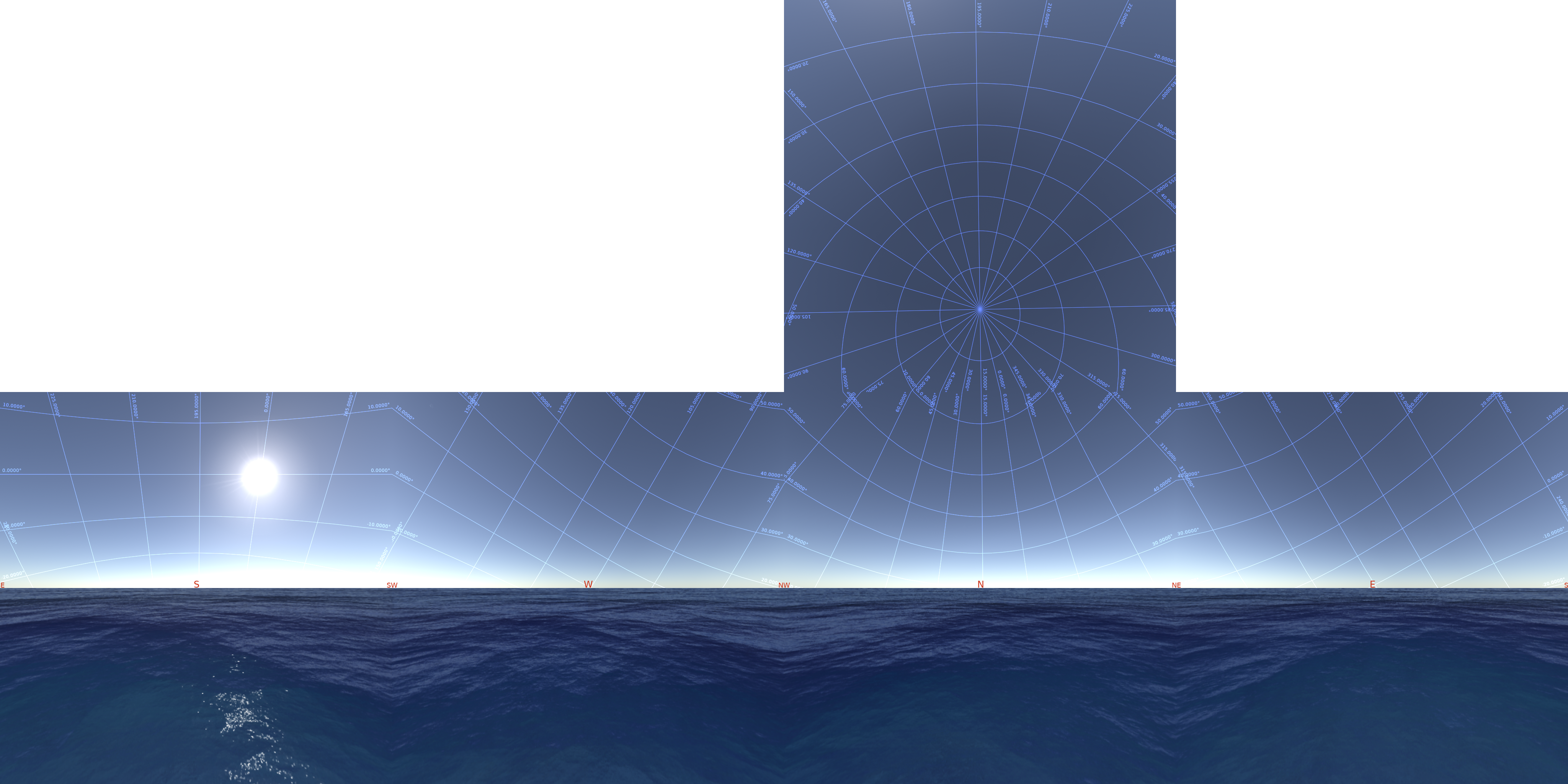
Now to the technicalities. For now, both cylindrical and cubemap approaches yield bad results. And both of them require a lot of effort to make them useful for creation of 360° panoramas. You might have a bit more success with e.g. fisheye projection.
One problem is that, aside from the stars, Stellarium would need to also transform text like e.g. grid labels, DSS markers and lots of other on-screen items; doing this it needs to take into account that the central view direction can point anywhere (so e.g. direction markers appearing at the top of cylindrical projection would also need to be distorted). Moreover, generally the stars would have to not just be elongated, but also curved, depending on the current projection and the central direction of view.
Speaking of the cubemap, there's the problem of repetition and clipping of textual labels, seen e.g. in the image below. The seams visible on the lines in your image don't look like a problem of Stellarium, but rather that of the stitching method used to obtain the image (e.g. my image below doesn't have them).
If someone can implement computation of 360° panorama as a separate feature, I think it'd be accepted. But it's definitely not something available right now.

Sure. My Blender experience is still very limited. Recently I found the SunPosition plugin. Great for georeferenced models. I just saw Blender on Windows can act as Spout receiver, so you could probably even port our Spout/Unity tools to Blender. This would be awesome: set up a time-based animation in Blender, connect to Stellarium via RemoteControl API, transfer camera settings to Stellarium, set (and stop) time in Stellarium, receive background sky texture from Spout, receive solar/lunar/Venus position (for correct light direction and shadows), and render in Blender. Now, Blender wizards, please develop such plugin and provide it for free on github!
The skybox here should be assembled so that seams are invisible. This works in Unity, no idea how this works in Blender (no time these weeks ;-) The "breaks" in the coordinate lines should be invisible if projected from view centre. The only weird things are the line labels which are placed automatically onto the screen edges and now of course collide in the stitched frames.
Don't get me wrong. I'd like to have a full 360x180° cylinder (plate carée) export. We just don't have it, and there is only so much time.
@10110111
I don't think the problem is in policy. It's more in the manpower required to implement this feature.
Okay, I misinterpreted then. Of course, I understand that new features can be added sparingly in open source SW.
@gzotti
The "breaks" in the coordinate lines should be invisible if projected from view centre
Uhm, just checked, and indeed my camera was not lying perfectly at the centre of the cube. And yes, labels would be the next problem I'd bump into. I will look into Spout, I had never heard of it before, maybe that is the way to go, if it simplifies the transfer of footage between two apps.
Thank you all for helping with this. Just for the sake of discussion, I was trying to achieve something down the lines of this, but possibly with added camera movements and additional 3D scenery. I made that animation entirely in Unity, but the quality is not very good wrt the sky, and I thought I could use Stellarium instead, as it is much more polished, and has overlays, and many other features that would take years to develop from scratch. I see this type of application of Stellarium as very attractive, and maybe that Spout bridging is right what it takes to make it...
Cheers,
For Unity, we have the Stellarium/Spout/Unity tools available here. For the same reasons. It took >20 years to develop Stellarium...
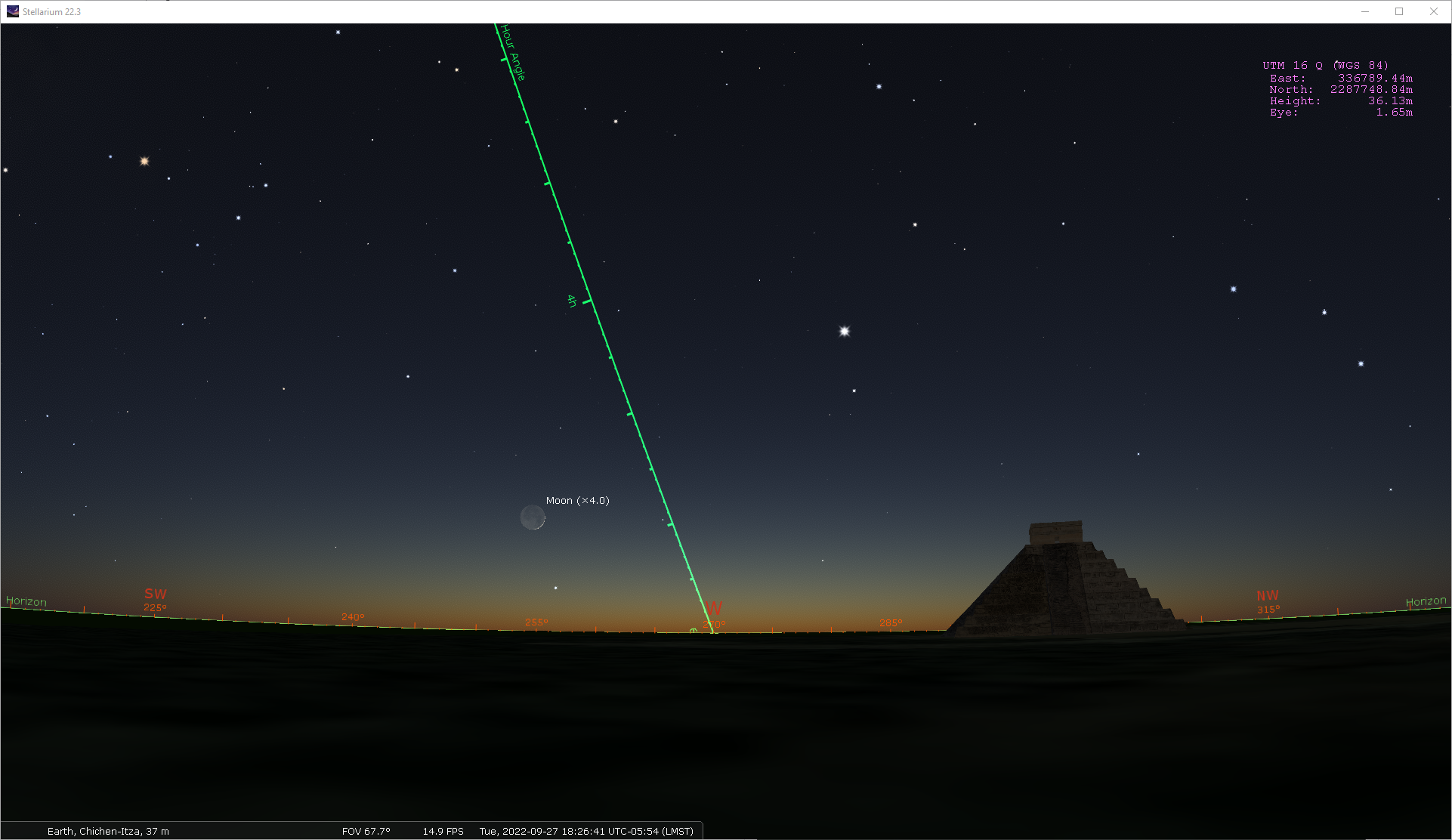
But if you only have a static OBJ for the Castillo, why not just use the Scenery3D plugin directly?
And BTW, wait a week, version 1.0's new sky will look much nicer.
@gzotti
Yes, currently a static mesh and a fixed camera, but I would like to have animated models and cinematic movements of the camera.
From Spout's site, it appears that for Blender it is only possible to send streams. Which is strange, as Blender is not a real-time renderer. Anyways, there's Unity and Unreal Engine, both could do in my case. I'll see if I can use Spout.
V.1.0 is great news, I really look forward to it! I take the opportunity to thank developers and curators, Stellarium is an incredible piece of software, keep up with it!
Ah, Blender only Spout source? Well, it has an (almost) real-time renderer. But yes, the reverse would be required for us.
Yes, for interactive scenes use Unity with my link tools (https://github.com/Stellarium/stellarium-unity), or develop something similar for UE (and make it also open-source for others!).