
Spoke

Spoke copied to clipboard
 StateVoicesNational
Bug: Some campaign configurations don't get copied over
Describe the bug When copying a campaign, some config settings don't get copied over
To Reproduce Steps to reproduce the behavior:
- Create a new campaign
- In the new campaign, select
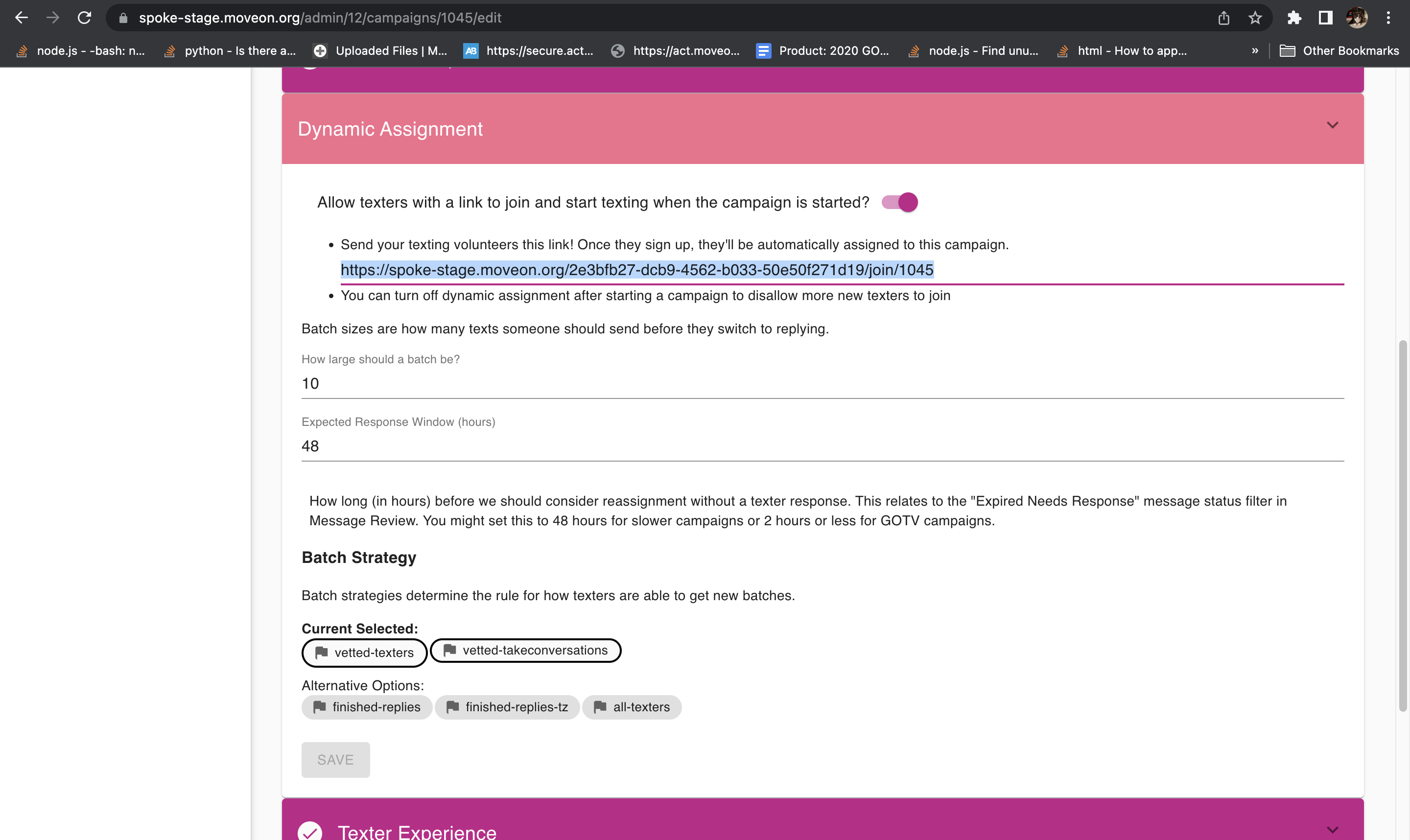
vetted-textersandvetted-takeconversationsunder Dynamic Assignment -> Batch Strategy - Enable "Take Conversations" under Texter Experience
- Start the campaign
- In the left sidebar, click "Campaigns"
- Click the campaign you just created
- Click "COPY CAMPAIGN"
- Click into the newly copied campaign
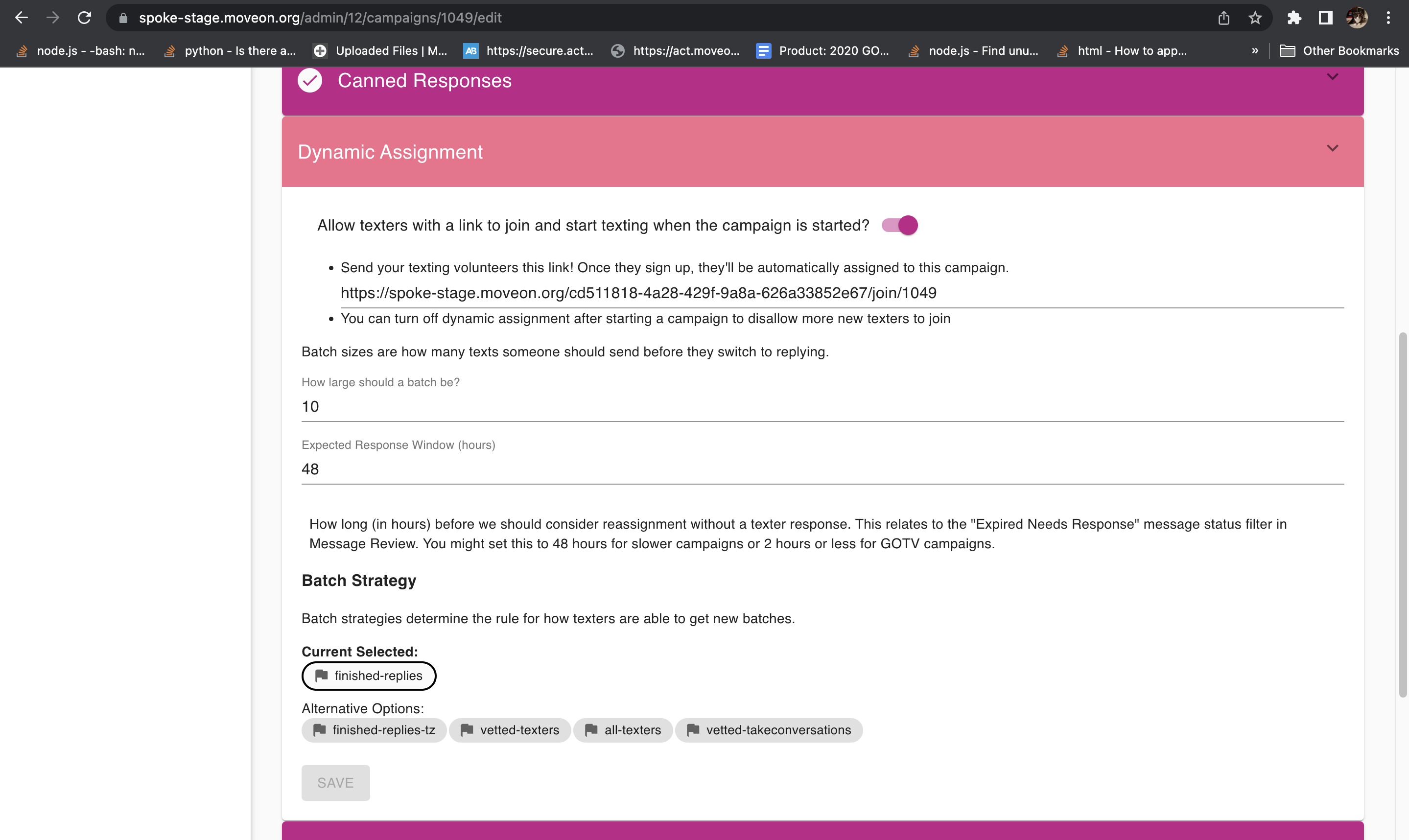
- Issue: In the newly copied campaign, the Batch Strategy did not get copied and "Take Conversations" is disabled
Expected behavior The campaign config for Batch Strategy and Take Conversations should both be copied into the new campaign after clicking the "COPY CAMPAIGN" button
Screenshots
Original campaign:

Copied campaign:

Platform:
- OS: macOS
- Browser: Chome
- Desktop
- Version: 104.0.5112.79
