

 Start9Labs
[bug]: Database error on login
Prerequisites
- [X] I have searched for existing issues that already report this problem, without success.
EmbassyOS Version
0.3.0
Device
Laptop/Desktop
Device OS
Other
Device OS Version
n/a
Browser
Tor Browser
Browser Version
n/a
Current Behavior
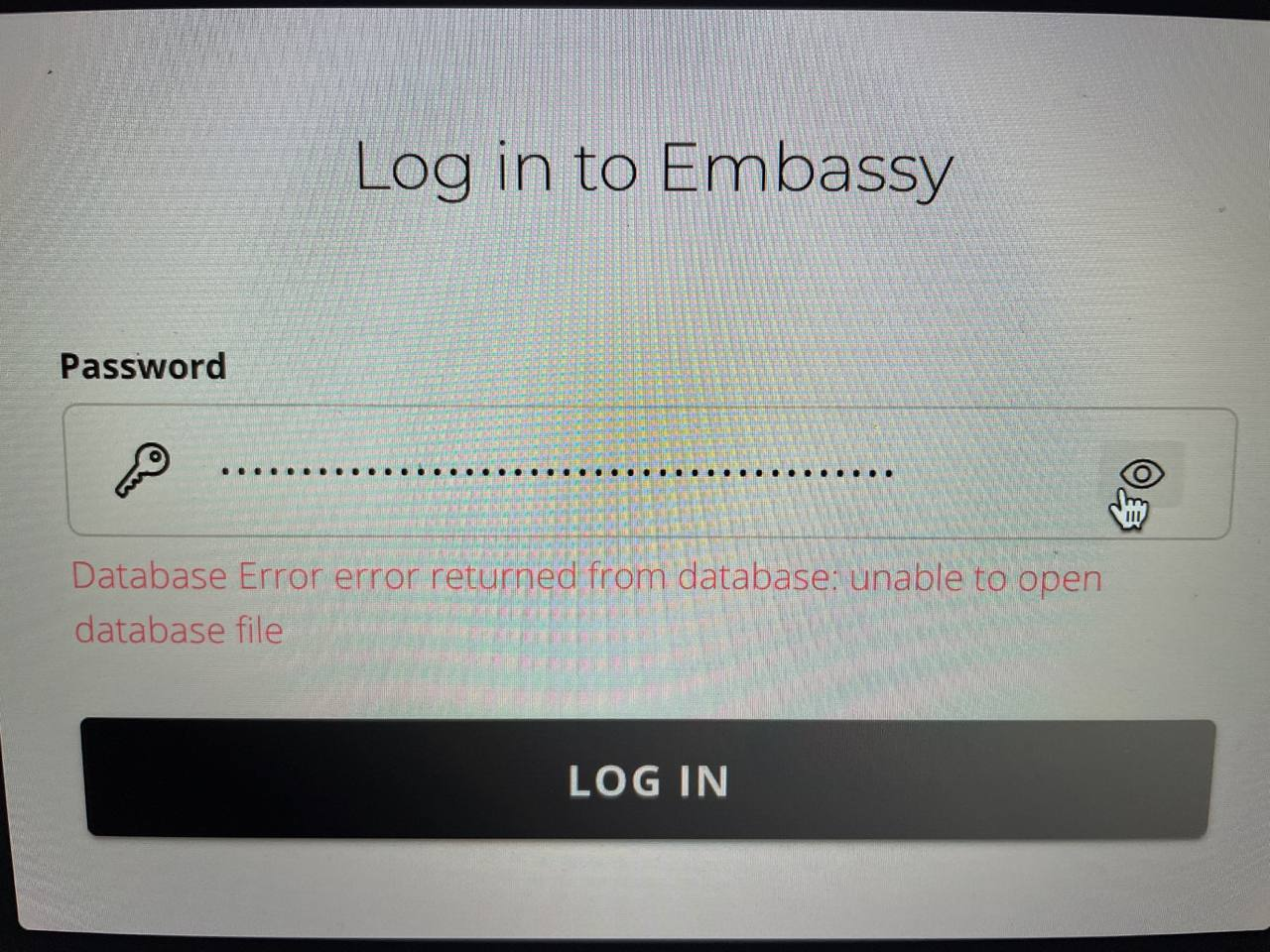
Error is not helpful to user
Expected Behavior
Report that password is incorrect
Steps to Reproduce
On Embassy login page, enter a bad password
Anything else?
No response

this is not an error for a failed password. On failed password, it will show Incorrect Password: Password Incorrect, which while redundant, is clear. This is a different issue.

@dr-bonez it sounds like this is a P1 since you're doing a bugfix release solely for this issue, right?

no, the issue I'm addressing is database is locked. this is different. looks like an I/O issue.
I'm getting a similar message: "Database Error error returned from database: disk I/O error". The only way around it is to power cycle the Embassy, but the issue shows up again after the first logout. I was in the process of re-syncing the Bitcoin blockchain, so I'm sure there's a lot of I/O activity. But the download didn't move at all overnight after I saw this issue, so I believe the issue may be affect all disk I/O when it gets into this state.

It's definitely true that if you get disk IO errors at all, they will not self-resolve. The question remains though as to why you have disk IO errors. Is the SSD the only thing that is plugged into your USB ports?
@ProofOfKeags I had just done the 0.3.0 upgrade and followed the instructions on the Start9 upgrade video. In addition to the SSD, there is the old micro sd card plugged into the micro sd card reader that came with the kit. So my Embassy has 2 SD cards and the new 2TB SSD, all plugged in as the video suggests. After completing the 0.3.0 upgrade, I'm not sure if that old SD card is required anymore?? Before power cycling, I unplugged the old micro SD and booted with only the new 2TB SSD. That actually may have solved the problem. I'm waiting to try logging in/out until the blockchain sync is complete. Is there a reason to keep the old SD card plugged in after the upgrade is complete?
Is there a reason to keep the old SD card plugged in after the upgrade is complete?
No.
@ProofOfKeags I had just done the 0.3.0 upgrade and followed the instructions on the Start9 upgrade video. In addition to the SSD, there is the old micro sd card plugged into the micro sd card reader that came with the kit. So my Embassy has 2 SD cards and the new 2TB SSD, all plugged in as the video suggests. After completing the 0.3.0 upgrade, I'm not sure if that old SD card is required anymore?? Before power cycling, I unplugged the old micro SD and booted with only the new 2TB SSD. That actually may have solved the problem. I'm waiting to try logging in/out until the blockchain sync is complete. Is there a reason to keep the old SD card plugged in after the upgrade is complete?
Hi there, @Asaradel, I just wanted to verify that you issue was resolved?
