

 SpecFlowOSS
Feature files vanishes from project hierarchy on mac (.net Core)
SpecFlow Version:
- [X] 3.1
- [ ] 3.0
- [ ] 2.4
- [ ] 2.3
- [ ] 2.2
- [ ] 2.1
- [ ] 2.0
- [ ] 1.9
Used Test Runner
- [ ] SpecFlow+Runner
- [ ] MSTest
- [X] NUnit
- [ ] Xunit
Version number: 3.15.1
Project Format of the SpecFlow project
- [ ] Classic project format using
packages.config - [X] Classic project format using
<PackageReference>tags - [ ] Sdk-style project format
.feature.cs files are generated using
- [X]
SpecFlow.Tools.MsBuild.GenerationNuGet package - [ ]
SpecFlowSingleFileGeneratorcustom tool
Visual Studio Version
- [X] VS 2019
- [ ] VS 2017
- [ ] VS 2015
Enable SpecFlowSingleFileGenerator Custom Tool option in Visual Studio extension settings
- [ ] Enabled
- [X] Disabled
Are the latest Visual Studio updates installed?
- [X] Yes
- [ ] No, I use Visual Studio version
<Major>.<Minor>.<Patch>
.NET Framework:
- [ ] >= .NET 4.5
- [ ] before .NET 4.5
- [ ] .NET Core 2.0
- [ ] .NET Core 2.1
- [ ] .NET Core 2.2
- [ ] .NET Core 3.0
- [X] .NET Core 3.1
Test Execution Method:
- [X] Visual Studio Test Explorer
- [ ] TFS/VSTS/Azure DevOps – Task – PLEASE SPECIFY THE NAME OF THE TASK
- [ ] Command line – PLEASE SPECIFY THE FULL COMMAND LINE
Repro Project
It's a simple .net core 3.1 with the packages added. I can provide if really necessary
Issue Description
Basically, whenever I open my solution on Mac and/or add a new feature file, they simply vanish from the project. If I navigate to the folder I can see them and I can readd it to the project (but if I close the solution they are gone again). If I build the solution, 2 feature.cs files are added to the project.
This shows the project AFTER building (and when the feature has already vanished, meaning I opened the solution):
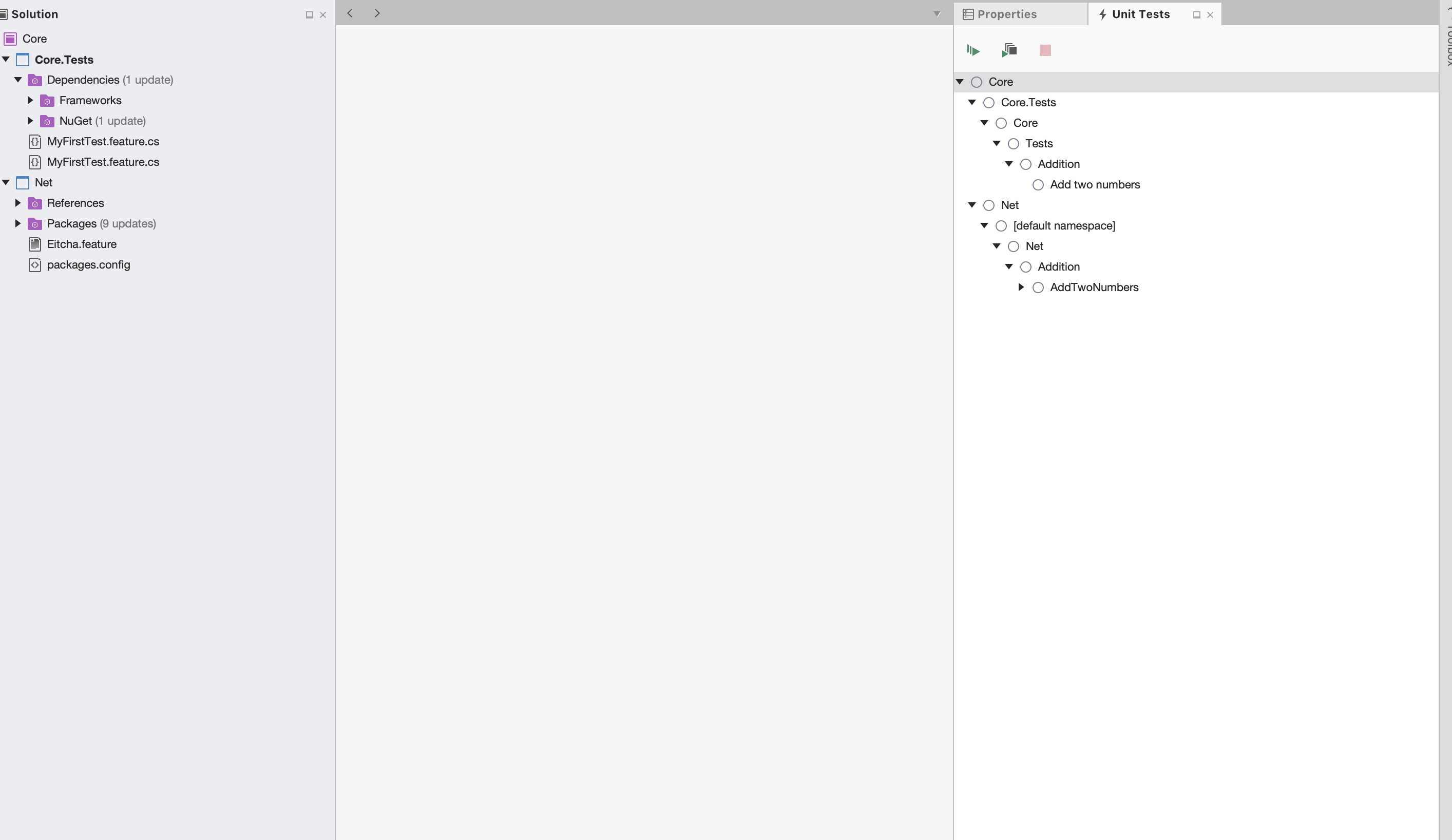
This shows the project in the folder

Steps to Reproduce
- Create a .net core 3.1 project on Mac
- Add specflow, specflow.nunit, specflow.tools.msbuild.generation nuget packages
- Create a new feature file.
- Build solution. You won't see the feature.cs in the project hierarchy anymore and 2 feature.cs (code behind) added to it


Hi @SabotageAndi , I edited the issue and added the screenshots. Hope it helps
Interesting. Looks like VS for Mac doesn't work like VS with MSBuild.
Here we add all feature files to the project: https://github.com/SpecFlowOSS/SpecFlow/blob/master/SpecFlow.Tools.MsBuild.Generation/build/SpecFlow.Tools.MsBuild.Generation.props#L47
No idea why it's not displayed in the solution explorer anymore.
Are there any changes to the csproj file? Perhaps some Removes from ItemGroups?
Hi @SabotageAndi sorry the delay, no changes were identified on the csproj files. I did some experimentations and here is what I find out:
When a completely functional project on Windows is cloned on Mac: -> First time opening shows Feature folder and the feature file -> Feature folder is completely removed when the automatic restore for VS finishes -> Triggering a build re-add the feature folder with a feature.cs file and NO feature file. -> Git status shows no changes -> Tests are shown -> This seems to be the "normal state" of the solution, as nothing else happens now.
If I re-add manually the feature file. Every time I open the project again the automatic restore will remove it.
If I delete the generate .feature.cs file and build again, I get 2 .feature.cs files added to my project (even though if I navigate to the folder, theres only 1). About those 2 files, I noticed something in their properties:
First one (identical to the one deleted):
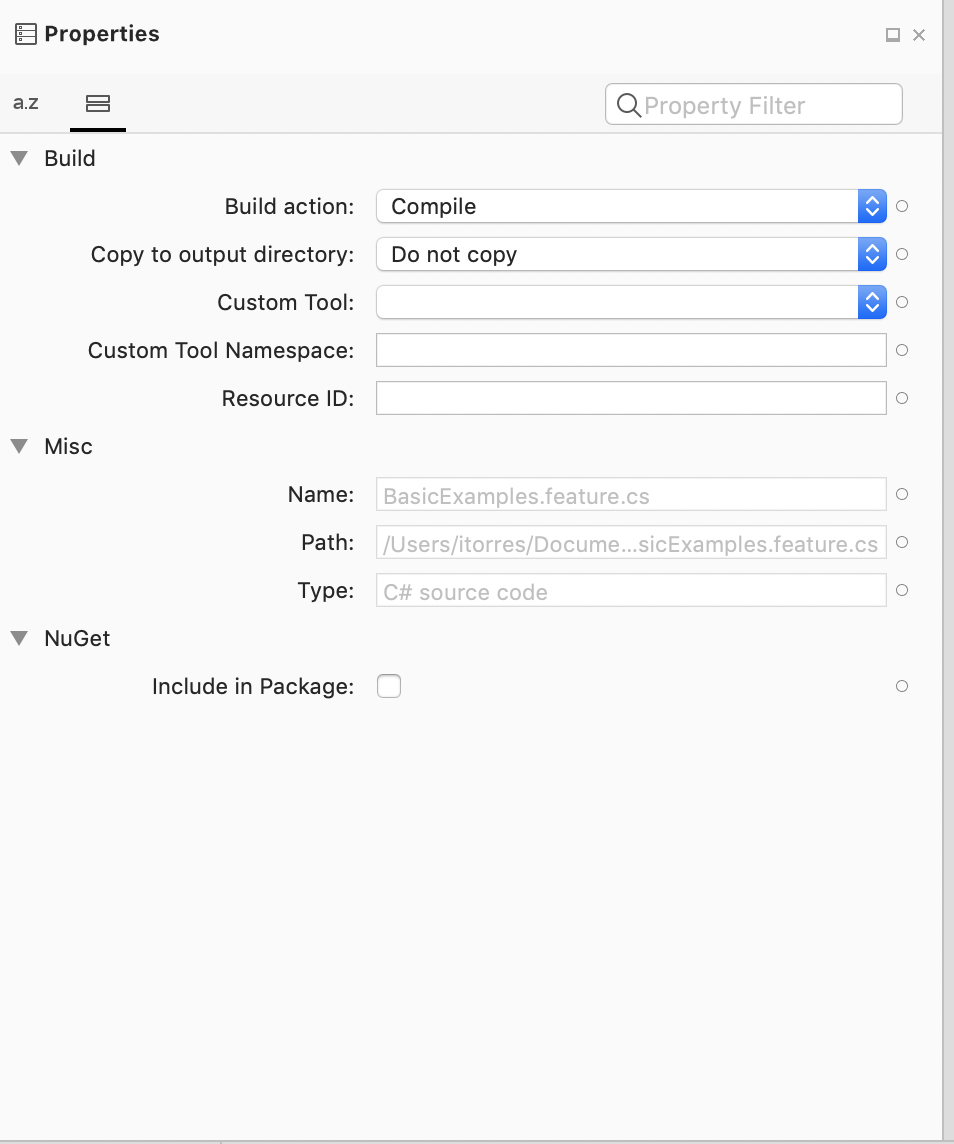
Second one (refers to some obsolete code behind method)

Not sure if any of these helps, I can try to check internal logs from VS somehow (need to find out how though)
As a workaround I also fond out that if I manually add this to my .csproj file I can make the situation "looks normal"
<ItemGroup>
    <Content Include="**\*.feature" />
    <Compile Remove="**\*.feature.cs" />
 </ItemGroup>
I say " looks normal" because I havent tested yet if would work perfectly in every single case... But yeah.. that's all I know so far.
Don't do this. With that, you are probably ending without any tests in the assembly. This removes all files with the ending of feature.cs from compiling into the assembly.
For the rest, it sounds like Visual Studio and Visual Studio for Mac behaves differently. But no idea what the correct behavior would be.
Good news is, that we got access to a Mac in the meantime. I will see when I can have a look at this.
Yeah, didnt work so well. Although I could run my tests fine, it didnt stop the duplication of the feature.cs in VS. I kept only <Content Include="***.feature" /> to at least be able to edit my feature files.
Good news on the Mac! :) hopefully you will be able to shed some light.
Exactly the same issue on my side as soon as I updated the .csproj to .NET core format (the one which does not reference each file individually)...

It has also been reported as an issue for Visual Studio for Mac here: https://developercommunity.visualstudio.com/content/problem/697562/some-files-are-not-shown-in-a-net-core-project-in.html
I've linked back to this Issue from that reported issue. The information in the above link might help shed some light as to what the package is doing and maybe what could be done to avoid the issue.

Thanks @Cybrosys for the link. I wasn't aware of this issue there. Thanks to the info there I think I know where the issue is.
To understand this all, you have to know that Visual Studio has two project systems. The old one for the verbose project files and the new one which supports the SDK- Style projects. And they behave a little bit different And it looks like Visual Studio for Mac has another one.
The parts that are interesting are:
Importing CPS (Common Project system)
https://github.com/SpecFlowOSS/SpecFlow/blob/master/SpecFlow.Tools.MsBuild.Generation/build/SpecFlow.Tools.MsBuild.Generation.props#L4
<SpecFlow_CpsExtensionDesignTimeTargetsPath Condition="'$(SpecFlow_CpsExtensionDesignTimeTargetsPath)' == ''">$(MSBuildThisFileDirectory)CPS\Buildsystem\CpsExtension.DesignTime.targets</SpecFlow_CpsExtensionDesignTimeTargetsPath>
Removing Feature files from the Default Items
https://github.com/SpecFlowOSS/SpecFlow/blob/master/SpecFlow.Tools.MsBuild.Generation/build/SpecFlow.Tools.MsBuild.Generation.props#L43
<DefaultItemExcludes>$(DefaultItemExcludes);**/*.feature</DefaultItemExcludes>
SpecFlow Feature Files Item Collection that is visible in the Solution Explorer depending on classic project files and sdk-style projects.
https://github.com/SpecFlowOSS/SpecFlow/blob/master/SpecFlow.Tools.MsBuild.Generation/build/SpecFlow.Tools.MsBuild.Generation.props#L49
	<SpecFlowFeatureFiles Include="**\*.feature" >
      <CodeBehindFile>%(RelativeDir)%(Filename).feature$(DefaultLanguageSourceExtension)</CodeBehindFile>
      <Visible>$(UsingMicrosoftNETSdk)</Visible>
    </SpecFlowFeatureFiles>
The importing of the CPS files is needed, as they provide additional information in Visual Studio. It is connected to the SpecFlowFeatureFiles Item collection.
But because of this, we had to remove all feature files from the DefaultItems, because then all Feature files were displayed twice in the Solution Explorer.
So to fix this for Visual Studio for Mac, we would need to know an MSBuild variable that detects if this MSBuild definition run in Visual Studio for Mac. Then a Condition could be added to not import the CPS files and not remove the Feature files from the Default items.
So who is submitting a PR for this?
I am happy to help and point in the right direction, but currently, we simply have no time available to work on this. Fixing this takes times because you have to check that it works now in 4 different configurations:
- Visual Studio
- old project system
- sdk- style projects
- Visual Studio for Mac
- old project system
- sdk- style projects
It took me some days to bring it to work in Visual Studio. I assume it won't be much less to get this now also working in Visual Studio for Mac.
@SabotageAndi So for now there isn't a workaround for this issue, am I correct?



I also have the same issue where feature file doesn't show in solution explorer on VS for mac. I can only see related feature.cs files . Features run fine though.


I'm assuming this still hasn't had any progress. Even installing the latest version of VS does not solve this.


I just noticed that, the issue occurred when I tried to debug failed test, after debugging and getting result, I rebuilt project and files are missing
I have same issue with VS 2019 on Mac OS. This is really stopping us to leverage/utilize the BDD features. It would be great if we can get it fixed

It might not be the ultimate solution but I found a workaround to show the feature files under solution explorer. Right-click the project > Display Options > Show All Files
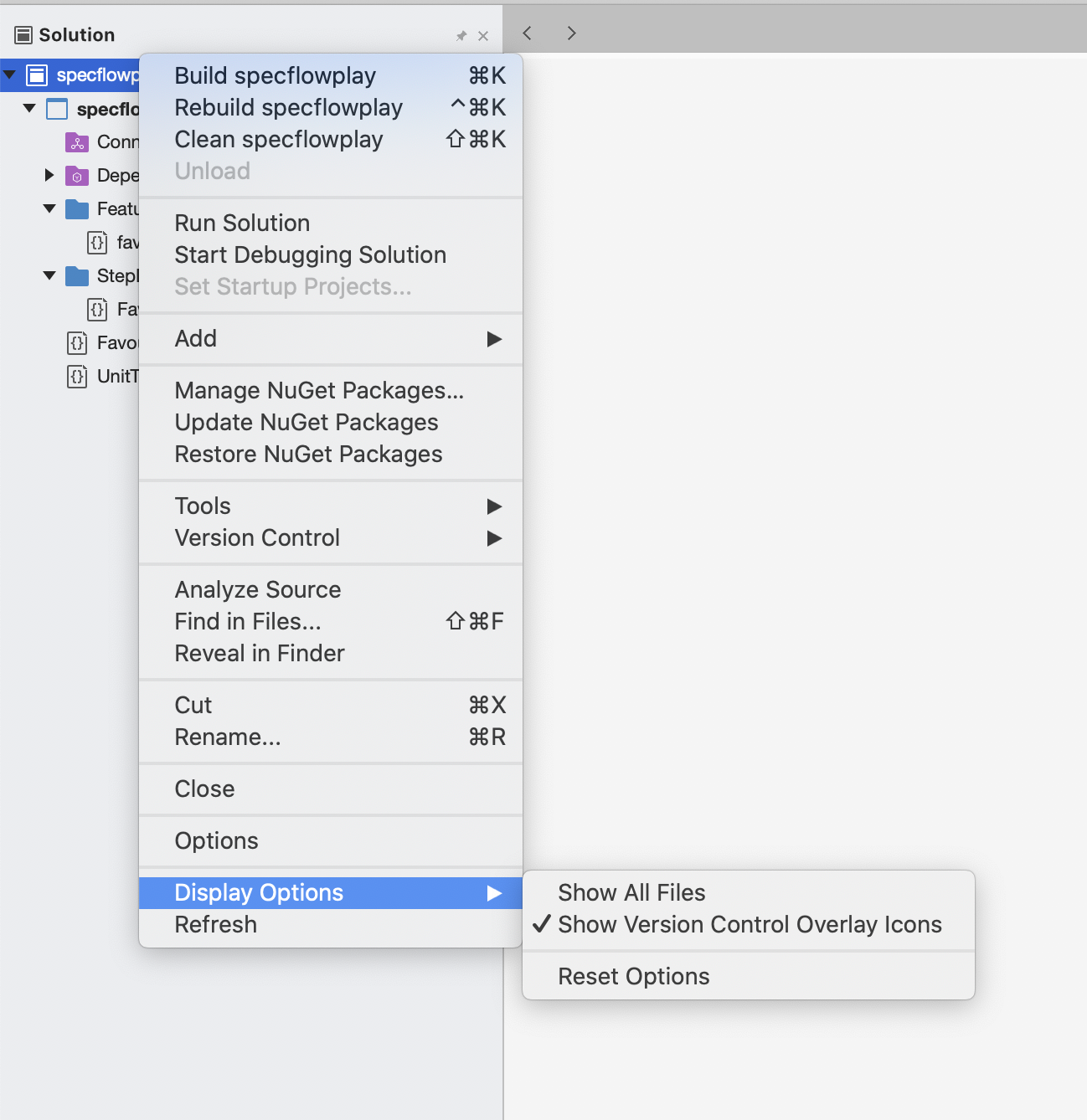

Same issue Visual Studio For Mac. The feature file does not appear, when using Display options, you has the ability to see the file, but "does not includes into the project", also it dos not generate the steps.

facing the same issue in visual studio 2022 for Mac , even a workaround would be great .

Facing exactly the same issue in Rider 2021 on Silicon CPU.
Project C# 10, .Net 6, xUnit and Specflow.
After first test debug or run all feature files just disappear.
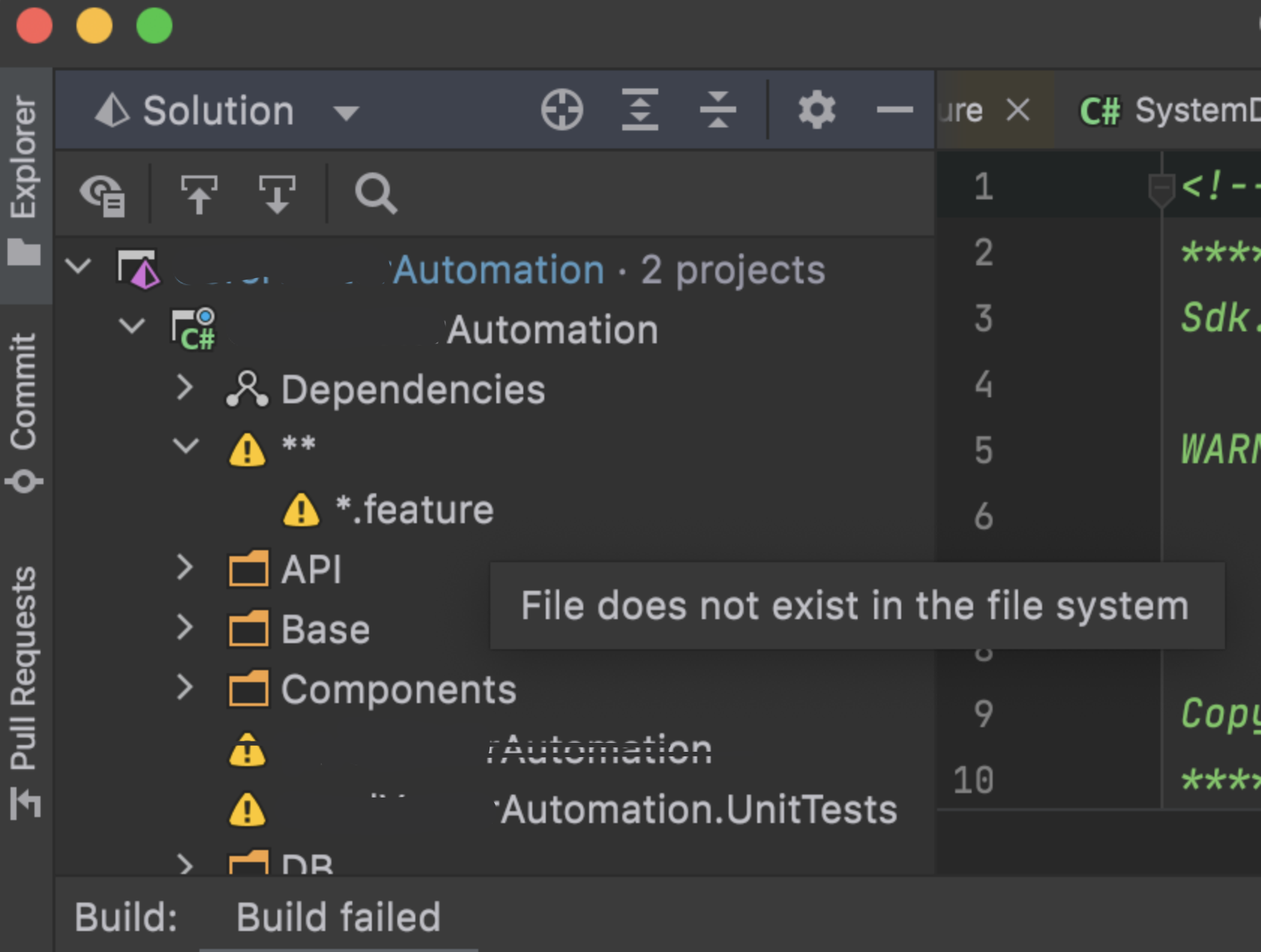

Facing the same issue. The feature files missing and also the option to add feature files, definition all are gone. So, I now have to find a windows laptop to do this! Annoying and frustrating 👎

Hey I face the sam issue. Is there any solution, or I should throw my brand new Mac to the bin and buy something with Windows?

Hello @SabotageAndi, have you investigated the issue, please or you have already gave up? thx for your answer in advance. If you need to provide more details, please just ask, I try my best to provide you everything, if it helps solve the issue.
@PetrKaplan Sorry, I can't help. I don't work for Tricentis and so on SpecFlow anymore.