
SpecFlow.VisualStudio
 SpecFlow.VisualStudio copied to clipboard
 SpecFlowOSS
[DevExE2E] After modifying the location for the duplicated name project, the first page- "Configure your new project" still show.
Used Visual Studio
Visual Studio 2019
Are the latest Visual Studio updates installed?
Yes
SpecFlow Section in app.config or content of specflow.json
No response
Issue Description
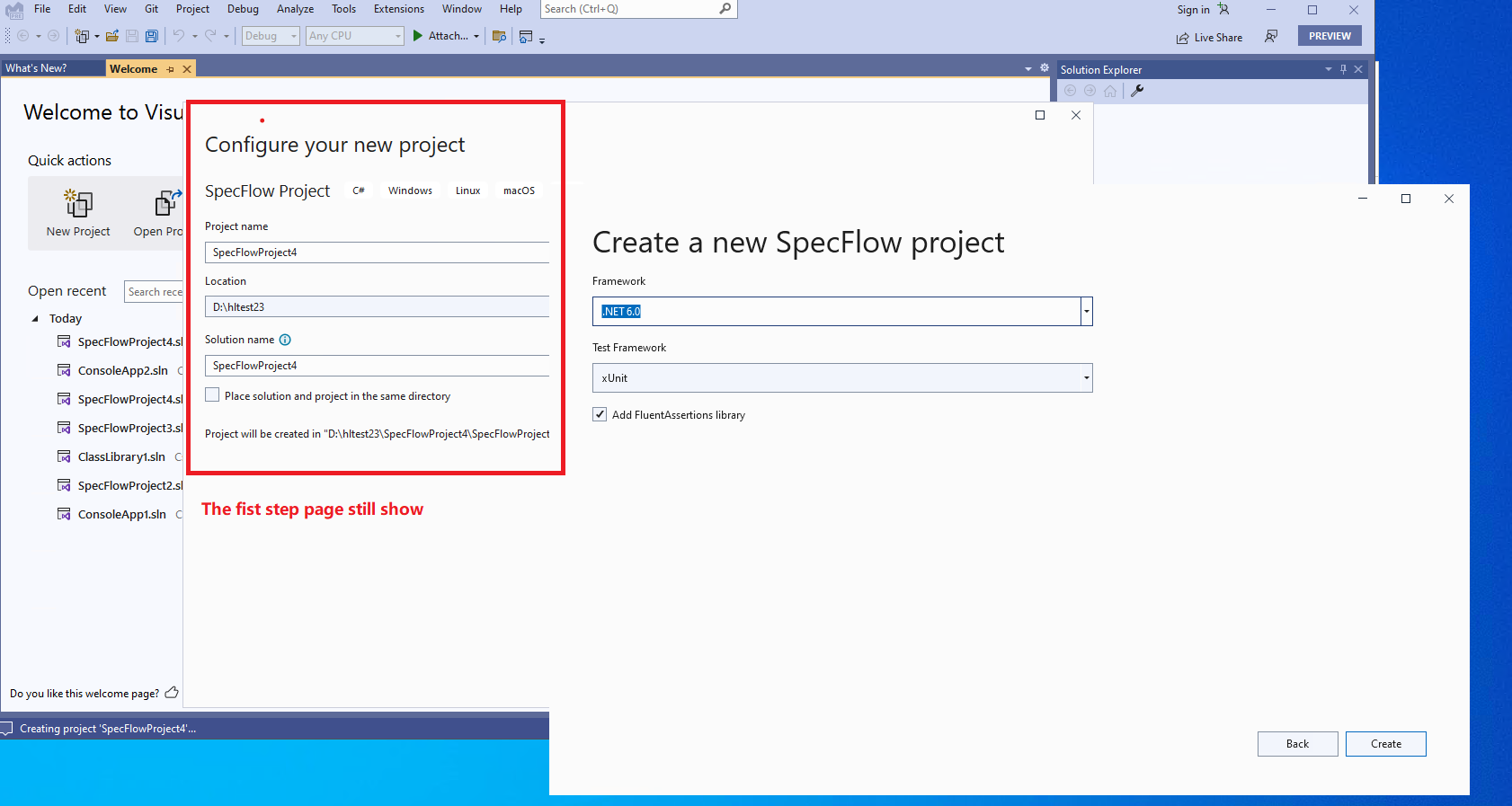
After modifying the location for the duplicated name project, the first page- "Configure your new project" still show.
Steps to Reproduce
Affected Branch: main Affected Build: Version 17.6.0 Preview 2.0 [33501.379.main] Affected Product Language: Affected Build Link: Pipelines - Run main-33501.379 (visualstudio.com) Preview Channel
Pre-steps: 1.Navigate to "Extensions -> Manage Extensions ->Online" and search for "SpecFlow" in the search bar. 2.Hit Download. You'll need to restart VS for the installation to completed.
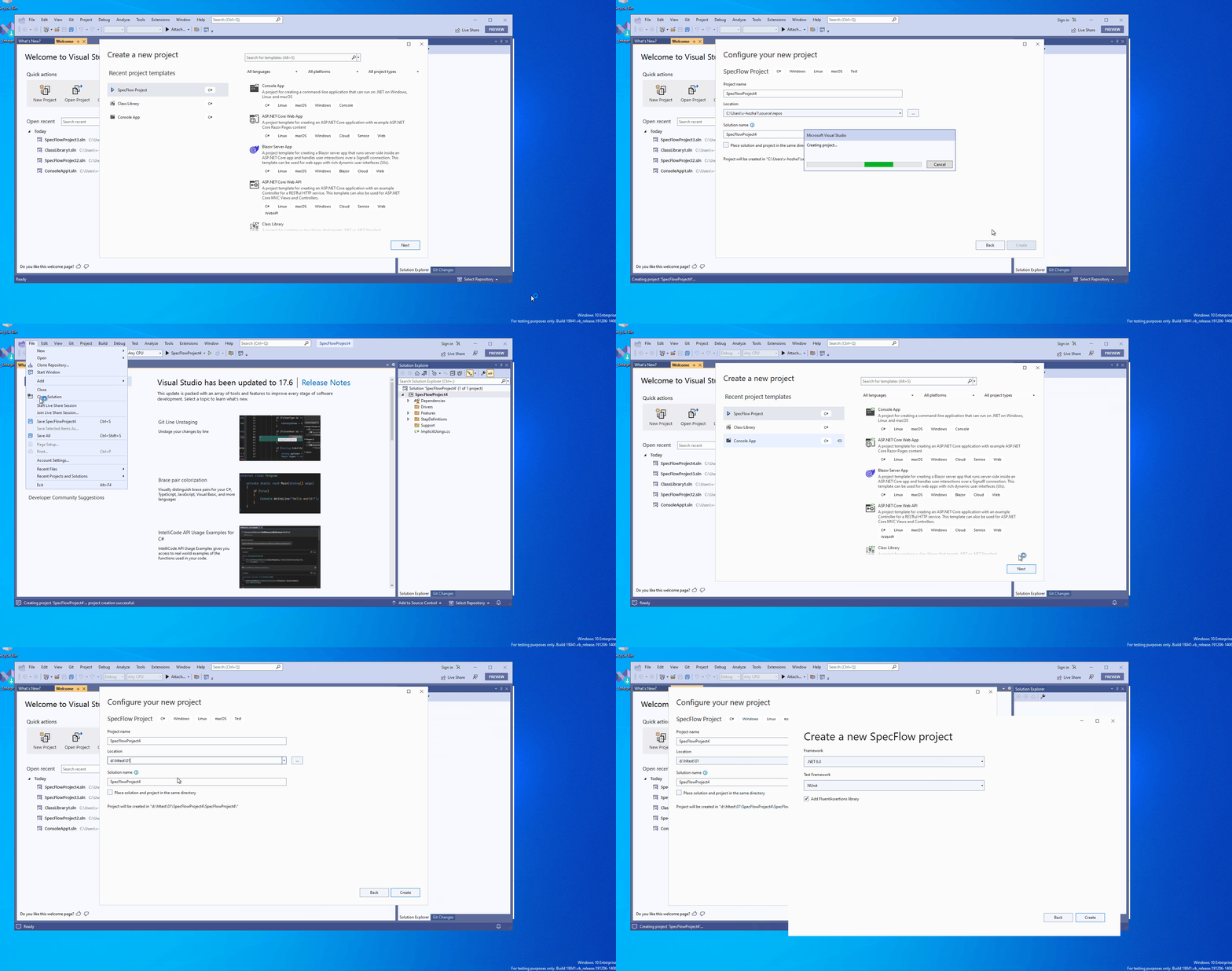
- File > New Project > SpecFlow Project with default setting, till done
- Close the solution
- File-> New SpecFlow Project again
- On Configure your new project page -> Specify the same project name in step1.
- Click Next -> click Ok on the popped dialog.
- Edit the "Location" to another valid path -> click "Create".
- Drag the "Create a new SpecFlow Project" page and check.
Note: This issue is specific to SpecFlow Project. With the same repro steps, it doesn't repro for Console Application. Repro VM: 172.16.195.202
Expected Results: After clicking "Create" in step6, "Create a new SpecFlow Project" page should be shown, and "Configure your new project" page should not show.
Actual Results:
After modifying the location for the duplicated name project, the first page- "Configure your new project" still show.
Detailed please refer to below gif file
Link to Repository Project
No response

We used the latest VS2022 for testing. Here is the original issue we filed for reference: https://devdiv.visualstudio.com/DevDiv/_workitems/edit/1757259
