

 SparkDevNetwork
Interactions not Added to Streaks
Prerequisites
- [ ] Put an X between the brackets on this line if you have done all of the following:
- Did you perform a search at https://github.com/issues?q=is%3Aissue+user%3ASparkDevNetwork+-repo%3ARock to see if your bug or enhancement is already reported?
- Can you reproduce the problem on a fresh install or the demo site?
- Did you include your Rock version number and client culture setting?
A Picture Is worth a Thousand Words
Exception Log. I think this is related to the issue below.
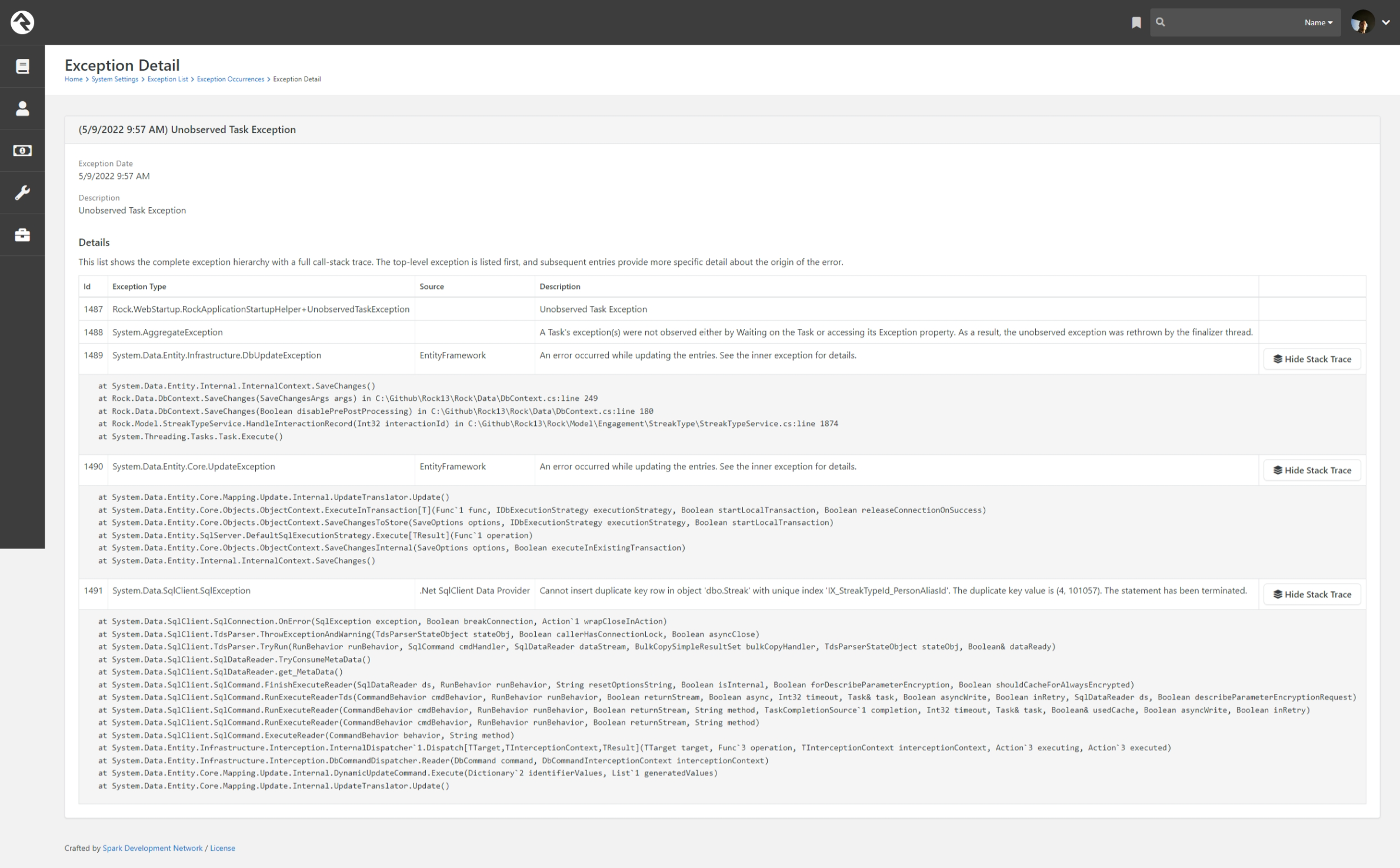
Description
We have a Rock Mobile Application. During the 12.x releases (prior to 12.8 but not before 12.4 ) our Mobile App quit adding Streak Engagements for Interactions. I've been looking into this for a bit now; Rocket Chat with implementation details here . I have found an exception in my log that I think is related(in the above screen shot. )
On mobile we have a page that writes an interaction to a specific Interaction Chanel Id and Component Id. This interaction is also a linked activity via the streak setting. On web when you visit this page(if you are logged in) an Interaction is written, and a streak engagement is written, we've had no issues with website streaks. On mobile it has quit working.
Using this code:
<Rock:Interaction Operation="View" Summary="Bible 365" ChannelId="6" ComponentId="659" Data="https://ark.info/page/817?day={{ currentReadingDayClient }}&mobile-app=true" MarginBottom="-16"/>
An interaction is written, but the streak fails to mark an engagement for the person. If you manually rebuild the Streak data the correct engagements are written.
This was working prior to the beginning of the year and into the beginning of this year.
Expected behavior:
When an Interaction is logged, the person(if logged in ) would be added to the streak associated.
Actual behavior:
The person is not added to a streak.
Versions
- Rock Version: [13.3]
- Client Culture Setting: [en-US]

@asdf1nit I tried to replicate this issue but wasn't able to.
I created a Streak Type that was synced to the interactions for a specific Rock (web) page. Then I loaded the page in the browser in order to verify that the streak did get updated when recording an interaction for that page. It did.
I wiped out all the streak data and interaction data and then used the <Rock:Intereraction /> command in Mobile to record an interaction to that same channel and component so I could see if the streak updated. It did. I tried this a half dozen times using Rock 13.4 as well as Rock Mobile 2.1 and 3.0. It worked each time. In all tests, the user was logged in.
Do you have any more details that we can use to try and replicate the issue, or are you able to build (and document the steps) a reproducible test case on the demo site using the orange mobile app?
I did occasionally get the exception, but I was able to narrow that down to what appears to be an unrelated issue because it happens on Web too. Basically, if two interactions get written at the same time (like if you view the page twice within a few seconds), both save operations will fire off a "create streak" operation. One of which succeeds while the other fails with the error you are seeing. But in all my tests, even when that exception did come up the streak was still created/updated. We will be looking into fixing this exception as well.

I will work on getting more details for you I'll just need some time to get this done. We're on Rock v13.3, not sure if that will make a difference. I'm not sure which mobile version we're on. I know it's not 3, and assume it's 2.1.
@cabal95 so this still has me stumped. I do have updated information but I still can't make heads or tails.
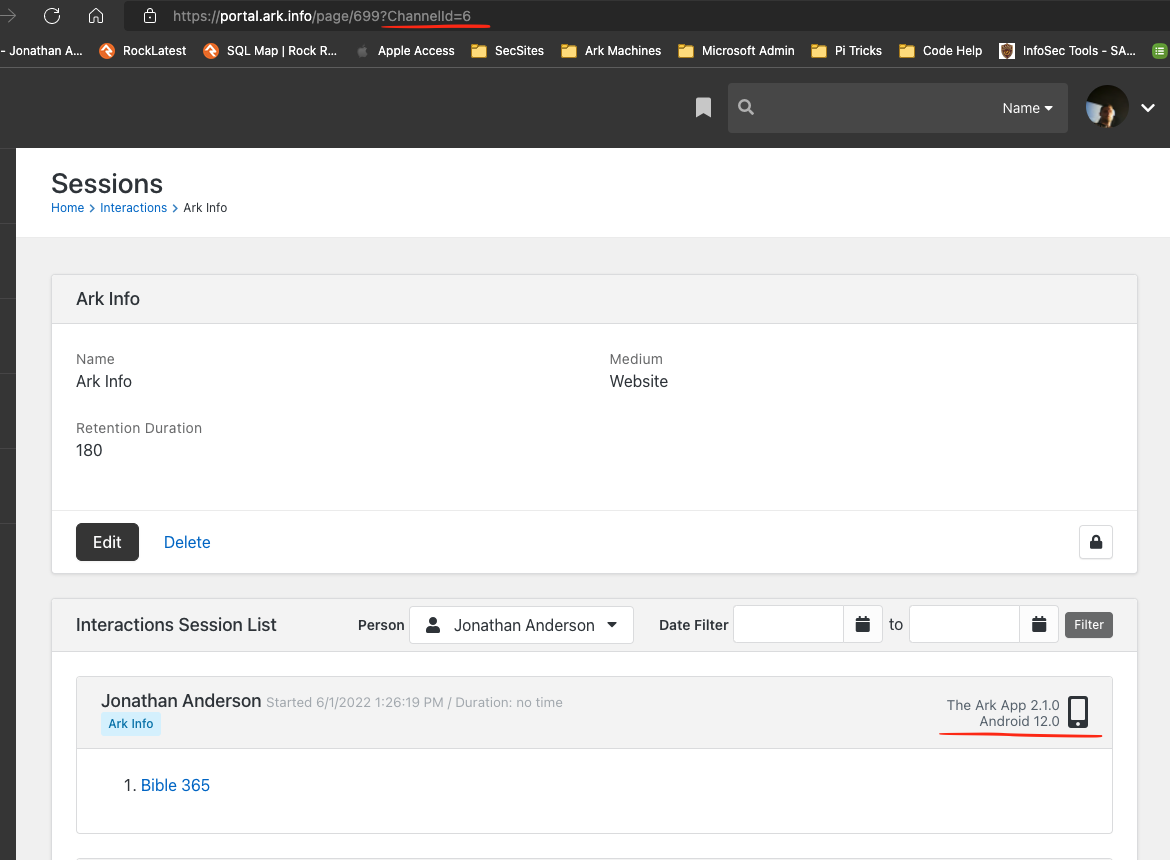
The mobile app does create the interaction when viewed. The screen shot below shows that this interaction was added from the app. If the interaction was from a browser it would show on the right(the current screenshot shows mobile). Writing the interaction works.
Interaction
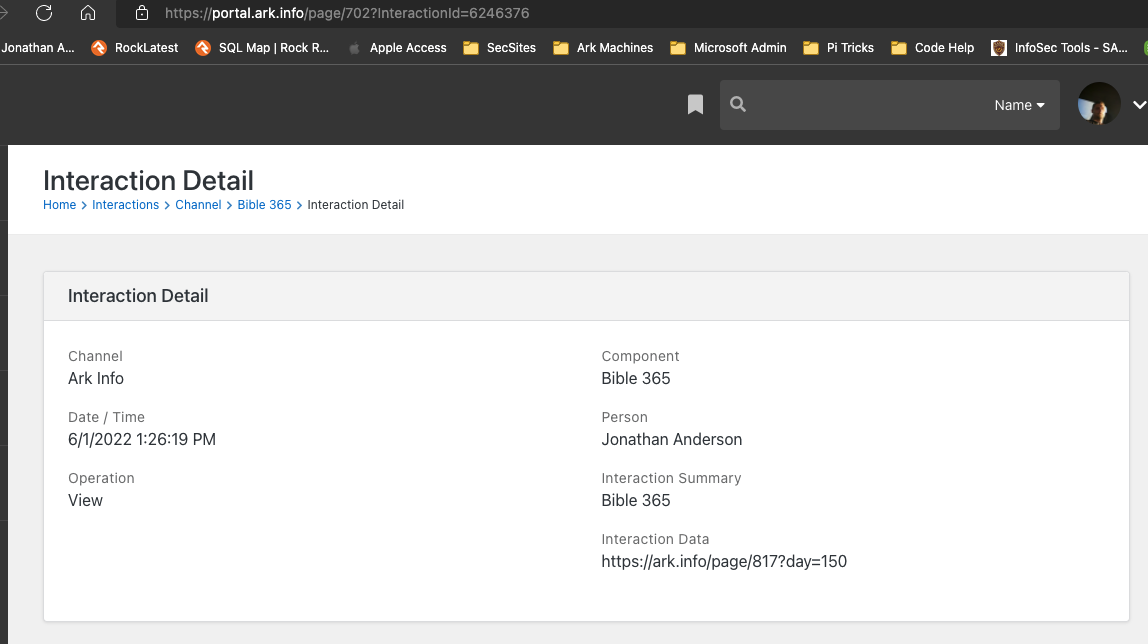
 Same information but detailed
I have created a new streak that is the same as the old one to see if I would see any difference and I have. it has been running for the last week so I could collect some data.
Old Streak settings
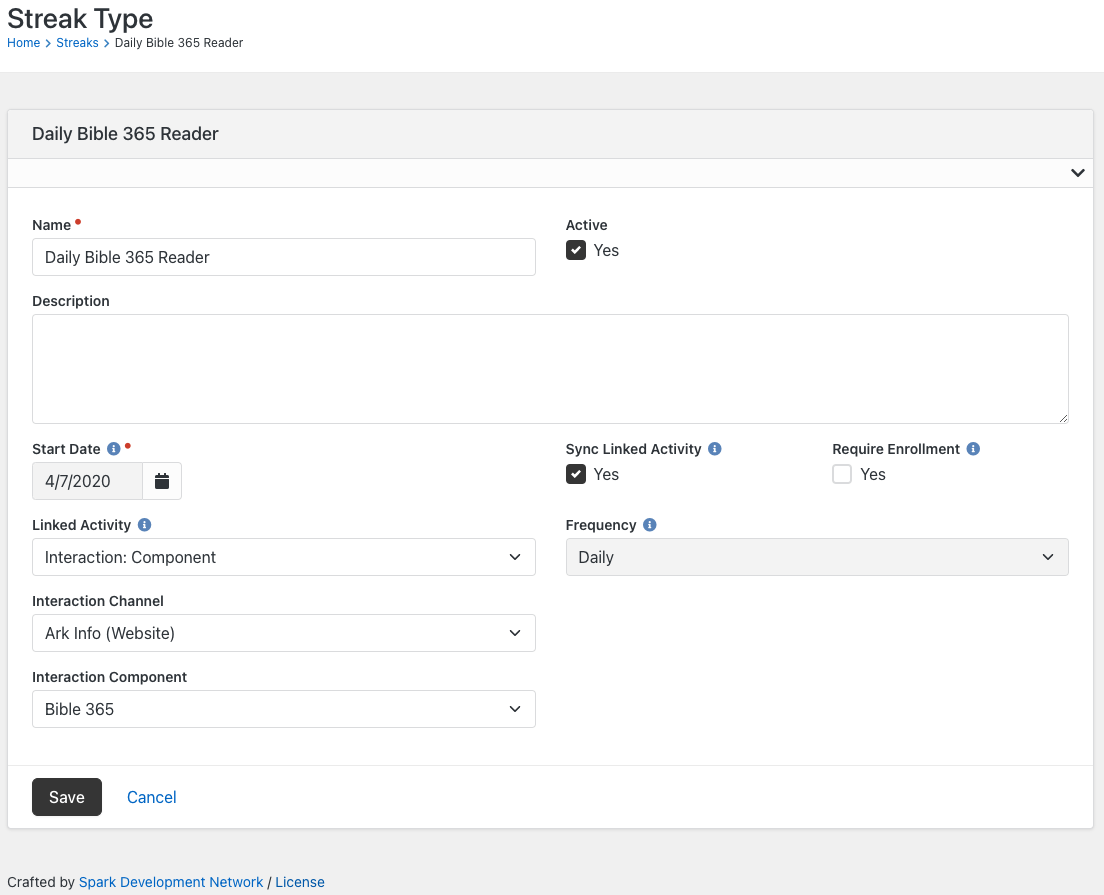
New Streak Settings
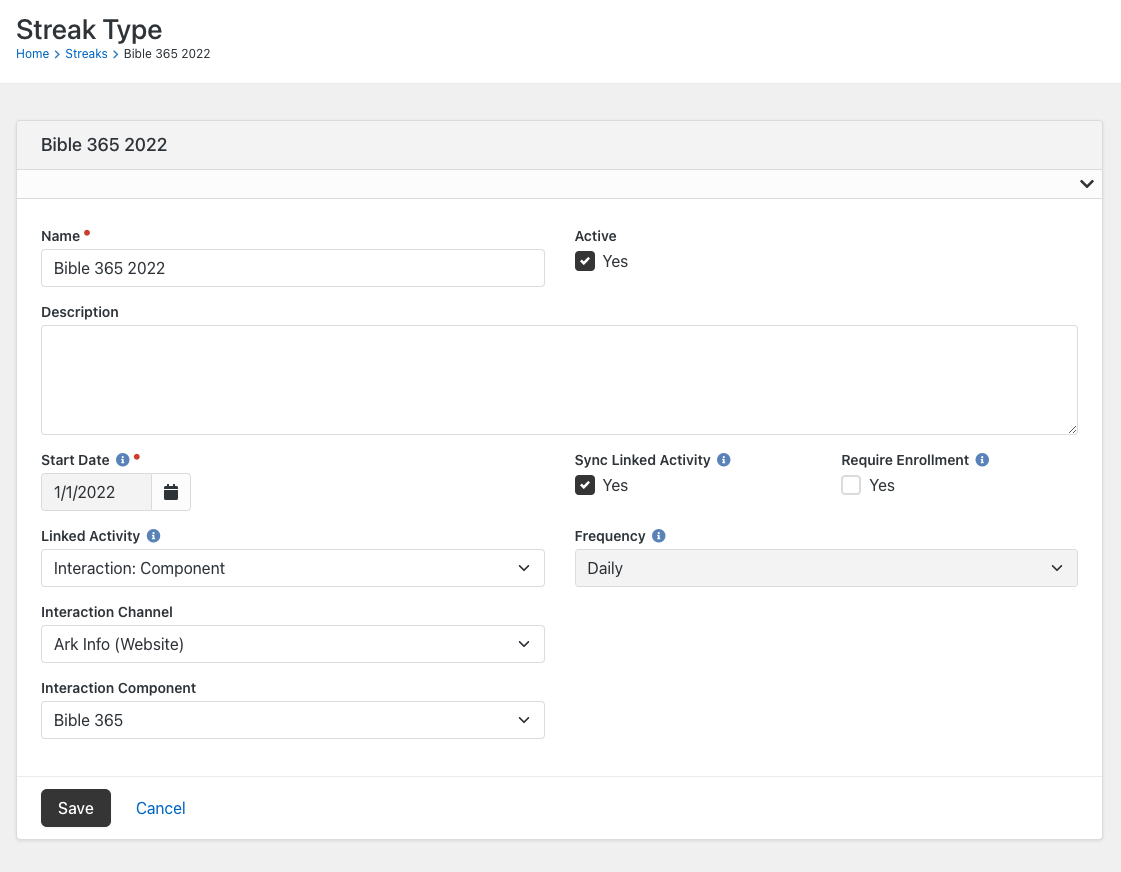
What I found: I still have the issue but I have found that it doesn't effect everyone, only certain users, and only if they used the mobile app. I have tried to find a common reason but I haven't found it. If a person uses the web site, an interaction is added and the streak updates so no issues there. If a person is using their mobile app, the interaction is written as shown in the screen shot above BUT the streak doesn't always count it. If I rebuild a persons streak data manually any streaks that were not counted initially are counted after it's rebuilt.
I'm sure there's some reason why the streak isn't being added I just can't find out why. My first thought was maybe it had to do with Person Id's \ Alias Id's and person merging(more than one alias record) thinking maybe there is a mis match in id's with the way a streak is implemented. I have since confirmed that some people with merged records are getting their streaks updated.
What is always the same is who's streak get's updated. For instance, myself and a few staff read on our mobile app, we have stopped receiving streak engagements unless we use the web, where as others are still receiving them on mobile. I haven't been over a large set of people but I do have a small list of people who this isn't working for. Even if I rebuild the streak data they still wont update.
@asdf1nit Any chance you can attempt to replicate this on the pre-alpha or demo sites by building a small test app there and using the Rock Demo mobile app to test with? If you can keep a list of the specific steps you took and are able to replicate the issue there, then we would have a better chance of replicating it here to debug further.
@asdf1nit We are going to close this for now as we can't reproduce it in our development environments to proceed with any testing or fixing. Please feel free to re-open in the future if you find a way to replicate this on the demo site so we can attempt to replicate in the debugger.