
Rock
 Rock copied to clipboard
 SparkDevNetwork
Activity Attributes not visible in Workflow Entry block when workflow is not persisted
Prerequisites
- [x] Put an X between the brackets on this line if you have done all of the following:
- Can you reproduce the problem on a fresh install or the demo site?
- Did you include your Rock version number and client culture setting?
- Did you perform a cursory search to see if your bug or enhancement is already reported?
Description
The Workflow Entry block is not showing the assigned values of activity attributes when the workflow is not persisted.
If there is a Persist Workflow action in the workflow before the Form action, everything works as expected. "Automatically Persist" also causes everything to work as expected.
I have been able to reproduce this on v8.8, v9.1, v9.2, and v10 prealpha.
There are 2 closed issues describing this same behavior, although they don't mention the persistence state of the workflow. (#2030 and #2413. Both marked fixed in v7)
Steps to Reproduce
Here is a link to a workflow export demonstrating the problem.
- Create a new workflow with "Automatically Persist" turned off
- Add a workflow attribute and an activity attribute
- Add two Attribute Set Value actions; One for each of the attributes
- Add a
Formaction to the end and show both of the attributes - Run the workflow and check the attributes displayed by the form
Expected behavior:
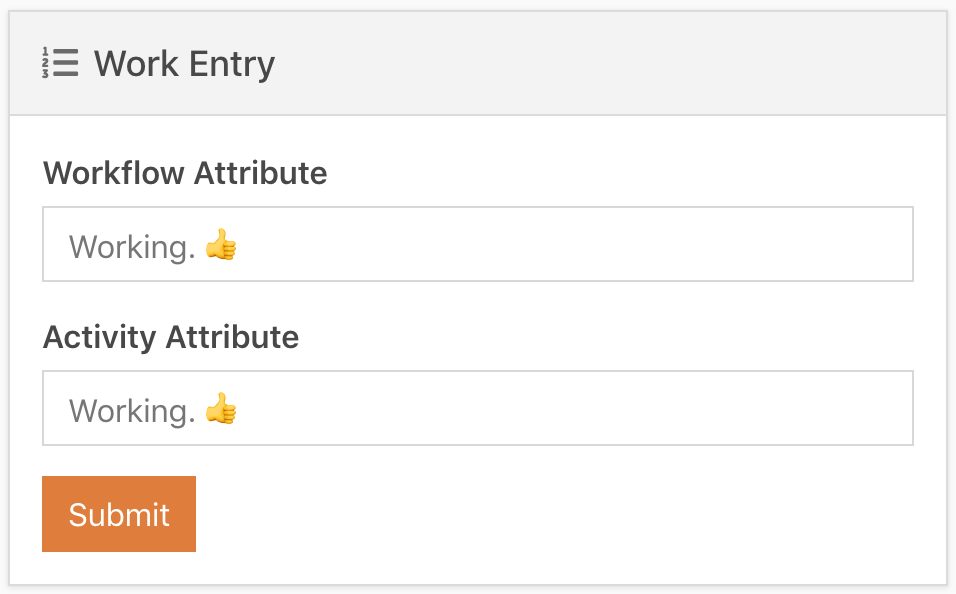
Both the workflow and the activity attributes will contain the values I set them to.
Persisted:
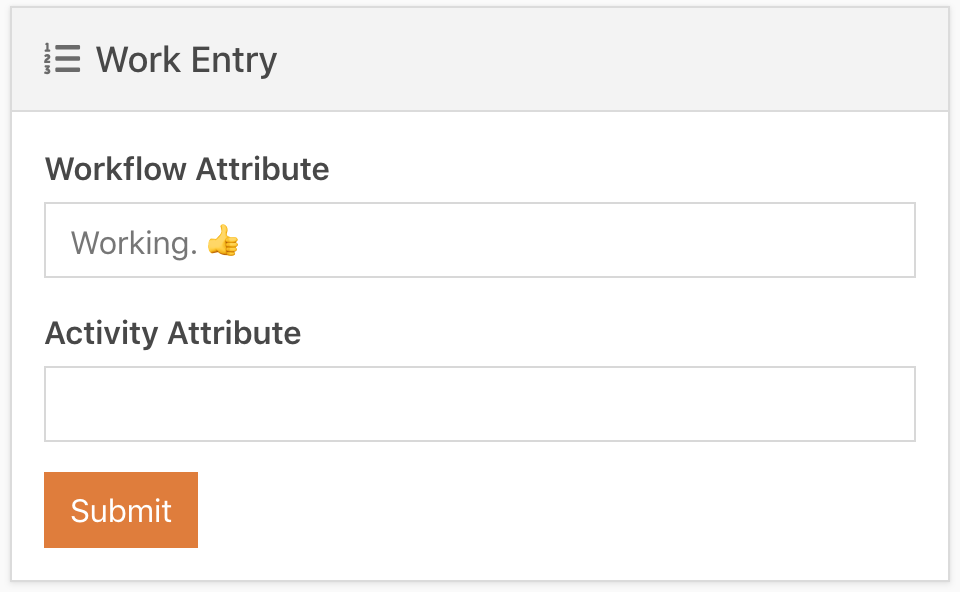
Actual behavior:
The workflow attribute displays as expected, but the activity attribute is blank.
Non-Persisted:
Versions
- Rock Version: 1.9.2.3 (mine), 1.9.1.3 (demo), 1.10.0.7 (prealpha)
- Client Culture Setting: en-US

I have narrowed it down to the call to LoadAttributes() on the activity.
https://github.com/SparkDevNetwork/Rock/blob/0242eb3879af7b01ca8f8733c1a09e5dd36bef00/RockWeb/Blocks/WorkFlow/WorkflowEntry.ascx.cs#L447
I am stepping through this in VS, using the example workflow I linked above. Before that call _activity.AttributeValues[0].Value contains the value that I set earlier in the workflow. After that call, it is null.
I don't know enough about the inner-workings of workflows to know if it would break things to make that call conditional based on whether the workflow is persisted or not.