

 SparkDevNetwork
Groups Attribute Security not working as expected
Description
I have a security role that has edit access to a group, but staff members using that role can not create or edit Group Member Attributes. Only the Administrate group security setting is allowing that, and I do not want staff members to have that type of security. I do know that in V7 the ability to secure individual group member attributes was added to the group types, but seems to have removed the ability to edit the group member attributes at the group level.
Steps to Reproduce
- I created a security role and gave it edit access to the group type as well as to the group.
- added a person to the security role
- logged in as that person and tried to create a new group member attribute in the group (not the group type)
- I have the edit group button, but the entire section for Group member attributes is missing
Expected behavior:
I would expect a person with Edit access on the group to be able to create a new group member attribute at the group level. The group type that we are using is used for other groups that this attribute will not apply to - so it needs to be at the group level, not at the group type. I can add in the new group member attribute with administrate security to that group - but that is also giving other access that I do not want staff members to have.
Actual behavior:
the group member attribute section is missing when you click edit
Versions
- Rock Version: 7.4
- Client Culture Setting: en-US

HI @tbice I'm not certain I'm able to reproduce what you're seeing here. Can you verify or clarify based on what I'm seeing? (I'm testing with a copy of pre-alpha/v9).
When I follow the steps to reproduce (I only added the 'Staff-Like' role with edit access to the specific group in question)
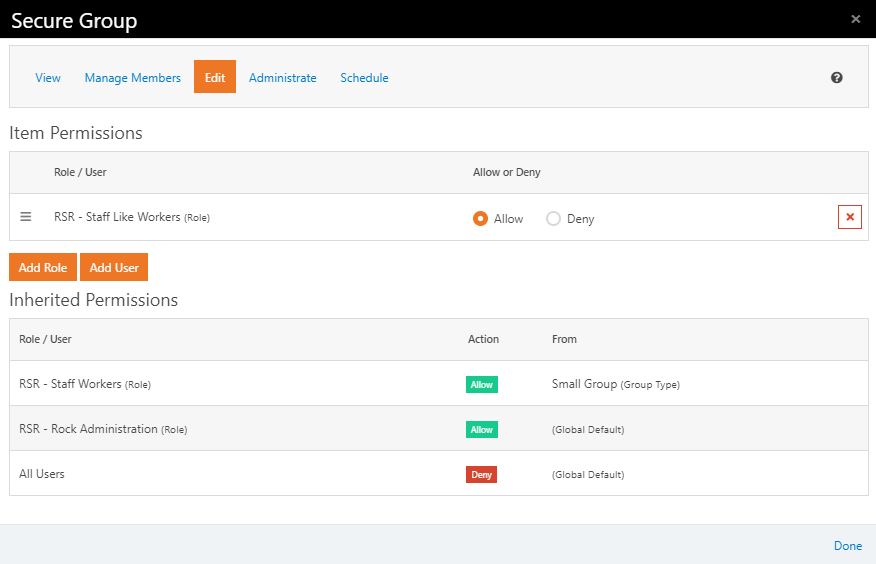
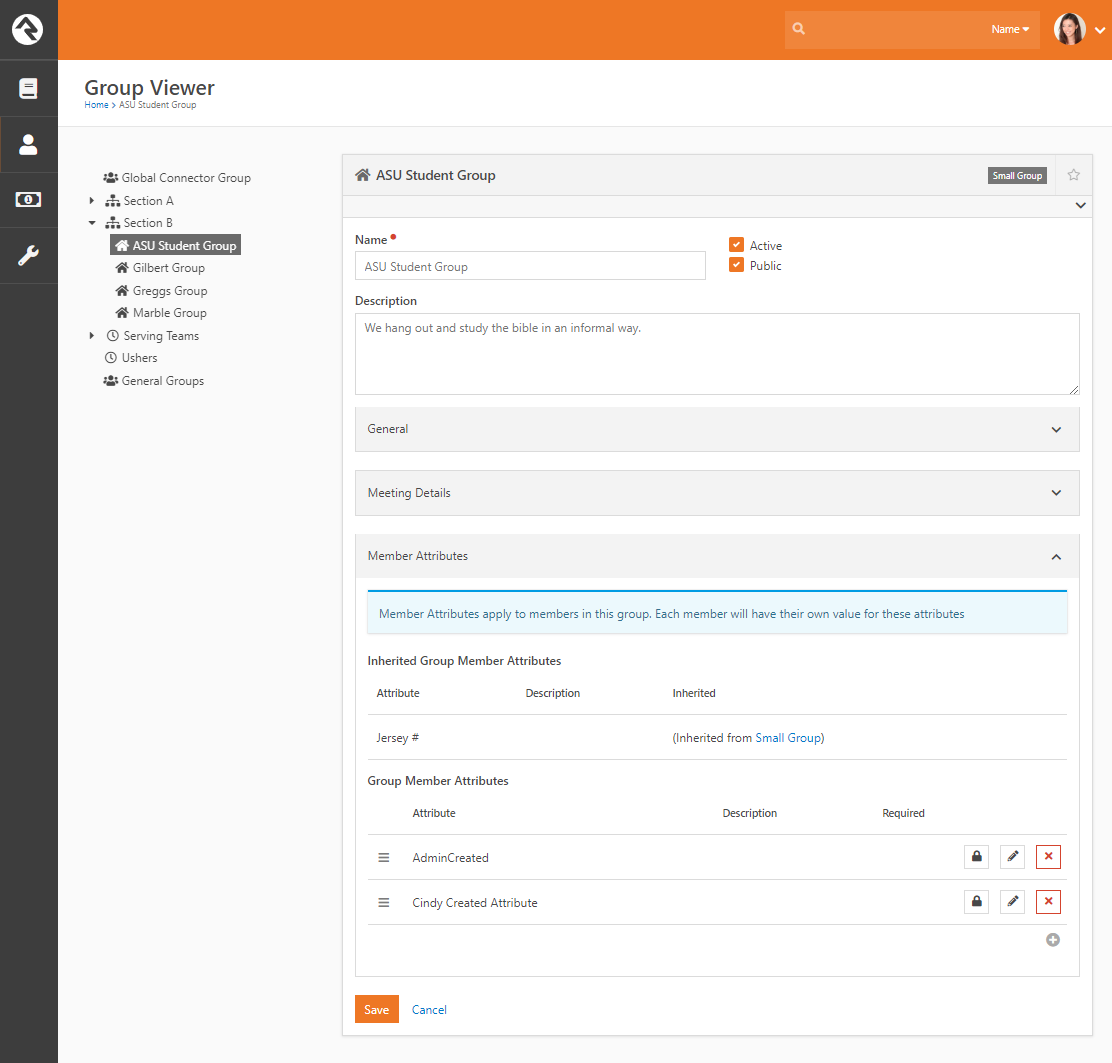
...then had Cindy Decker edit the group, she was able to create a new group Member Attribute:
However, when she tries to edit a group member, she sees this, with the "Group Member Attributes" section empty (and uneditable):
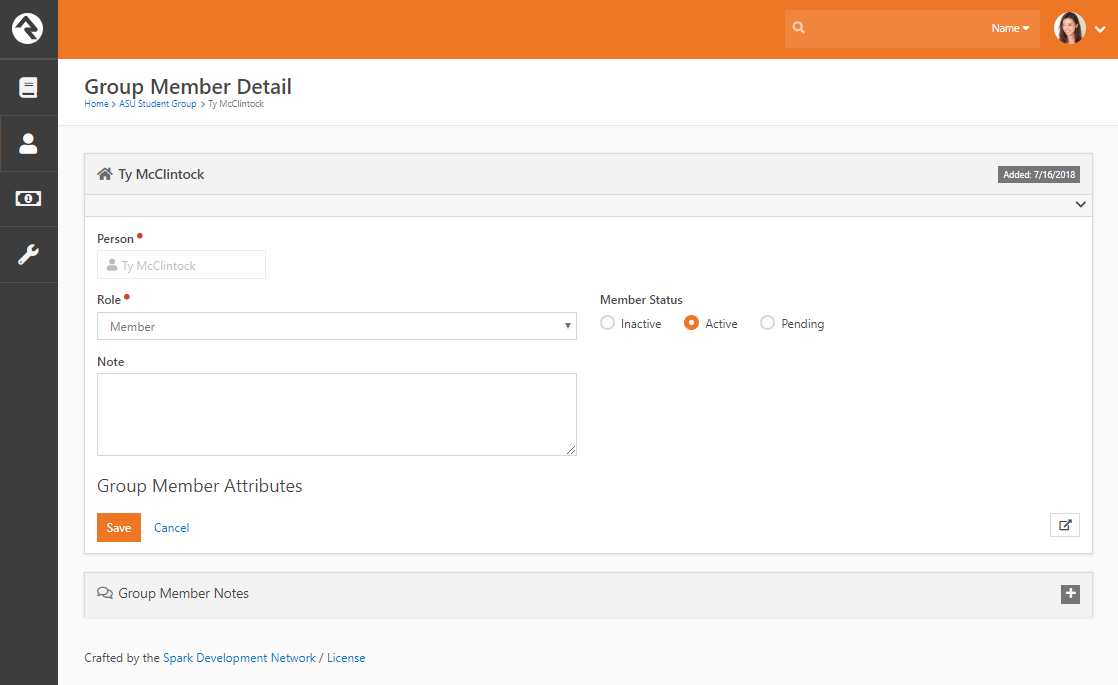
Is that what you're seeing?
[Update: I can see that when Cindy created the new attribute, Rock did not give her View/Edit rights to that new attribute therefore she's unable to view/edit it.]

Related to this, @nairdo, is an issue (at least on 8.7) that when a staff member does create a new Group Member Attribute, they can not edit the values. It seems the Group Member Attributes only inherit security from the Global Default. I notice in your screenshot it seems to inherit security from the Group instead - is that new/fixed in v9?

@tbice After discussing this situation here, we believe that the ability to add new (or change existing) group member attributes should actually require "Administrate" level permission on the group. The administrator who adds the group member attributes is then able to decide which roles/people should have access (view/edit) to those attributes. Therefore, we will prevent someone who only has EDIT on the group from seeing the Group Member attributes panel (cc387092909c9560a062c18370ded6ff3e108815).
@cabal95 The screenshot above shows the "Jersey #" group member attribute which is coming from the Group Type's configuration/definition (of the group member attribute).
@nairdo I'm not sure whether to create a new bug report for the bug you and Daniel have discussed here. When a user has Administrate privileges to a group, they can create a new group member attribute but they do not then have the permissions to edit that attribute, and require a Rock Administrator to assign them edit permissions to that attribute.
I see this issue has been tagged as an Enhancement, but IMO this is a bug. If a person has Administrate permissions on a group, so that they have the power to create a group member attribute, they ought to be able to Administrate (or at least edit) that groups attributes as well. As it stands, they can create an attribute but can't do anything with it until a Rock Administrator intervenes.

Closing as an individual needs 'Administrate' access to the group or group type to be able to change the configuration of the group (creating attributes).
I did confirm that once created the person now has access to edit values for the attribute.
