

 SonarSource
AD0001 when loading opening project with SonarAnalyzer NuGet reference
Description
Scenario:
- SLVS installed with SonarAnalyzer version X embedded
- MSBuild project with NuGet analyzer reference to SonarAnalyzer version Y embedded
VS shows AD0001 errors for Sonar analyzer Y rules when analysing out-of-process.
Note: there may not be anything we can do to fix this issue since we have no control over how analyzer DLLs are shadow-copied or loaded.
TODO - check for existing Roslyn issue.
Repro
- make VS is configured to run Roslyn analysis out of process (Tools, Options, Editor, C#, Advanced)
- open a project that has a NuGet reference to a different version of the
SonarAnalyzer.CSharpNuGet package e.g. v7.17 - look at the analysis results in the Error List
Expected results
- no AD0001 errors
Actual results
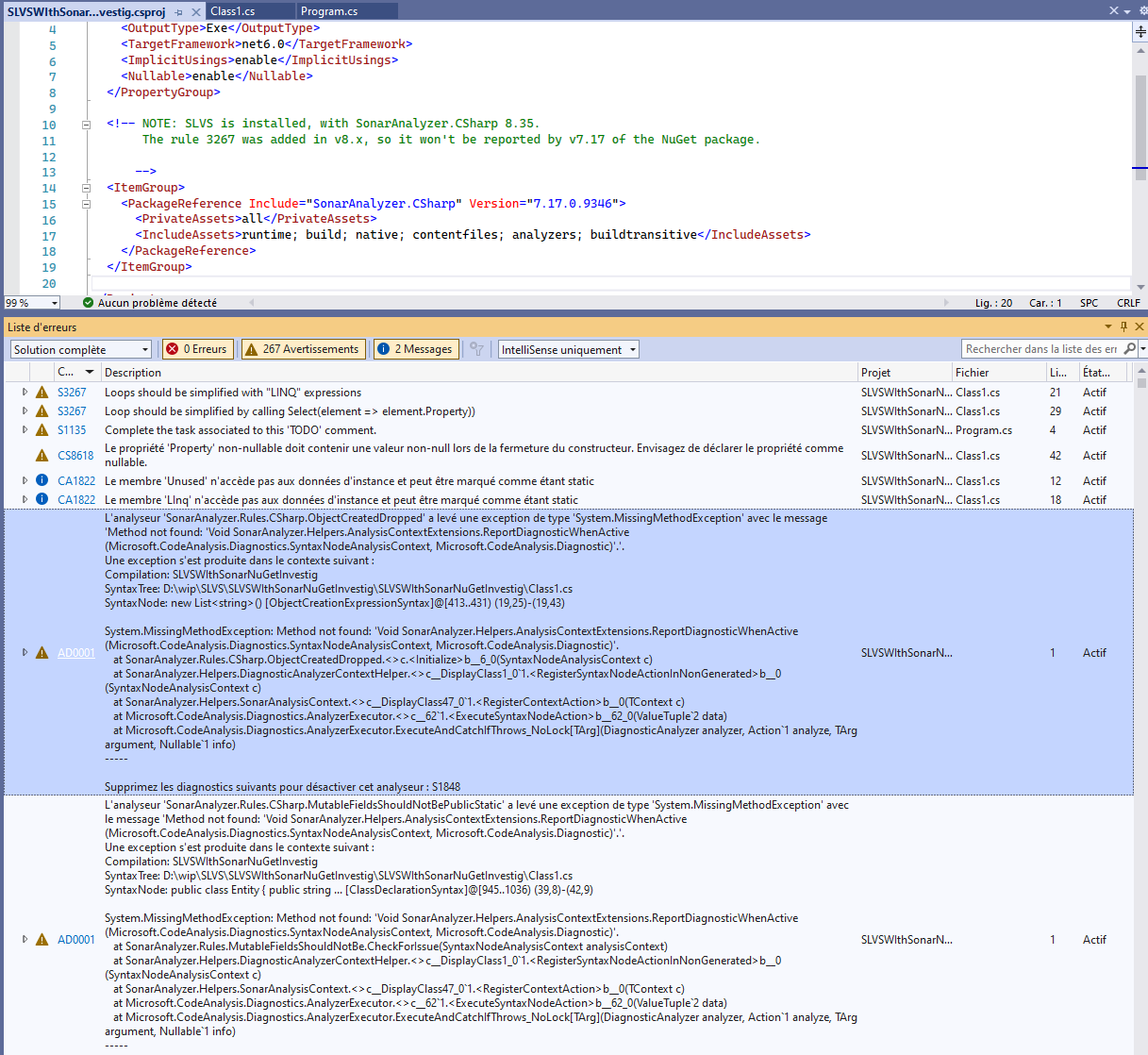
AD0001 issues are raised for the NuGet version of the Sonar analyzer. Sonar C# issues are reported for the VSIX version of the analyzer.
Error list with AD0001 errors
List of SonarX modules loaded in the external Roslyn process
All of the VSIX analyzer assemblies are loaded, but only the main SonarAnalyzer.CSharp.dll assembly is loaded:

Workaround(s)
a) use either NuGet references or SLVS, not both, or
b) configure Roslyn analysis to run in-process
Affected version(s):
Visual Studio: VS2022. Does not appear to be a problem with VS2019 (see below). SLVS: probably doesn't matter

Behaviour in VS2019:
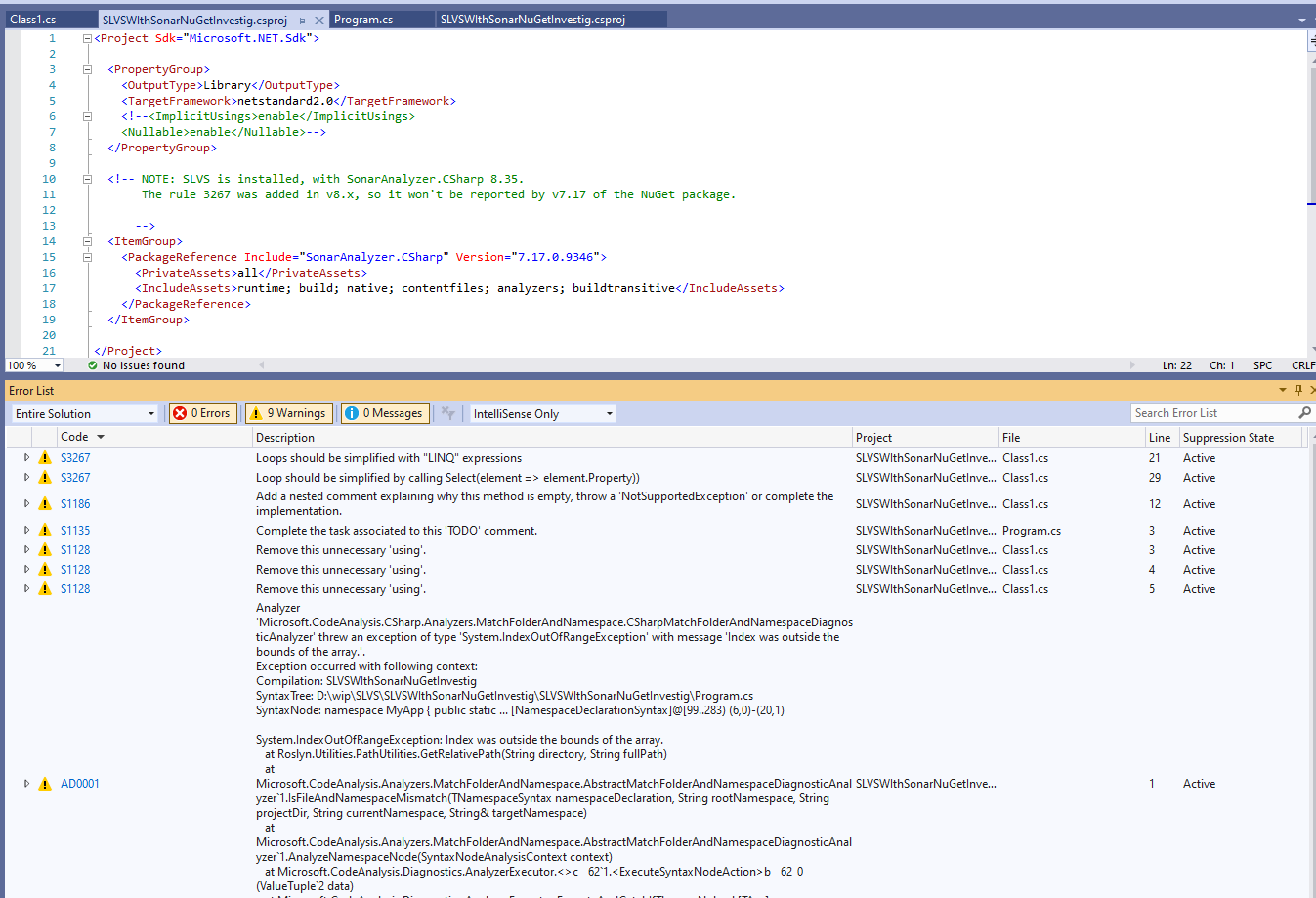
Out-of-proc:
Note: there are AD0001 errors, but they relate to MS analyzers.
Assemblies loaded in the remote Roslyn process
Appears to be loading more of the NuGet assemblies than VS2022.
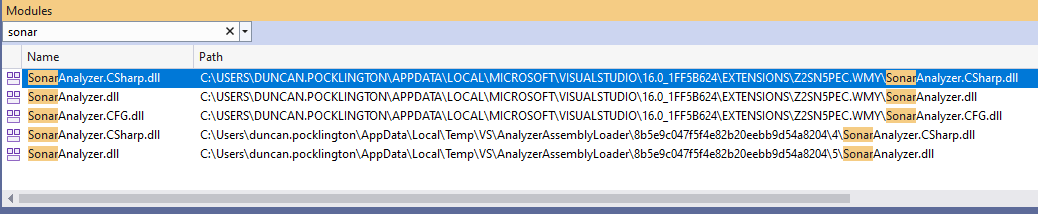
Note: same assemblies are loaded in-proc in VS2019:
