
make-sense

make-sense copied to clipboard
 SkalskiP
Annotation speed optimization: Annotate along a line or a grid using one annotation shape
Is your feature request related to a problem? Please describe. Sometimes annotations need to be done along a line or grid with the same shape.
Describe the solution you'd like
- Make a default shape using any of the available annotation methods (rectangle, line, polygon, etc). This should be done on the image to avoid scaling issues.
- Click on the button for the requested function, and select the default shape from the shapes you have already made.
- Define the boundaries of the range. This should be either along a line, a rectangle, a polygon, or a circle.
- Click enter or some key that finalizes the boundary annotation.
- Copies of the default shape should be added and enumerated with a left-right top-down scheme along the boundary. Spacing should also be adjustable.
Examples
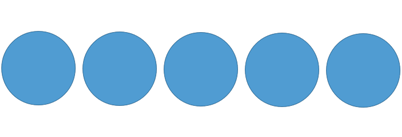
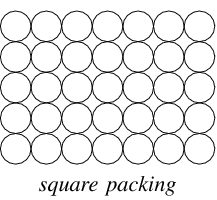
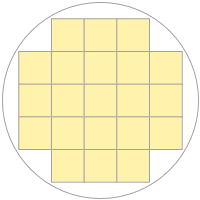
Found these pictures online. Moreover, maybe the boundary should be the centre of the first shape; unlike what is depicted in the images below. In the images below the boundary of the shape touches the range boundary.
Line (with spacing):
 Rectangle (no spacing):
 Circle (no spacing):
Describe alternatives you've considered None
