
justidraw
 justidraw copied to clipboard
 Sin-tel
Experimental DAW where you can paint sound freely
justidraw
Experimental DAW.
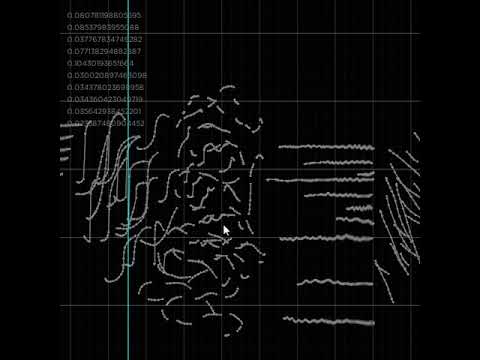
For the optimal experience, use with a drawing tablet on Windows (wintab driver).
macOS and Linux work but only mouse input.
How to run
- Install the latest version of love2d
- Download the latest release (you need the
.lovefile)
Controls
- middle mouse: pan
- hold ctrl: zoom
freehand draw tool
- left click: draw
- hold ctrl: erase
- hold shift: smooth
- radius determines input stabilization
line tool
- left click: draw flat lines
- hold alt: draw slanted lines
- hold ctrl: erase
selection
- left click: normal select
- hold shift: add
- hold ctrl: subtract
Shortcuts
- I: show keyboard shortcuts
Tools
- B: freehand draw (Brush)
- P: line tool (Pen)
- E: Eraser
- O: pan/zoom
- G: Grab
- M: Move
- S: Smooth
- F: Flatten
- N: eNvelope tool
- H: Dodge/burn envelope (ctrl to decrease)
- T: Transpose/stretch
- U: smUdge / vibrato
Selection
- R: Rectangular selection
- L: Lasso selection
- D: Deselect
- shift+D: duplicate selection
- Delete / backspace: delete selection. With nothing selected, opens a new project.
- J: Join ends of selected notes
- shift+n: toggle between selecting notes or vertices
File
- Space: play/pause
- ctrl+Z: undo
- ctrl+Y / ctrl+shift+Z: redo
- ctrl+R: render wav
- ctrl+S: save
- ctrl+O: open save folder
- ctrl+N: rename project
- Escape: quit
Misc
- [ and ] : change brush radius (when applicable)
- + and - : change bpm
- left/right arrows: move bpm grid
- up/down arrows: change volume
- Y: Hold down to view local harmonic series grid
- ctrl+T: cycle between themes
- ctrl+P: toggle audio preview when editing
- ctrl+F: toggle follow mode (nice for recording videos)
- shift+e: toggle echo effect
- shift+r: toggle reverb effect
Drag and drop save files to open them!
Your last save file will be loaded on startup.
Start a new project with by hitting backspace or delete with nothing selected.
New projects get a randomly generated name, rename them with ctrl+N.
You will find a file user_themes.lua in your save directory.
Edit it to define custom themes (requires restart).
The yellow bar in top right shows the CPU load, if it gets high you might need to reduce the number of simultaneous notes. The green bar shows the peak volume, if it goes red, you should probably reduce the volume (down arrow).
 Sin-tel