

 SimpleMachines
"Go up" and "Go down" buttons show for "small" boards
Description
When accessing a board with no topics, or a board with only a few topics, or a topic with only a few posts, the "go down" / "go up" buttons are visible albeit unnecessary.
It would a) be nice if these only showed up if there was actually any need for them (or at least not for empty boards; I realize the need for them might not be so easy to detect 😉). Also b) I think it should be configurable whether they're generally shown or not (like f.e. the previous/next links).
Thanks!
Steps to reproduce
- Visit a board with no topics, or a board or topic with less that a screen full of topics / posts
- Notice the unnecessary "Go down" and " Go up" buttons
Environment (complete as necessary)
- Version/Git revision: nightly
- Database Type: Postgres / any
- Database Version: any
- PHP Version: any
Additional information/references

it's easy solution with js and intersection observer or by using document.body.scrollHeight

We could even use :not:empty or :has css selectors to show it and then media queries to adjust it for various media types. Which prevents the need to execute javascript and monitor it for resize (i.e. rotate for example) events.


Thats unfortunate. The nth selector would be not as fun here to use. I guess if its used to cleanup the buttons that js would be fine, but as I mentioned, we have to listen for resize events as otherwise we would have bug complaints that it doesn't show/hide when they resize.
Something like this
#main_content_section:not(:has(#topic_container .windowbg:nth-child(5))) .pagesection a.button {
    display: none;
}
when the amount of list element below 5 element display none, could be also done on php side? also smf 2.1 also doesn't work well without js (for exp. you can't logout without js)
Yes but the less edits for patches the better. With PHP you have to add two operations, with CSS just one an can be added at the end of the file.
also smf 2.1 also doesn't work well without js (for exp. you can't logout without js)
You can log out without JavaScript. There's a log out button that appears when JavaScript is disabled.
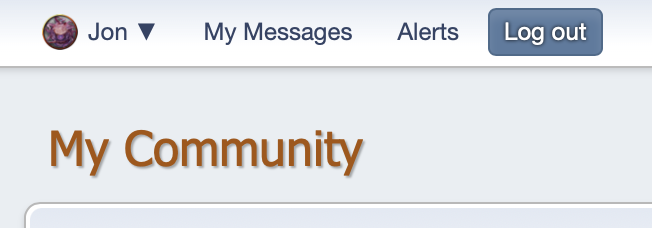

well this doesn't work when you block js partial because privacy concerns and the page use somekind of cdn like google.
If you start selectively blocking parts of the JavaScript, then of course that will break things. But that's not SMF's fault. That the consequence of the user's decision to break things.
I thought we did a fallback to the local jquery by default if the cdn can't be reached as well. I was hoping we could just do this entirely in CSS so it handles all screen sizes without needing to fire a event every time the screen is resized.