

 Sienci-Labs
Feature Request: Adding 3d Probe wizard in addition to toolsetter
I love how gSender works and shows everything in a very pleasant and beginner-friendly manner. I would love to see a nice wizard, where I could use my 3d Probe (https://de.aliexpress.com/item/1005005786040317.html?spm=a2g0o.order_list.order_list_main.47.61f05c5fbElHdX&gatewayAdapt=glo2deu) to detect z0 y0 x0. This is the only thing, that keeps me from gSender right now with my printNC.
Here an Example how the GUI in ioSender looks like.

While I'd also love to see the probing wizard enhanced to support the 3D Touch probe, here is a link to a note with some macros that work for probing with the 3D Touch probe. https://forum.sienci.com/t/macros-for-3d-probing/13806/18?u=johnocfii

Just posting here to second this feature request.
My current workflow (in iosender) is to use a 3D probe to probe a fixed toolsetter switch. This initiates setting up the job WCS and tool length offset. I then jog over to the corner of my workpiece, use an edge and Z finder function in my sender (op's image above) to auto probe for the workpiece origin and auto update G54 wcs. I then remove the probe and load Tool 1 in the spindle, issue an M6 T1 command which sends it off to the toolsetter for tool length offset and return to workpiece origin. Hit job start. Subsequent M6 tool changes in the gcode send the spindle to my park location for bit change, a single click sends it off to the toolsetter for length measurement and then machine continues with T2 operation.
I'd really like to have a similar workflow in gSender using built in 'status aware' tools rather than relying on macros, given how costly probe crashes can be.

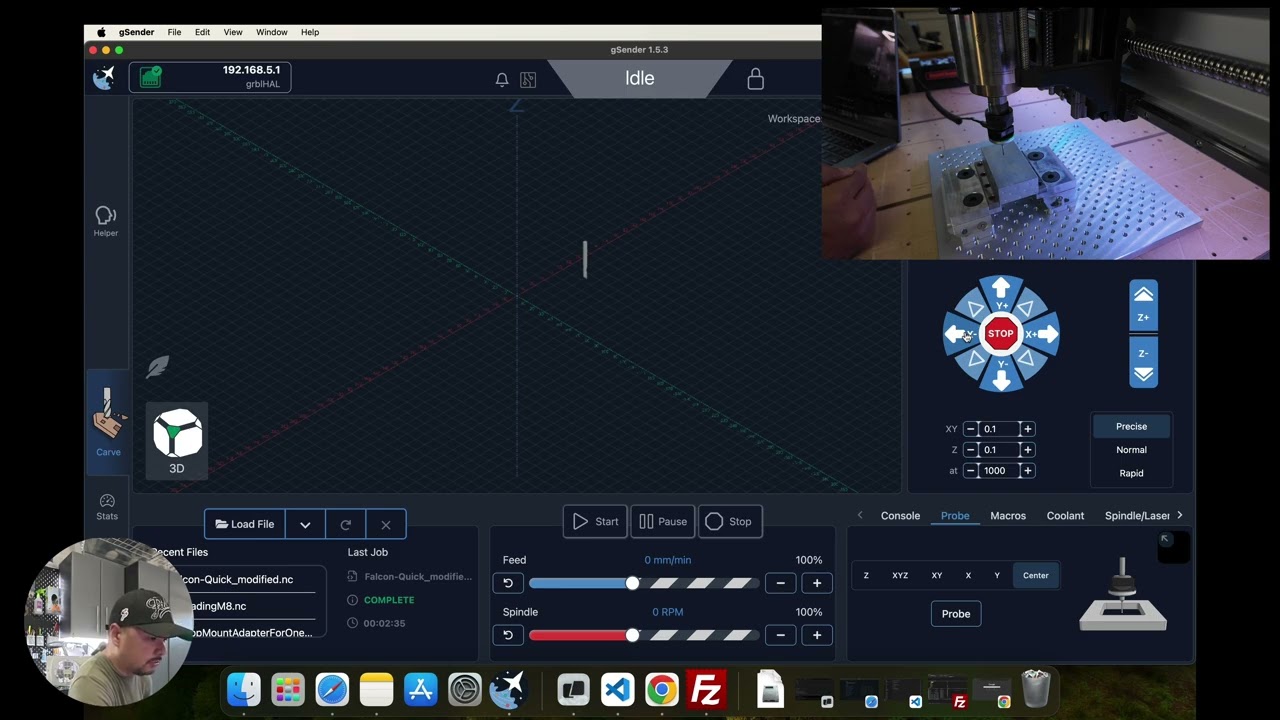


Aas of 1.5.5 we’ve now added support for 3D probes! I know this has been long demanded, so we’re super stoked to finally have it implemented. This new support for now only has the typical probing XYZ procedures similar to the standard block probing options - but now that a first version is done the intent is to have it be in the wild for a while so that we can address any follow-up feedback on the Config settings or anything else related to the functionality of using the probe before moving forward further with it. Let us know how you find it to work, and leave any other feedback as you see fit. I’m happy to finally close this topic now that this feature has been implemented :clinking_beer_mugs:
