

 Shopify
/admin/oauth redirects to /admin/auth/login inside iFrame (oauth loop)
Issue summary
I'm currently able to reproduce this in Safari Version 15.1 (16612.2.9.1.30, 16612). It happens in Firefox and Chrome at times but it's not clear.
The behaviour is that my app cannot get authenticated and worst of all a blank screen (in Safari) or this nasty screen in Firefox appears:
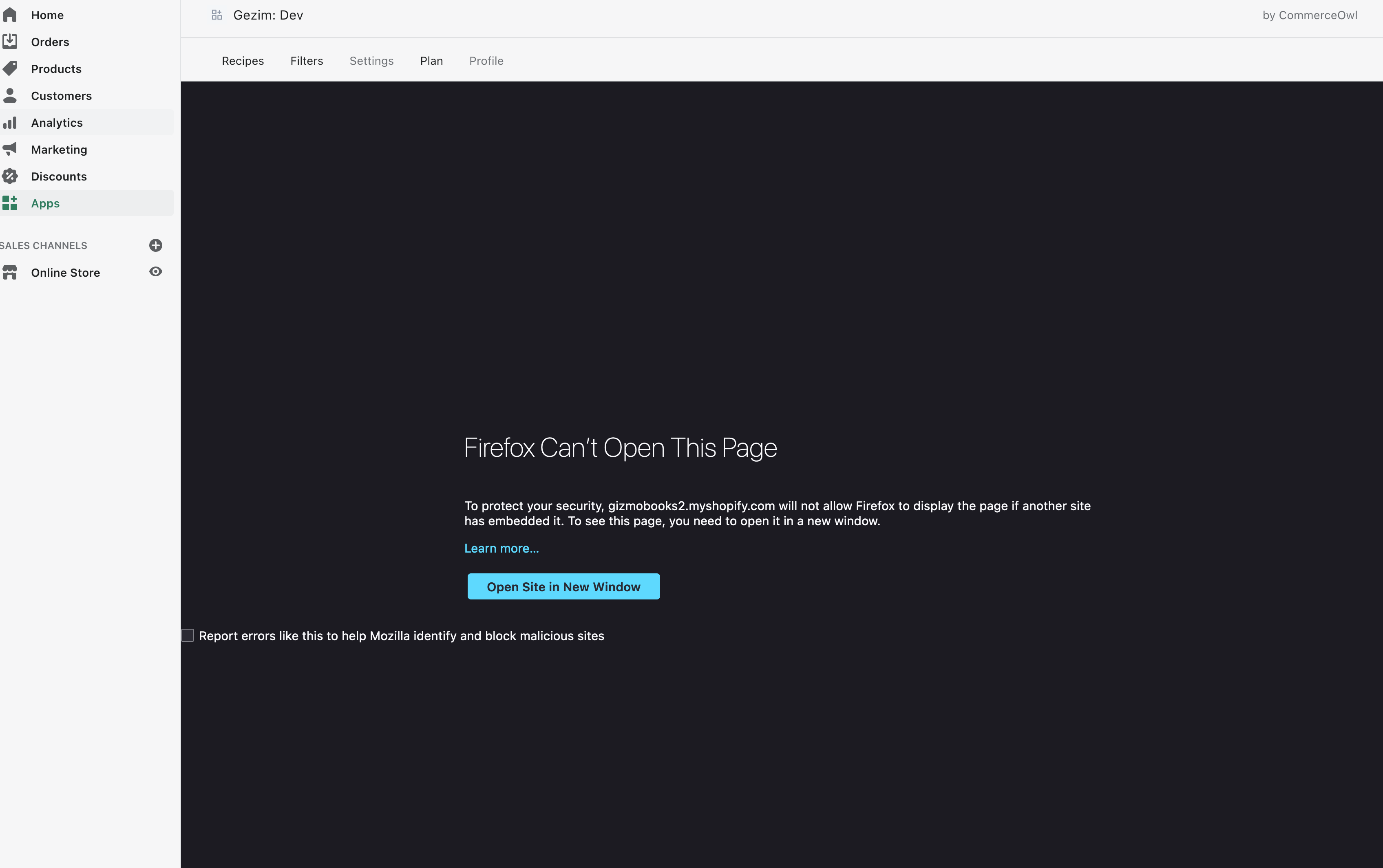
Expected behavior
The oauth loop should complete properly and load my app in the iFrame.
Actual behavior
Redirecting causes this redirect chain:

Steps to reproduce the problem
- Use Safari.
- Load a Shopify partner account
- Launch a dev store that has your app installed
- Create a new staff account in the dev store. Don't give it any permissions except for access to your app.
- Access the app from your main partner account by logging into the store first
- Create Private Window in safari and go to the test store's admin login link (someshop.myshopify.com/admin)
- Login with staff account
- You should see nothing active except for Apps nav item. Click on it and then click on your App
- Now you'll see a screen with nothing in the iFrame. Open the console and notice the error:
Refused to load https://yourshop.myshopify.com/admin/auth/login because it does not appear in the frame-ancestors directive of the Content Security Policy.
For my setup, I have my backend handle the initial auth request from Shopify. The handler looks like this:
public async authOnline(
    @Res() response: Response,
    @Req() request: Request,
    @Query('shop') shop: string,
  ): Promise<void> {
    try {
      const authRoute = await Shopify.Auth.beginAuth(
        request,
        response,
        shop,
        `${API_PREFIX}/${SHOPIFY_CONTROLLER_PREFIX}/${SHOPIFY_ONLINE_AUTH_CALLBACK_ENDPOINT}`,
        true,
      );

      response.redirect(authRoute);
    } catch (e) {
      console.error('Error starting Shopify online auth ', e);
    }
  }
This redirect ends up going to https://product-store2.myshopify.com/admin/oauth/authorize?client_id=364b15ebff583d1e0333c8f3ca0ecaf0&scope=write_content%2Cread_products&redirect_uri=https%3A%2F%2Fgh-dev-ma.ngrok.io%2Fapi%2Fshopify%2Fauth%2Fcallback&state=296517963511334&grant_options%5B%5D=per-user in my case.
Then /admin/oauth/authorize (above Shopify admin page) decides that my query params — I guess — aren't worthy and redirects (using a 303 status code) to https://product-store2.myshopify.com/admin/auth/login which the iFrame refuses to display.
Checklist
- [x] I have described this issue in a way that is actionable (if possible)

Hello @hgezim I'm having the same issue on Firefox. Have you been able to resolve it?

This issue is stale because it has been open for 90 days with no activity. It will be closed if no further action occurs in 14 days.
![github-actions[bot] avatar](https://avatars.githubusercontent.com/in/15368?v=4 "Published by a pub.dev verified publisher")
We are closing this issue because it has been inactive for a few months. This probably means that it is not reproducible or it has been fixed in a newer version. If it’s an enhancement and hasn’t been taken on since it was submitted, then it seems other issues have taken priority.
If you still encounter this issue with the latest stable version, please reopen using the issue template. You can also contribute directly by submitting a pull request– see the CONTRIBUTING.md file for guidelines
Thank you!
