

 ShootMe
Stats not running at all even after several troubleshooting steps
I am running the game in windowed mode 1920x1080 on a 3440x1440 display.
The stats don't do anything for me, not even showing the "previous wins" stat in the overlay.
Nothing happens in any game, either during or after
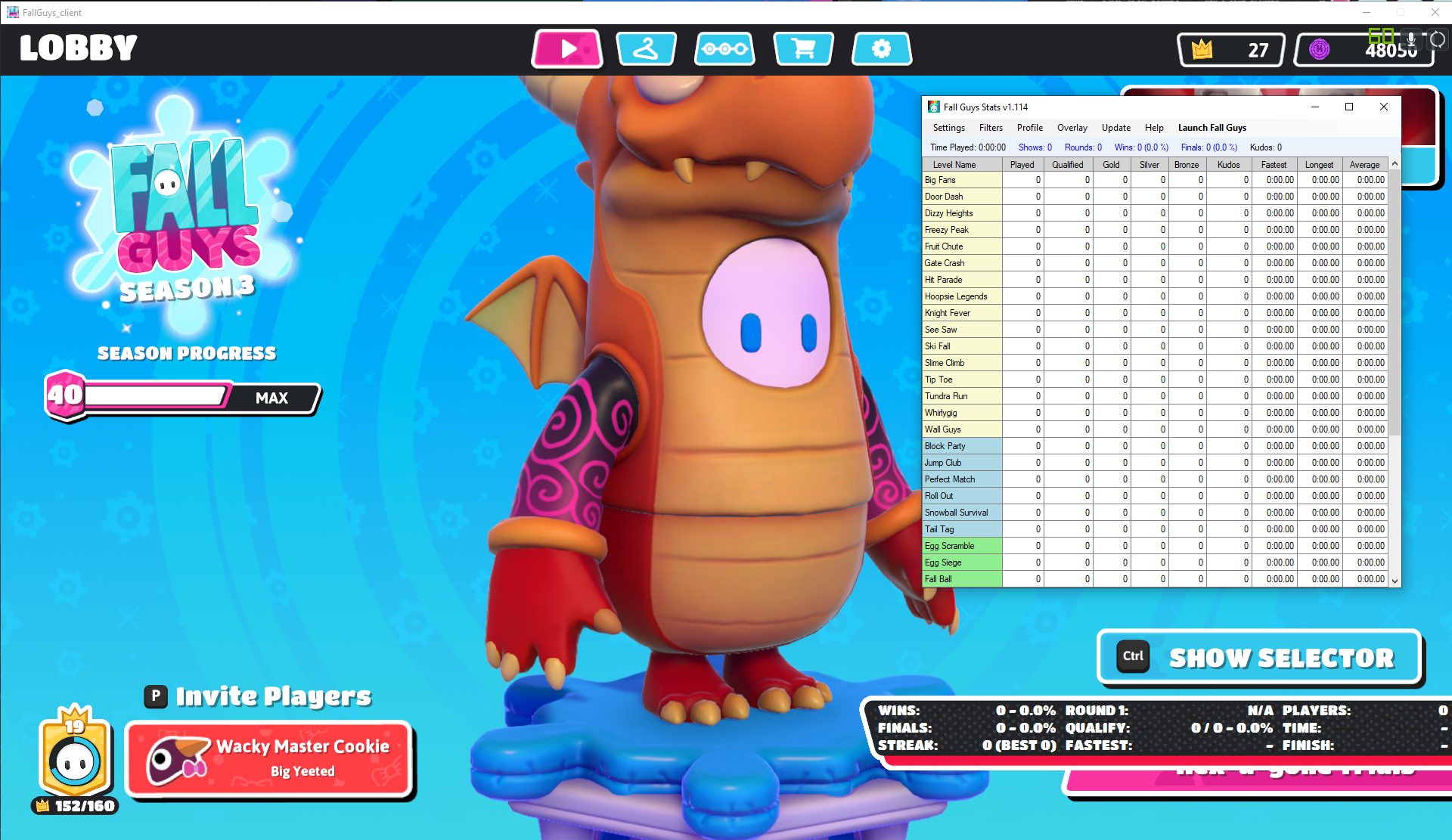
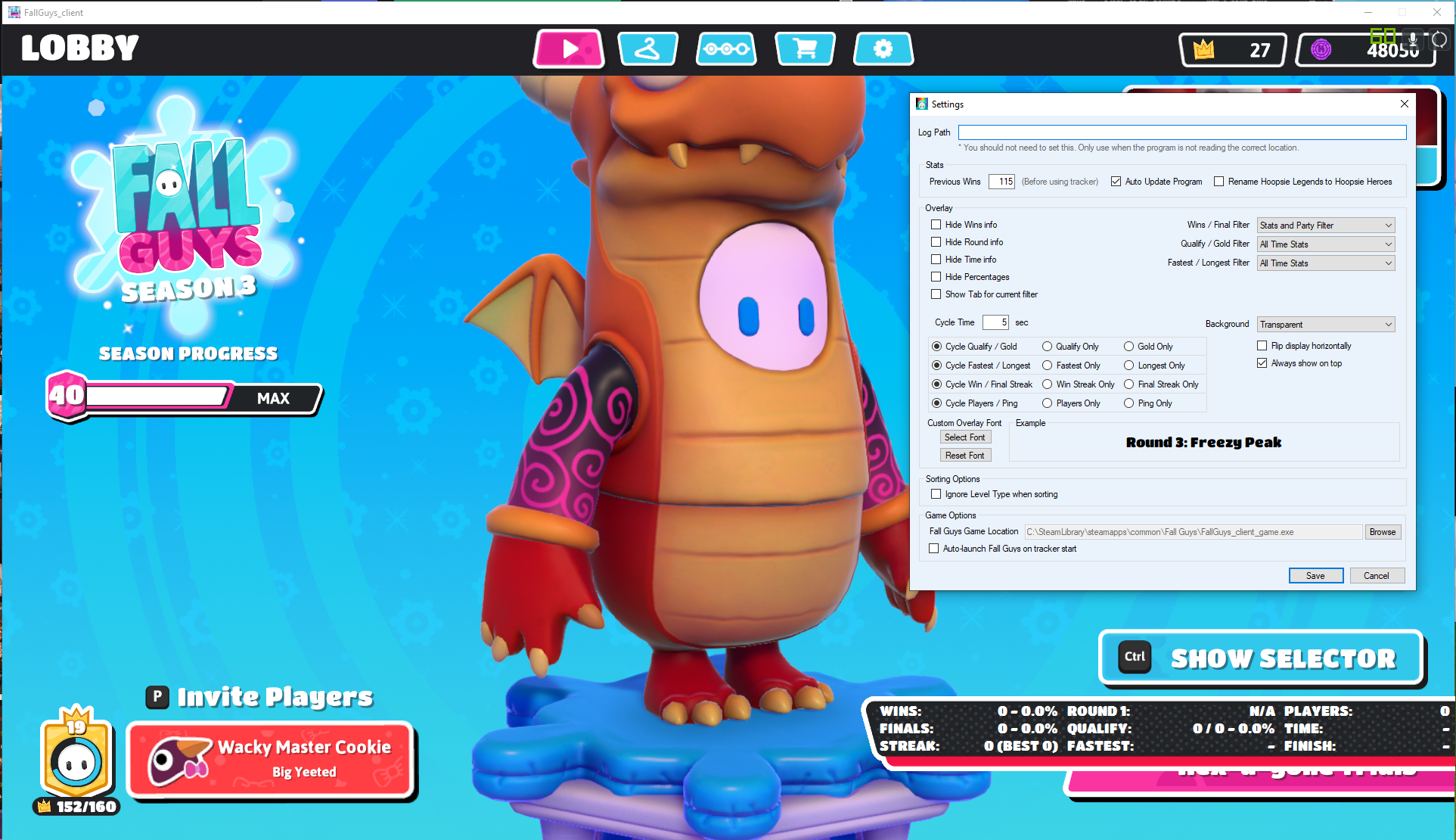
Troubleshooting steps taken:
- Restarting of course
- Reinstalling game, moving game from E: to C:
- Using Fall Guys Stats and Fall Guys Stats Manual Update.
- Unpacking Fall Guys Stats in various folders.
- Removing "READ ONLY" from game folder and log folder.
- Turning off real time protection with Windows Defender.
- Adding exception to Fall Guys Stats folder in Windows Defender.
- Using Log Path as shown in this screenshot
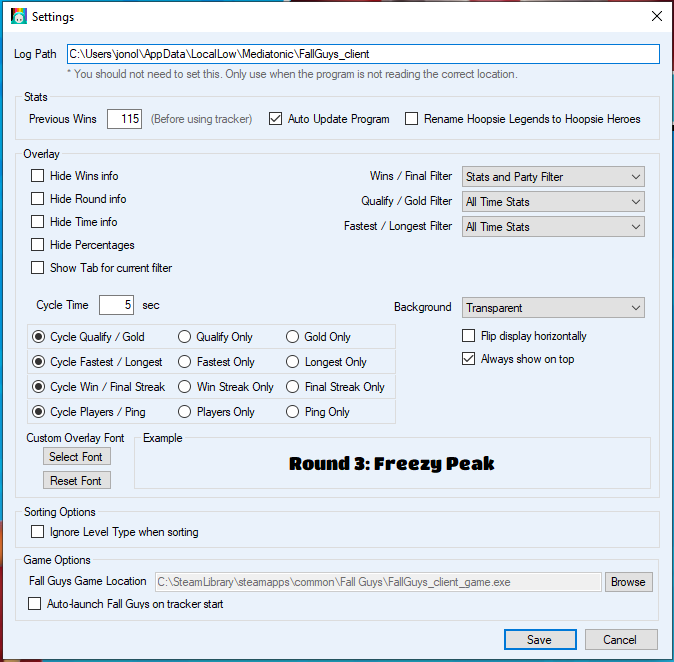
Nothing seems to make it work, thanks ahead of time for the help.

From what I can gather in some quick testing, it seems like the program can't read from the games log path. I unfortunately don't know of a way to fix that, as it is working just fine for me. The only thing beyond what you listed that you've tried is to run the exe 'Run as Administrator'

Running as administrator I tried yesterday and today as well, with no success. It is very odd, my friend ran it at the same time yesterday on their pc as well and it worked for them immediately. Thanks for the quick response! Looks like I'm gonna keep doing some different troubleshooting here and there to see if it suddenly works and I'll let you know the fix if it comes up.
Don't know if I got lucky just once or if it actually worked:
I had a theory that since my AppData folder is in my C: drive and my default Windows user folder is set to the D: drive (jonol) that it was causing some problems, so I made a symbolic link to the C: drives AppData folder in the jonol folder in D: like this
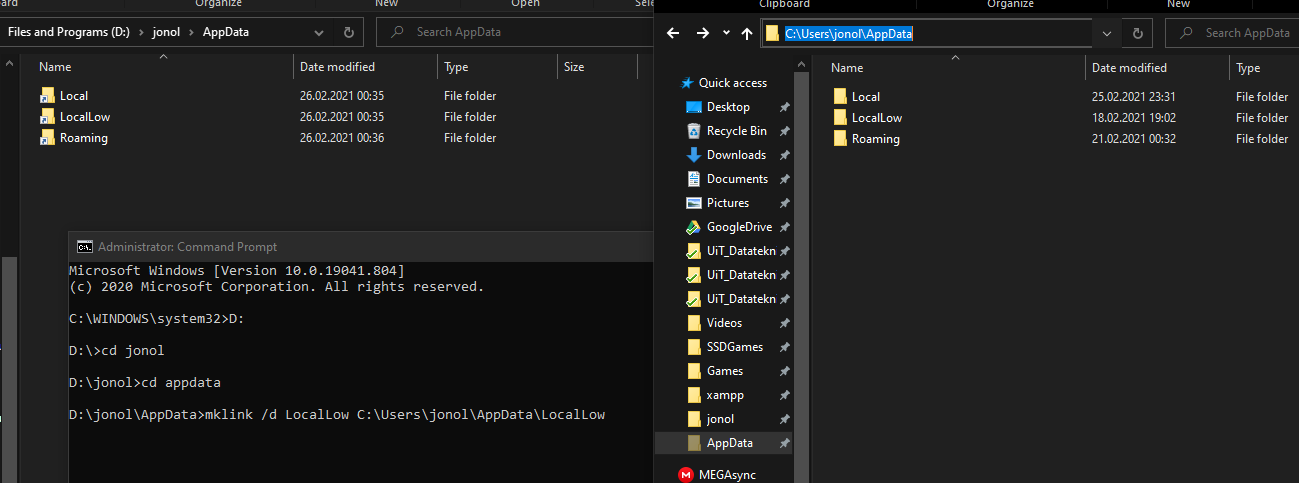
Booted the game up and amazingly it worked! Stats was showing correctly and showing the timer during Hex A Gone, although, since I wanted to check if that was the fix, I deleted the symbolic link and booted a round up, predictably it did not work anymore. When I readded the symbolic link it wasn't working at all again, so not sure if it was a super lucky coincidence or if it actually was the solution, but I can't get it back to working again. Thought you'd want to know, so maybe it could be something to do with that?