Mac-Linux-USB-Loader
 Mac-Linux-USB-Loader copied to clipboard
 SevenBits
Issues with Build
Short Description of Problem:
I get an error from attempting a build with xcode
Expected Behavior: Successful build. Actual Behavior:
error: could not read data from '/Users/Jean-JacquesRosseau/Mac-Linux-USB-Loader/findercontext/Info.plist': The file “Info.plist” couldn’t be opened because there is no such file.
** BUILD FAILED **
The following build commands failed: ProcessInfoPlistFile build/Release/findercontext.appex/Contents/Info.plist findercontext/Info.plist (1 failure)
Steps to Reproduce:
- git clone https://github.com/SevenBits/Mac-Linux-USB-Loader.git
- Run Pod Install
- cd mac-linux-usb-loader
- xcodebuild CODE_SIGN_IDENTITY="" CODE_SIGNING_REQUIRED=NO
The error then arises.
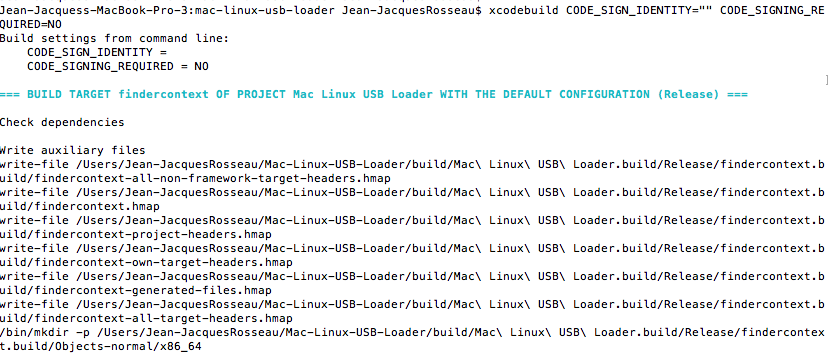

Note: You can include screenshots and other media by dragging and dropping them onto this text area. Please do so, it helps solve your problem!

I'm trying to use this app too. And I have similar problem.
I have to removed findercontext.appex from building inside xcode. After that, I have another problem related to pod files. I removed and readded in linked frameworks and libraries. I removed LoaderTests from running scheme. And finally I could build. BUT, you need to signing you code. You can run but you can't drive your usb flash. Without it, you can't have the context for make changes of an usb drive, so no copying files. That is apples rules, AFAIK. I don't know if there is a way to get ride of that.

I used a free Apple Developer account to sign both Mac-Linux-USB-Loader and Mac-Linux-USB-LoaderTests inside of Xcode. Get one here:
https://developer.apple.com/
Then you can sign as a "Personal Team" with your developer account.