

 ScoopInstaller
[email protected] after install invoking git-filter-repo gives a python error
Bug Report
Package Name: [git-filter-repo]
Current Behavior
After scoop install git-filter-clone successfully installs, invoking git-filter-clone yields a python error
$ git filter-repo
Traceback (most recent call last):
File "C:\Users\dfurtney\scoop\apps\git-filter-repo\current\git_filter_repo.py", line 1, in
Expected Behavior
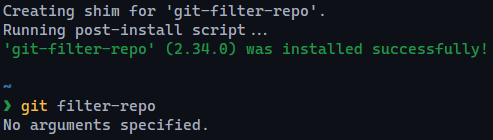
$ git filter-repo No arguments specified
Additional context/output
Was installing version 2.34 of the git-filter-repo app on Windows
Possible Solution
The issue appears to be that
C:\Users\dfurtney\scoop\apps\git-filter-repo\current\git_filter-repo.py is installed as a text file with contents "git-filter-repo". This is not a valid python statement and hence the error msg. Instead, I think it should be a link to git-filter-repo which is a python app.
System details
Windows version: [10]
OS architecture: [64bit]
PowerShell version: [5.1.19041.1320]
Additional software: [Git]
Scoop Configuration
{
    "lastUpdate":  "2022-03-30T13:37:50.5997873-06:00",
    "SCOOP_REPO":  "https://github.com/ScoopInstaller/Scoop",
    "SCOOP_BRANCH":  "master"
}


Do you have git and python installed?
Yes. Another team member also reproduced the problem. If I replace git_filter_repo.py with a link to git-filter-repo, git filter-repo --analyze works fine, confirming python and git.

❯ git filter-repo --version
22826b5a68b6
cannot reproduce, leave more information here.
(Get-Command git).Path
(Get-Command python).Path
(Get-Command python3).Path
git --version
python --version
python3 --version

git filter-repo --version 22826b5a68b6 (Get-Command git).Path C:\Program Files\Git\cmd\git.exe (Get-Command python).Path C:\Program Files\Python310\python.exe (Get-Command python3).Path Get-Command : The term 'python3' is not recognized as the name of a cmdlet, function, script file, or operable program. Check the spelling of the name, or if a path was included, verify that the path is correct and try again. At line:1 char:2
- (Get-Command python3).Path
-
 + CategoryInfo          : ObjectNotFound: (python3:String) [Get-Command], CommandNotFoundException
 + FullyQualifiedErrorId : CommandNotFoundException,Microsoft.PowerShell.Commands.GetCommandCommand
git --version git version 2.35.1.windows.2 python --version Python 3.10.4 python3 --version
The coworker (Thanks, Ruth!) that just reproduced the problem yesterday found at least two other references to this problem searching the web:
- https://github.com/newren/git-filter-repo/issues/360-
- https://coder-question.com/cq-blog/922655
The basic issue seems to be that Git/Unix symbolic links do not work in Windows (see e.g. https://stackoverflow.com/questions/5917249/git-symbolic-links-in-windows, which also contains a "full" fix/workaround). I'm not exactly sure what the correct/permanent solution for installations via Scoop is, but if you're in need for a quick workaround (that probably breaks if you ever update the git-filter-repo package), this worked for me:
- Open a command prompt with administrator rights
- Navigate to the package install dir, i.e.
%USERPROFILE%\scoop\apps\git-filter-repo\current - Delete the existing
git_filter_repo.pytext file - Create a symbolic link via
mklink git_filter_repo.py git-filter-repo

Yes, that is a much better description of my workaround above. However:
Is it the case that since mklink (cmd) or New-Item -ItemType SymbolicLink both require admin privilege, the app manifest can't just do that in post_install?
At minimum the scoop package should inform the install user of this...
Or is there a way to have the scoop install run in admin mode and create the link as expected via post_install? Another workaround is to not create a link and just copy the file either in the original zip or via post_install in the app package manifest.
Copying the relevant files seems to be the cleanest workaround for now. Can you make a PR for it?

Easiest workaround would probably just have the app point to the git-filter-repo file instead of the symbolic link. Python doesn't care if the extension is left off and then you don't have to play around with symbolic links.
