

 ScoopInstaller
sidekick-browser: add version 104.28.1.24085-16229a5

Your changes do not pass checks.
sidekick-browser
- [x] Description
- [x] License
- [x] Hashes
- [ ] Checkver
- [ ] Autoupdate
![github-actions[bot] avatar](https://avatars.githubusercontent.com/in/15368?v=4 "Published by a pub.dev verified publisher")
Your changes do not pass checks.
sidekick-browser
- [x] Description
- [x] License
- [x] Hashes
- [ ] Checkver
- [ ] Autoupdate
Your changes do not pass checks.
sidekick-browser
- [x] Description
- [x] License
- [x] Hashes
- [ ] Checkver
- [ ] Autoupdate
Your changes do not pass checks.
sidekick-browser
- [x] Description
- [x] License
- [x] Hashes
- [ ] Checkver
- [ ] Autoupdate
Your changes do not pass checks.
sidekick-browser
- [x] Description
- [x] License
- [x] Hashes
- [ ] Checkver
- [ ] Autoupdate
Your changes do not pass checks.
sidekick-browser
- [x] Description
- [x] License
- [x] Hashes
- [ ] Checkver
- [ ] Autoupdate
Your changes do not pass checks.
sidekick-browser
- [x] Description
- [x] License
- [x] Hashes
- [ ] Checkver
- [ ] Autoupdate
Your changes do not pass checks.
sidekick-browser
- [x] Description
- [x] License
- [x] Hashes
- [ ] Checkver
- [ ] Autoupdate
Your changes do not pass checks.
sidekick-browser
- [x] Description
- [x] License
- [x] Hashes
- [ ] Checkver
- [ ] Autoupdate
Your changes do not pass checks.
sidekick-browser
- [x] Description
- [x] License
- [x] Hashes
- [ ] Checkver
- [ ] Autoupdate
Your changes do not pass checks.
sidekick-browser
- [x] Description
- [x] License
- [x] Hashes
- [ ] Checkver
- [ ] Autoupdate
Your changes do not pass checks.
sidekick-browser
- [x] Description
- [x] License
- [x] Hashes
- [ ] Checkver
- [ ] Autoupdate
Your changes do not pass checks.
sidekick-browser
- [x] Description
- [x] License
- [x] Hashes
- [ ] Checkver
- [ ] Autoupdate
Your changes do not pass checks.
sidekick-browser
- [x] Description
- [x] License
- [x] Hashes
- [ ] Checkver
- [ ] Autoupdate
Your changes do not pass checks.
sidekick-browser
- [x] Description
- [x] License
- [x] Hashes
- [ ] Checkver
- [ ] Autoupdate
@issaclin32 or @tech189. I am having a hard time figuring out the regex for the checkver in this manifest. When either of you have the time, could you please help me.
This is the regex I used for this website.
sidekick-win-release-x64-([\d]+(\.[\d]+)+)([+-]?(?=\.\d|\d)(?:\d+)?(?:\.?\d*))(?:[eE]([+-]?\d+))?a\d-df.exe
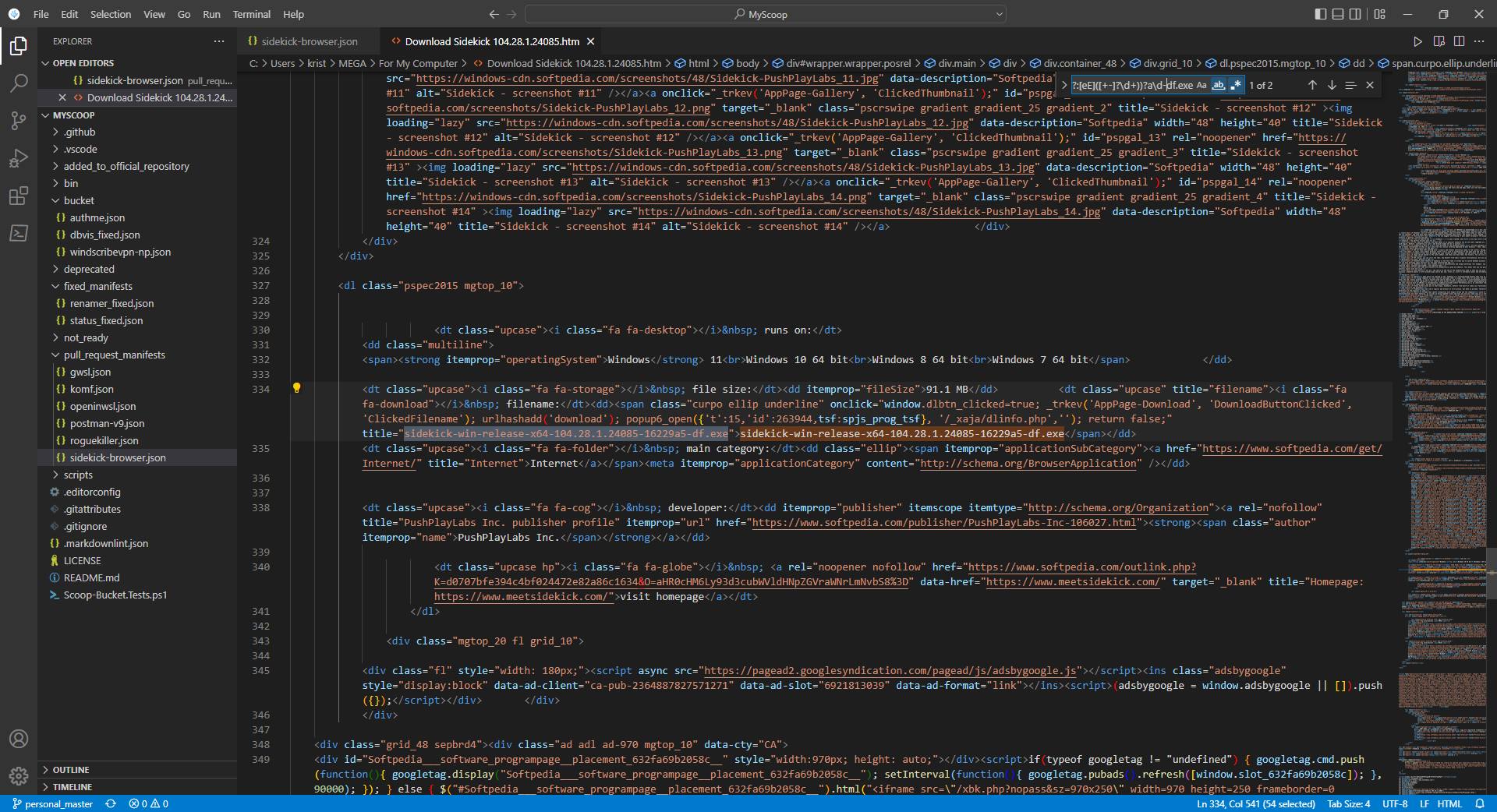
It could be because Scoop uses the .NET version of Regex. But it would be better to use the website directly rather than the Softpedia mirror.
You'll need to write a checkver script that just prints the ultimate redirect from this page: https://api.meetsidekick.com/downloads/df/win. Then you can use the regex you've already written in a regex section in checkver to parse it. Then autoupdate can form the download from https://fast-cdn.meetsidekick.com/builds/sidekick-win-release-x64-$version-df.exe
Inkscape's manifest uses this code which you might find useful: https://github.com/ScoopInstaller/Extras/blob/0520617216b7178916a91ac81ea81f1234856c3c/bucket/inkscape.json#L30
