

 Schniz
use-on-cd screws up search path on git bash for global modules on Windows
Hi, I am facing this exact problem https://stackoverflow.com/questions/72086863/how-to-install-a-global-npm-package-using-fnm-fast-node-manager
Hope for a fix so I don't need to change shell to install a global package.


Sigh, I also do not like to use Windows but at times I have no choice. Why do you think I prefer Git Bash to cmd or PowerShell.
Silly me, the answer is here.
https://github.com/Schniz/fnm/issues/390#issuecomment-776240883
Can I suggest that we put that into fnm env so that it's easier?
I don't use Windows. Feel free to debug this and share your details. 🙏
Dear @Schniz, I discovered another strange bug.
For some reason, the global packages are installed into another multishell folder, 13812_1656247549754, which does not contain any node installation. This resulted in the packages not being runnable.
I then have to manually move all the files into the correct multishell folder and create a symlink to that wrong folder which was created. After that, it worked.
I'm not sure why npm is creating another strange folder in that manner.
I faced the same problem with both bash and cmd.
I'm doing this on Windows because I need to test my electron app on Windows. I have had no problems on Linux with this issue.
Uninstalling fnm and reinstalling it with chocolatey did not help.
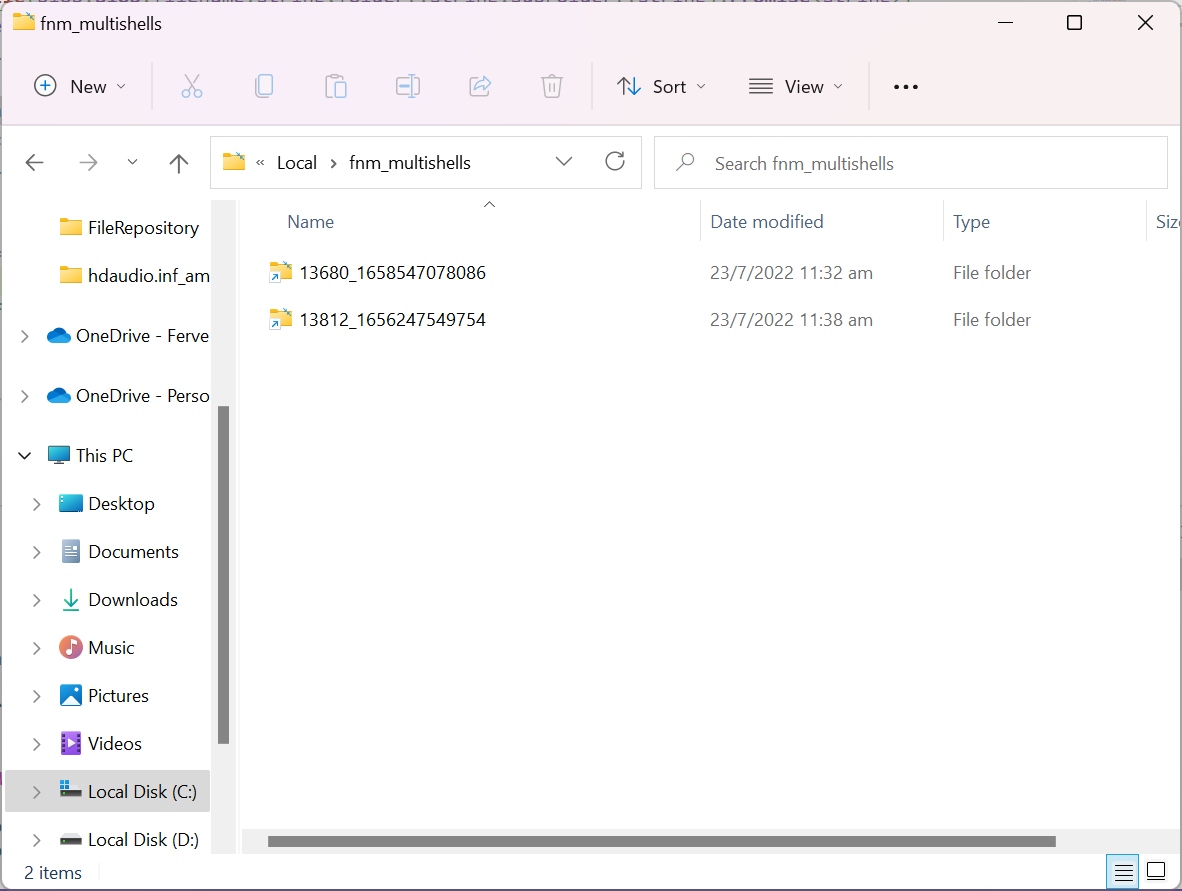
Same situation for testing electron app on windows. Setting up powershell following docs.
Facing two problem.
- there is no node/npm/corepack/etc in %PATH% environment variable. Also the settings in IDEA has no powershell startup argument.
Workaround for IDEA: add a nodejs interpreter manually, which located at
C:\Users\USERNAME\AppData\Roaming\fnm\node-versions
- every time when starting a powershell session,
fnm envin profile will be executed. A symbolic link will then be created infnm_multishellsdirectory. But they're never be cleaned. After two days, i've created 38 symbolic links :D
