

 Schniz
arch confused on fnm use/install
The fnm will install node binary in home folder .fnm, for each version with its name. But in M1 Mac, x64 node binary also work perfectly with rosetta 2.
With some library (like node-oracledb) only support x64 arch node binary. I need switch x64 and arm64 in same node version.
For now: Node's binary arch based on installed --arch option or FNM_ARCH env, for example, my M1 mac install 18.2.0 in arm64 arch and 18.1.0 in x64 arch.
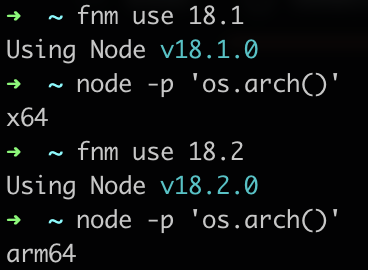
If I install 18.1 in arm64 arch with --arch, fnm install said the version is installed with correct arch message, but it's not work correctly.

Feature Request:
The fnm should install version to path with name including version and arch for arch switch 🥺
fnm install --arch x64 18.1
# Install to ~/.fnm/node-versions/x64/v18.1.0

fnm install --arch arm64 18.1
# Install to ~/.fnm/node-versions/arm64/v18.1.0

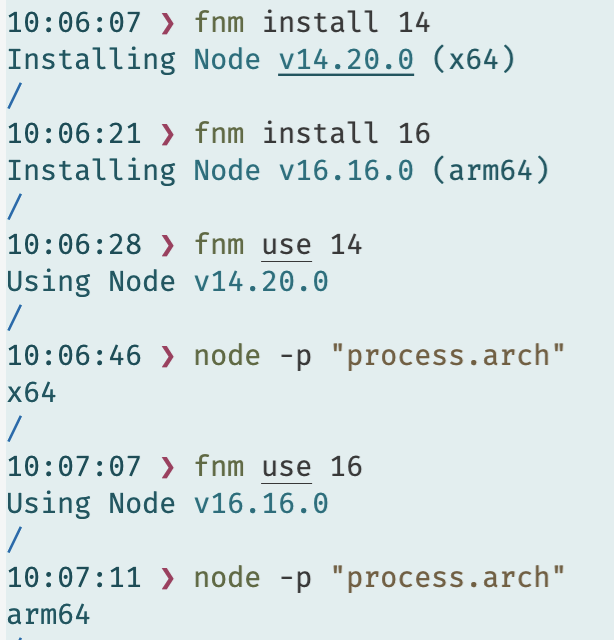

@jurajpiar this is not confusion, we install a rosetta version because Node.js does not provide a prebuilt ARM binaries for Mac for 14.x: https://nodejs.org/dist/v14.20.0/

for the original thread: I don't understand why people will use x64 and run through Rosetta when they can install an ARM version?
I'm closing this as this is a known issue. Sorry that this is how it resolves @jurajpiar, hope that we won't have any issues like this in the future :pray: