

 Samsung
Using rlottie inside Unity game engine. Texture is mirrored
Hello!
Thank you very much for a great library! I was lucky to find it about 3 weeks ago. I started immediately the work on using this library inside of Unity game engine. I have successfully build the library using CMake for Windows (x86 and x64) and Android (armv7, arm8, x86 and x64).
Here is the repository: https://github.com/khindemit/unity-rlottie
The problem I am not able to solve is with the internal representation of Texture2D and rlottie render format. I know that rlottie writes the data in ARGB32 pre-multiplied alpha format. On the Unity C# side I create the Texture2D with following settings: TextureFormat.BGRA32 everything with the colors is fine.
The actual problem is with the rendered texture. It is rendered upside down and flipped from left to right. You can see the result on this screenshot:

To make the texture look as in the rlottie preview I currently change the "y" scale component of the game object to -1
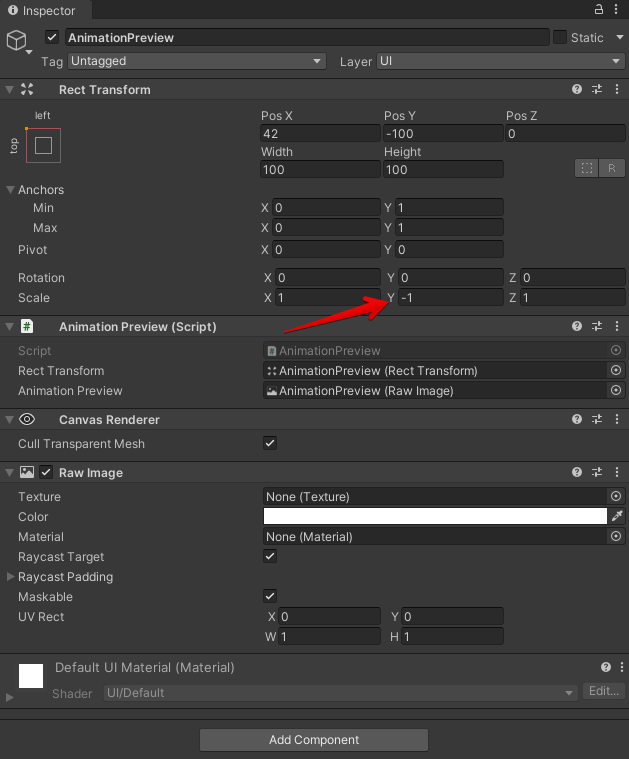
After changing the scale y value to -1 the result is:

I guess this all comes from the fact how the pixel array is handled by Unity and rlottie. Basically for Unity on the rlottie side I need to reverse the pixels color array. So, my question is: is there any way to change how the buffer inside of Surface is handled? To reverse the pixels and make the render operation still performant. Maybe there is a place in the implementation where I can simple reverse the loops and recompile the library?

I think its a matter of how you are uploading the buffer data to a texture. I think there will be some attribute in gl to tell the GPU to flip the buffer data when uploading to texture. And regarding rendering Lottie in upside down that will be super inefficient as memory access is fast when access is linear(as lottie uses CPU rendering).
Regarding performance, I think currently what you are doing is maybe the right way. as unity uses HW acceleration its relatively cheap to flip the y co-ordinate in GPU.

Hey @smohantty, thanks for your answer!
Right now I create the texture on C# Unity side and get the pointer to the native texture buffer.
Texture = new Texture2D(
                width,
                height,
                TextureFormat.BGRA32,
                0,
                false);
NativeArray<byte> pixelData = Texture.GetRawTextureData<byte>();
void* buffer = NativeArrayUnsafeUtility.GetUnsafePtr(_pixelData);
Afterwards I pass the pointer to rlottie render function. I am not aware of any API that will allow me to flip the buffer data for Unity texture. I had similar problem with integrating the webp texture format library to Unity. Probably it is a good idea to do this things on Unity side. I'll try to ask on Unity forums maybe, or on the Unity github page. Thanks again!
@khindemit , I would just allocate once a memory buffer of size(width * height * 4) bytes and pass it to rlottie each frame which will render the image on it. after the rendering finish will just call setPixels() on the texture. In that way every frame we are just updating the texture content from our memory buffer(which might fix the inverted image issue) .
https://docs.unity3d.com/ScriptReference/Texture2D.SetPixels.html or https://docs.unity3d.com/ScriptReference/Texture2D.LoadRawTextureData.html
Hey @smohantty, thanks for your suggestion. I'll try this approach and also measure the performance. I am afraid that it will be less performant than the current implementation, but we'll see.
Hey @smohantty I tried the suggested approach, but the result looks broken:
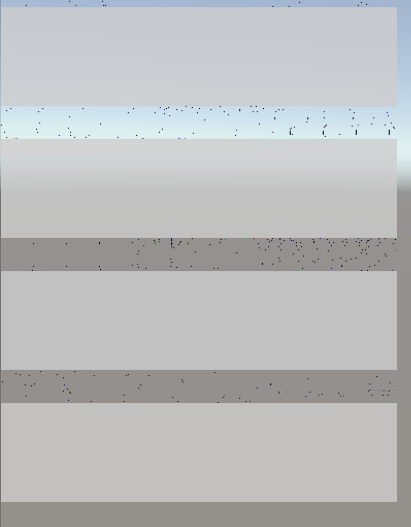
I get the pixel like this (please note that the GetPixels() method allocates new array of Color structs):
Texture = new Texture2D(
                width,
                height,
                TextureFormat.BGRA32,
                0,
                false);
Color[] colors = Texture.GetPixels();
fixed (void* buffer = &_colors[0])
{
       void* buffer = buffer; // This is the buffer passed to rlottie
}
And in Update() I do:
NativeBridge.LottieRenderImmediately(_animationWrapperIntPtr, _lottieRenderDataIntPtr/*here the buffer*/, frameNumber, true);
CurrentFrame = frameNumber;
Texture.SetPixels(colors);
Texture.Apply();``
Actually it seems that the array size does not match, but I can't find the mismatch. Any ideas?
@khindemit , What i meant is create a raw memory buffer because we don't know how the Unity handles the texture buffer internally.
I would do something similar below
// 1 create this texture and keep it. Texture = new Texture2D( width, height, TextureFormat.BGRA32, 0, false);
// 2 create this buffer and keep it. Buffer = malloc(width * height * 4);
// 3 render every frame to the Buffer using rlottie
// 4 upload the buffer data to Texture using below api.
// Load data into the texture and upload it to the GPU. // from LoadRawTextureData docs.
tex.LoadRawTextureData(Buffer);
tex.Apply();
Thanks @smohantty, I'll try this out later. I think the LoadRawTextureData() will not help with the flipped images. Previously I was working on webp texture format plugin integration, and used this method. The textures was also flipped.
At my work, we developed a social network where the User can upload images. At the backend we make a copy of uploaded image in ASTC texture compression format. Later, if the users device supports this format, it will load the ASTC texture instead of png/jpeg. It saves a lot of RAM on device because the texture is compressed. We use astc coversion tool at the backend. At runtime we use the LoadRawTextureData() method. And the textures are also flipped. The solution was to flip the texture at the backend right before the png/jpg -> astc conversion happens. So the client actually downloads flipped astc textures, but because Unity flips it again, it looks good at the end.
I'll ask Unity for adding a Texture2D ctor overload with "bool flip" flag. Maybe they will add this in the future versions of Unity.
I'll get back to you with the results later.