

 SafeExamBrowser
SEB for Mac with embedded moodle - cannot login into moodle
Hi, at out university we are using SEB to open the exam.net portal, which embeds our university moodle as an external resource inside it (it is embedded as an
Everything works great with SEB releases for Windows (we tried 2.4, 2.4.1, 3.0., 3.0.1).
However, we are experiencing difficulties in SEB releases for MacOS (2.2 and 2.2.1). After the initial moodle page is displayed, users cannot login. Whatever they enter into the user/password text boxes, it is cleared immediatey after pressing the Login button and the users remain at the login page (see attached screenshot below), so they remain stuck at the login page.
I read on the web that this might be connected with that SEB for Mac treats cookies differently than SEB for Windows. It would be great, however, if this could be fixed, as our MacOS students currently cannot attend online exams.
Thank you and best regards, Zoran
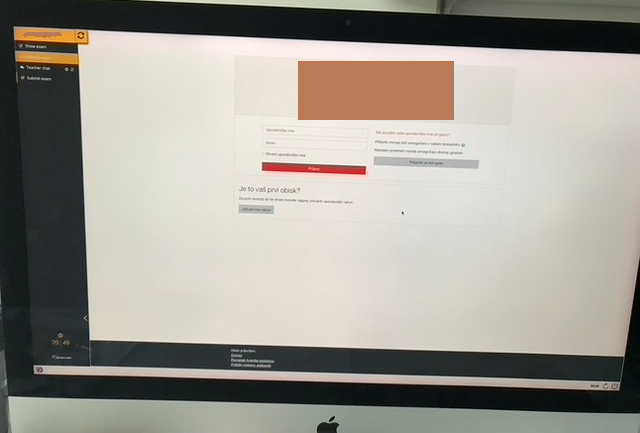

As Moodle works perfectly when used directly in SEB for macOS, this is an issue of the exam.net portal integration and needs to be fixed there.
SEB is using WebKit (like Safari, but an older version). Safari uses the block third party cookies policy, so I guess that is also active in applications using embedded WebKit browser views. Block third party cookies is the best cookie policy for privacy and I HATE websites which don't respect that and expect me to compromise on my privacy by changing my browser's cookie policy – that's absolutely not acceptable!
I'm not really willing to change anything because some integrations didn't test their web code with Safari or Safe Exam Browser. Maybe it's not their fault though, as Apple might have tightened the privacy implementation in the browser engine recently. Which macOS version are you using?
I'm quite sure that exam.net could change their code to make it work without changing the cookie policy in the browser. So first try to contact them. The people who implemented the Moodle integration into exam.net could probably solve the issue on their side.

Btw. when attaching screen shots, please make sure that the text on those can actually be read. It's useless to send pictures like that one (640x433 pixels and blurry).
As a workaround I would recommend to provide a direct link to your Moodle instance (or directly to the Moodle quiz) inside your exam.net portal. As long as Moodle opens up in full browser window (and not in an iFrame), it should work.
Daniel, thank you for your quick reply. As I am not extremely knowledgeable in web programming, I forwarded your suggestion to the exam.net support. They also replied very quickly, their reply is below.
Thank you also for the suggested workaround. We have considered this option, but the problem is that in this case we lose some crucial exam.net functionalities (scanned solution submission, online calculator, Python programming, Drawing tool).
In case that you would perhaps be willing to continue the correspondence with exam.net support, I would be more than grateful, as the solution might be beneficial to plenty universities who are currently struggling with online distance exams. If not, thank you for your time and effort.
Best regards, Zoran
From: Support [email protected] Sent: ponedeljek, 07. september 2020 11:20 Subject: Re: FW: [SafeExamBrowser/seb-mac] SEB for Mac with embedded moodle - cannot login into moodle (#67)
Hi,
It is unfortunately not possible to give the student access to any content that require Moodle login on mac or iPad as iOS and macOS blocks cookies in embedded content. See here for more information: https://forum.exam.net/eAOFNahmzlYT3Bmi20Ul/en
We have recently added auto correction and multiple question types on Exam.net. You may want to explore that feature: https://forum.exam.net/YueGhRnpjBf3ewQxocdi/en
Exam.net are members of the SEB Consortium, so there should be added common interest to make it run correctly. I just wonder why we were not contacted before, if this issue existed in previous versions.
Which macOS version are you using? Maybe it was a recent Apple change which is causing this.
My colleague reported the same issue on both versions: Catalina and High Sierra. Thank you.