
DS4Windows
 DS4Windows copied to clipboard
 Ryochan7
Special Action “Press/Toggle key” keeps activating the “Toggle” feature automatically.
Describe the bug I have to Special Action, to Press a KEY. And from nowhere it turned to toggle. I edited the Actions, and they turn back to just Press. But, every time I close and open the program again, they turn to toggle. I even deleted the old ones, and created new actions. Did not work. This started happening after 3.2.0 I think.
To Reproduce Steps to reproduce the behavior:
- Go to Special Actions
- Click on New Action
- Choose Press/Toggle key
- Save
- Exit the application
- Open the application
- Check if the press, turn to toggle
- See error
Screenshots and Logs
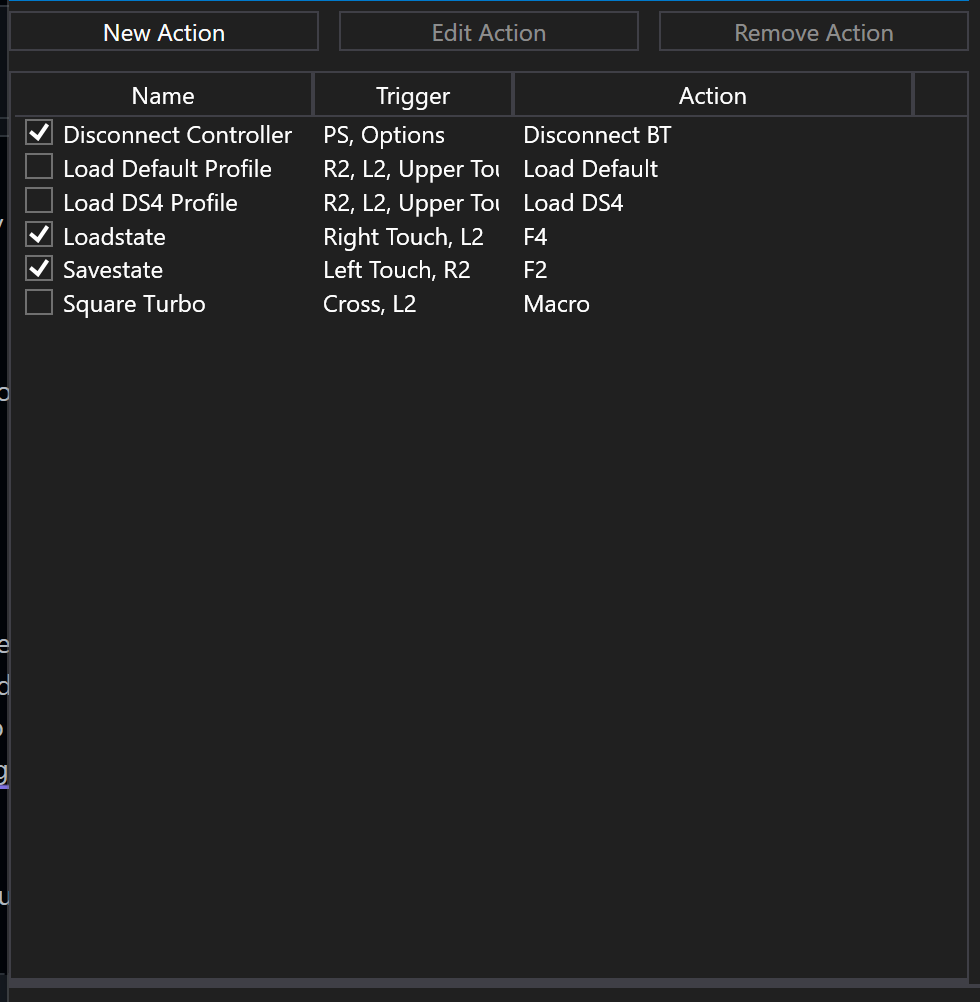

Desktop (please complete the following information):
- Controller Make and Model: Sony DS4 v.2
- OS: Windows 11 Pro 2H22
- DS4Windows Version 3.2.4

I have exactly the same problem, I use the program on Windows 10 with a PlayStation 5 controller. I hope they fix this problem soon


When you check the unload on trigger release button for a special action it will not be saved after you close and reopen DS4

For me as well. And the buttons with those special actions don't even work. And when I try to edit special actions in general, it crashes when trying to save changes. I'm having to use version 3.1.12
