

 Romanitho
AutoUpdate not detecting upgrade for some applications that are detected when running winget manually
I have been using autoupdate for a while and I don't think this has always been an issue. I've replicated this on 3 computers and have installed the latest version of Autoupdate.
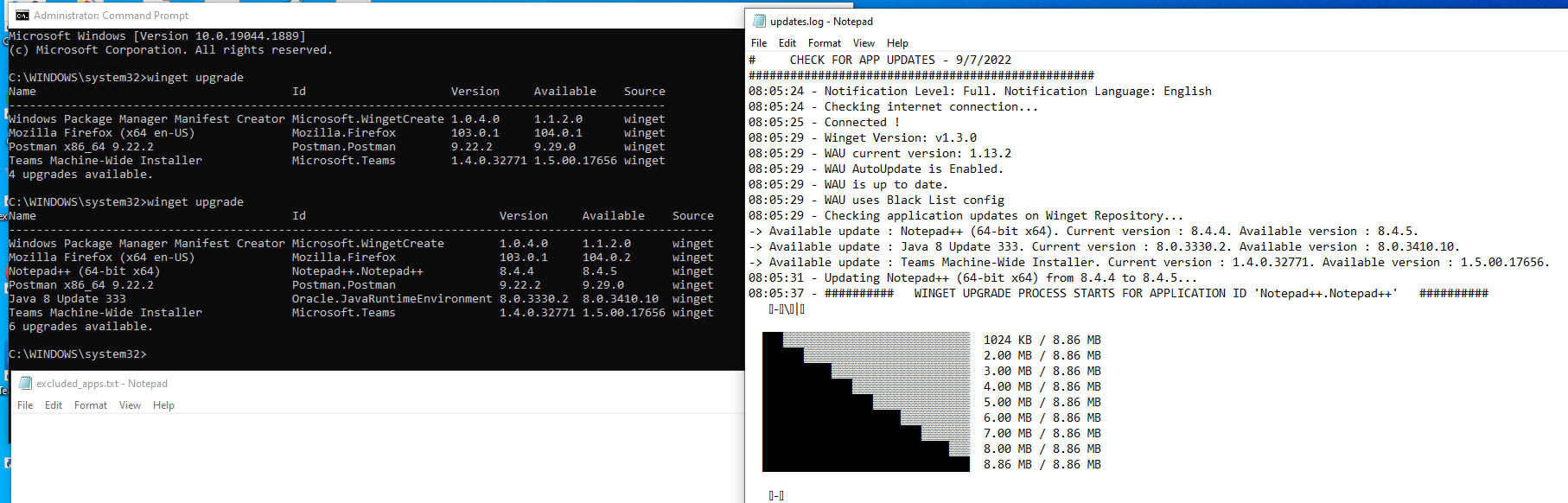
Specifically, Autoupdate isn't detecting Firefox needs an update but if I run "winget upgrade" manually it shows Firefox has an update. Postman and Windows Package Manager Manifest Creator are also not detected as having an update. My Exclude Apps list is empty.
See screenshot.
Thanks!

I think this is due to apps installed on the User profile. WAU runs with system context.
Try to reinstall your apps like this: Winget Install AppID --scope machine

This seems specific to Firefox which is installed at the machine level. (Postman and Windows Package Manager Manifest Creator are user context installs so that makes sense)
I've installed a previous version of mozilla.firefox using winget install mozilla.firefox -v 103.0 and I also went ahead and installed it with the --scope machine
Running the AutoUpdate scheduled task is not seeing the firefox update that is available as the logs show and it doesn't update. Manually running winget upgrade shows an available update.
I don't know why AutoUpdate wouldn't see it but it doesn't.
Thank you!

Firefox is not in your default blacklist ?
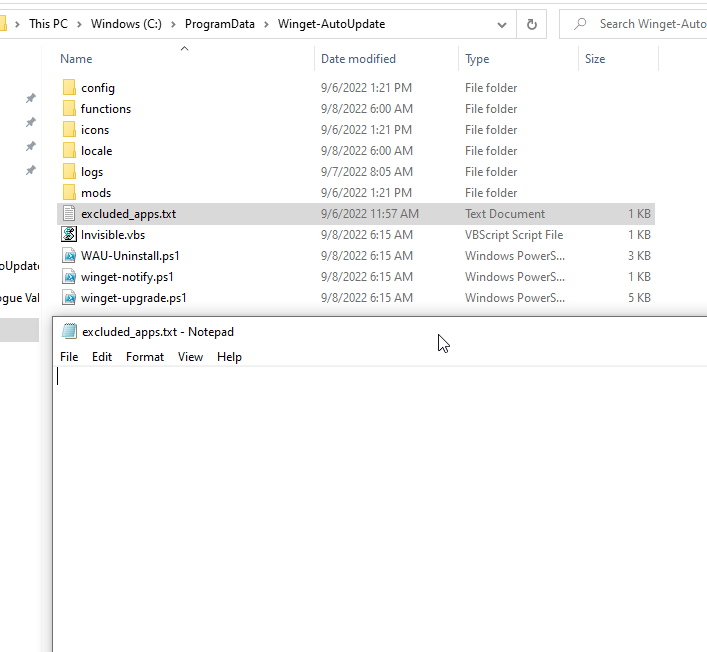
It isn't, I've taken everything out of the excluded_apps.txt
If it is used it will auto update at some point. We have a lot of installs that are not nessearily used that oftern and I'd like to patch them without relying on the user.
I really don't know why autoupdate wouldn't catch it when winget does by itself.
I just did it again on a new computer.
- Install older version of Firefox with Winget: winget install mozilla.firefox -v 103.0
- Look for updates: winget upgrade (shows Firefox 105.0 available)
- Run the Winget-AutoUpdate task from task scheduler. -Autoupdate log doesn't say anything about it
- It is not in the excluded_apps
Thanks!
I can reproduce your issue. Very weird because it works perfectly with the ESR version
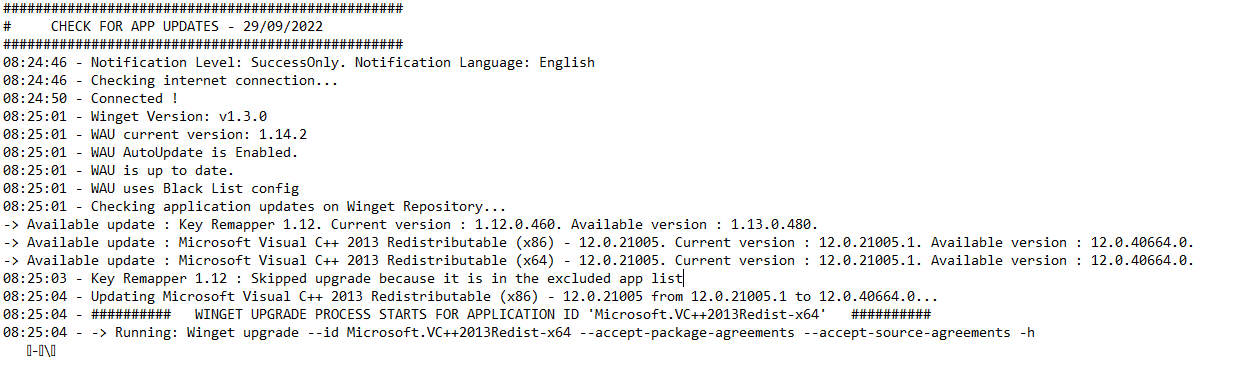
I'm facing the same issue when trying to update Playnite. Winget-AutoUpdate isn't able to detect the update from version 9.19 to 10.3, even though I was able to update it manually.
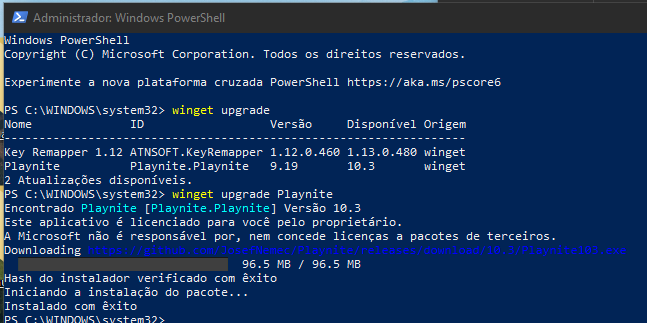

It looks like Playnite might be a user context install so autoupdate wouldn't detect it because it runs as System.
It looks like Playnite might be a user context install so autoupdate wouldn't detect it because it runs as System.
Thanks, I think I should discuss this on https://github.com/Romanitho/Winget-AutoUpdate/issues/167 then
If it is used it will auto update at some point. We have a lot of installs that are not nessearily used that oftern and I'd like to patch them without relying on the user.
I really don't know why autoupdate wouldn't catch it when winget does by itself.
I just did it again on a new computer.
- Install older version of Firefox with Winget: winget install mozilla.firefox -v 103.0
- Look for updates: winget upgrade (shows Firefox 105.0 available)
- Run the Winget-AutoUpdate task from task scheduler. -Autoupdate log doesn't say anything about it
- It is not in the excluded_apps
Thanks!
@Romanitho
I 2 can reproduce this scenario even with latest WAU.
Mozilla.Firefox doesn't exist in winget_system_apps.txt despite it's installed.
WingetUI detects it should be upgraded and it upgrades it without a problem.. ..so, we cannot blame winget itself!

For me it woks. But with WAU 1.15.0 as Firefox is detected as User app.
Very strange then...
I guess it works like teams, and other apps like this. Even in system context, it installs a copy on the user profile. 🤷♂️
Ah, that's a thing. It has an auto upgrade even for System. Forgot about that...
I do still have this issue with Firefox not updating with 1.15.2, as far as it being detected during the user context updates. It doesn't get detected with System Context or User Context. Thanks
I did now also for me, may not have reset the exclude list on the test computer I was on.