

 RocketChat
Rocket Chat with MongoDB cluster
Community Edition. OS Rocky 8.6 5.0.12 MongoDB / WiredTiber (oplog Enabled). Rocket Chat 5.1.2 HaProxy 2.4
In daily operation - no issues.
When MongoDB cluster nodes update and restart one-by one in 1h increments RocketChat start to have issues.
-
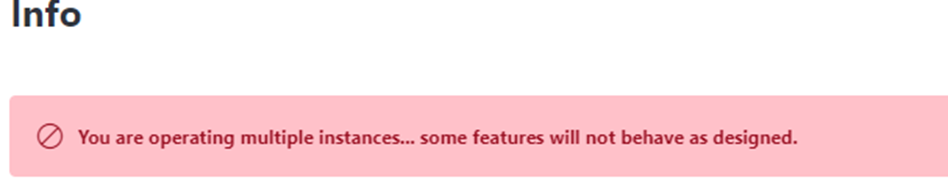
In Info page "You are operating multiple instances.. some features will not behave as designed." message ?
-
Sending message to "other-users" marks them "gray" as if they were sent, but end user does not receive them.
I don't have picture as I had to solve this ASAP.
The remedy is restart RocketChat service and everything starts working (message 1) is still there thou).
Is this something we do incorrectly?
Or what other information is required?

Hi, about point 2:
сheck rights for users on mongodb, in particular {role: "clusterMonitor", db: "admin"}
looks like the oplog is not used
link to docs https://docs.rocket.chat/quick-start/deploying-rocket.chat/rapid-deployment-methods/docker-and-docker-compose/docker-containers/high-availability-install#install-mongodb-replicaset

i have a similar problem, my mongo has the right roles
for oplog:
{ role: "read", db: "local"},
{ role: "clusterMonitor", db: "admin" }
for rocketchat
{ role: "readWrite", db: "rchatdb" },
{ role: "clusterMonitor", db: "admin" }
I described it in detail here today: https://forums.rocket.chat/t/running-multiple-instances-error-you-are-operating-multiple-instances-some-features-will-not-behave-as/15251
