Rocket.Chat.iOS

Rocket.Chat.iOS copied to clipboard
 RocketChat
[BUG] Strange behabior inputting Japanese in sharing feature
App/Server/Device info
- Your Rocket.Chat app version: 3.5.0(257)
- Your Rocket.Chat server version: 1.1.1
- Device you're running with: iOS 12.3.1 on iPhone X
Step to reproduce
- Enable Japanese Keyboard in iOS Settings
- Back to home screen and tap Notes.app
- Tap + and make new note
- Type something with Japanese Keyboard
- Tap share button and select Rocket.Chat
- Type the same text with 4
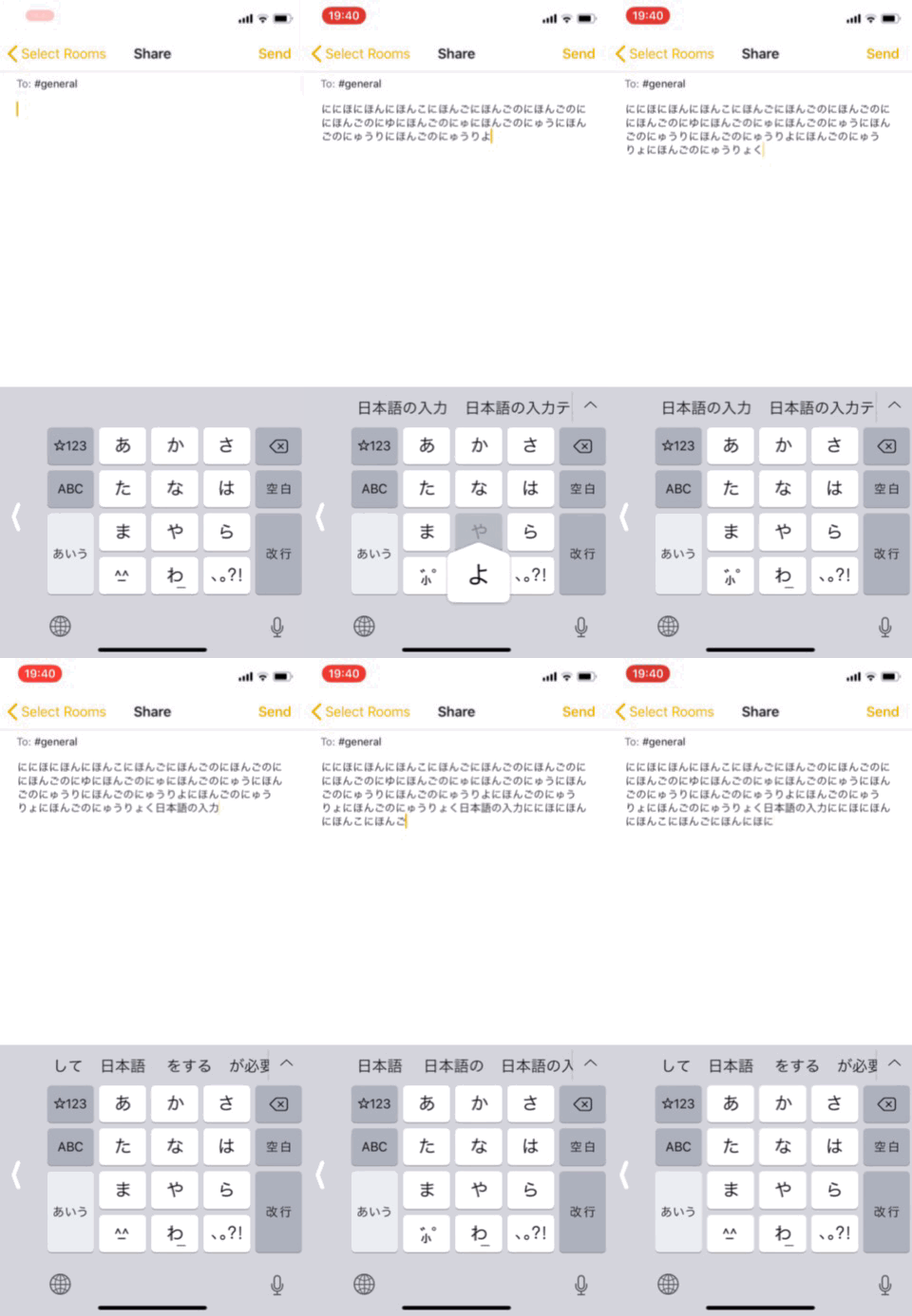
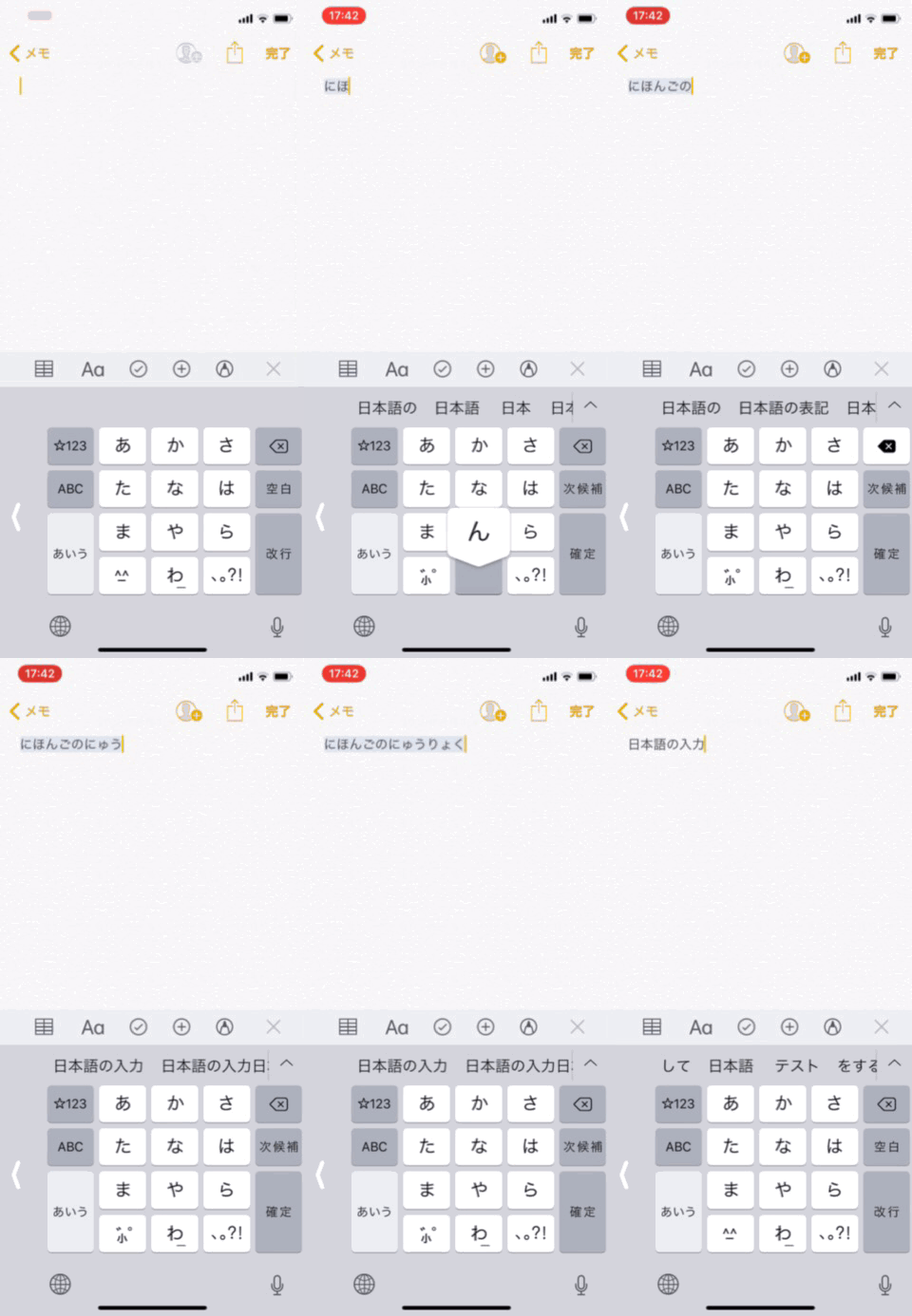
- You'll see strange behavior imputting Japanese character
gifs
"Inputting Japanese" on Notes.app (expected Japanese IM behavior)
"Inputting Japanese" on Rocket.Chat.iOS Share (actual behavior)