

 RocketChat
VSCode Debugging
As this project gets worked on more and more, sometimes being able to step through and debug the code would be beyond useful. However, due to the project setup the configuration of the debugger isn't exactly the easiest.
There are technically two typescript projects in this repository. The first one is the actual engine code, located under the src folder which compiles down to the dist folder. Then the second one is the testing server piece which is used to try out various pieces of the engine while development happens (such as loading, installing, and updating apps). The development server piece is located under dev folder and compiles down to dev-dist. Then gulp will launch the generated dev-dist/server.js file.

My current launch.json config (from another project) might help...
{
      "type": "node",
      "request": "launch",
      "name": "Start",
      "cwd": "${workspaceRoot}",
      "env": {
        "NODE_ENV": "development"
      },
      "sourceMaps": true,
      "runtimeExecutable": "node",
      "program": "${workspaceFolder}/node_modules/ts-node/dist/bin.js",
      "args": [
        "--require",
        "ts-node/register",
        "--require",
        "source-map-support/register",
        "${workspaceFolder}/src/start.ts"
      ],
      "protocol": "inspector",
      "stopOnEntry": false
    }
In the above, src/start.ts is the entry point for my app. That's to run the app directly, but I also use the following, to run the current .spec.ts file, to isolate debugging just to mocha tests...
{
      "name": "Current Spec",
      "type": "node",
      "sourceMaps": true,
      "request": "launch",
      "program": "${workspaceRoot}/node_modules/.bin/_mocha",
      "args": ["${relativeFile}"],
      "cwd": "${workspaceRoot}",
      "protocol": "inspector"
    }
In that scenario, my test/mocha.opts file has the config in it for requiring the typescript compiler.

If you find a working debug setup, you should commit the launch.json file so anyone can use it :)
Hmmm - this is way much technology than I actually understand. I don't even know what the engine's supposed to do - and I have no clue what should be achieved, how it should be started, whatever. Not knowing doesn't stop me from trying though ;) I set breakpoints in sources in both directories and both were reached.
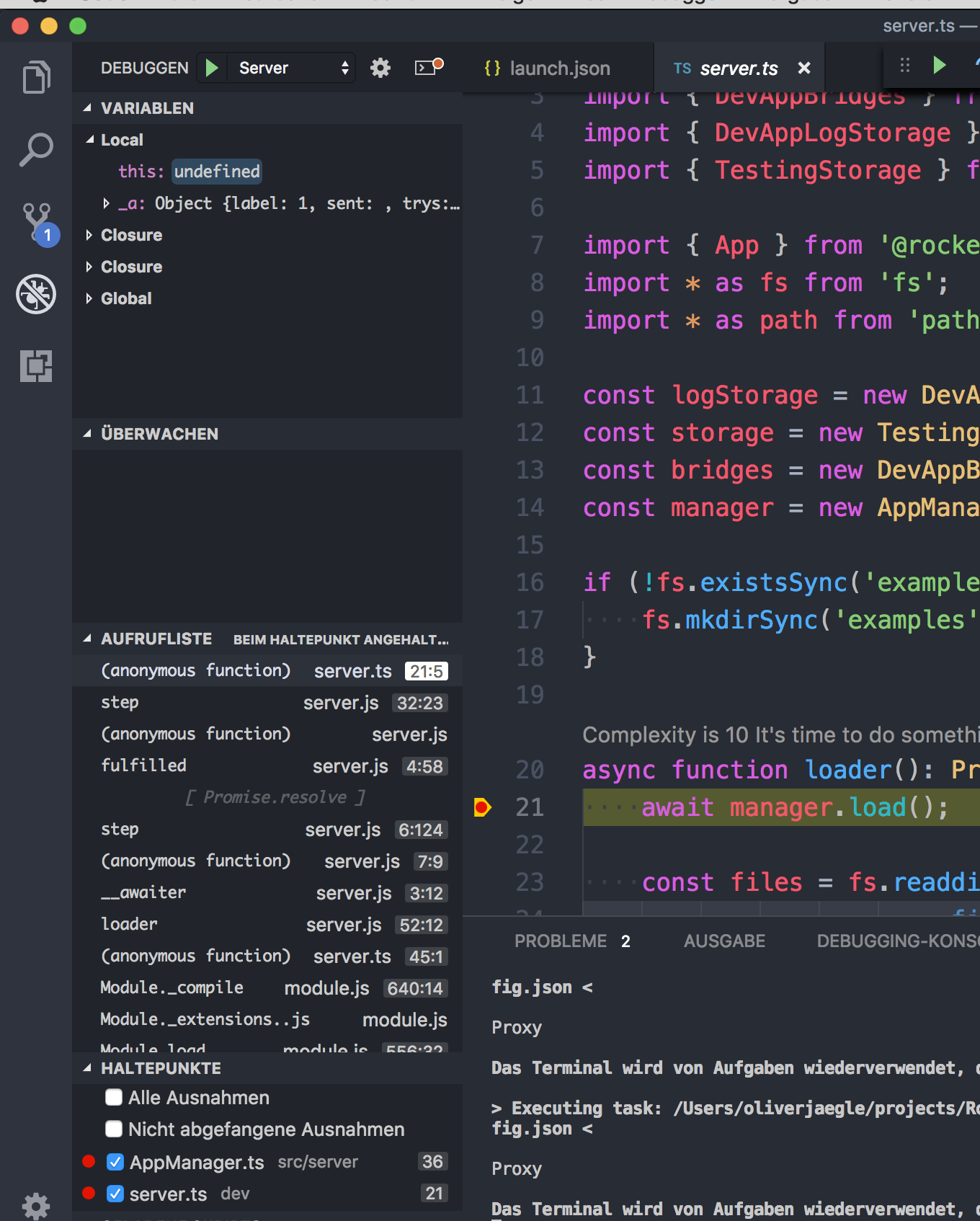

Also, I added a launch configuration to debug the gulp process. Does that by any chance meet your expectations?
{
    "version": "0.2.0",
    "configurations": [
        {
            "type": "node",
            "request": "launch",
            "name": "Server",
            "program": "${workspaceFolder}/dev-dist/server.js",
            "preLaunchTask": "tsc: build - tsconfig.json",
            "outFiles": [
                "${workspaceFolder}/dist/**/*.js",
                "${workspaceFolder}/dev-dist/**/*.js"
            ]
        },
        {
            "type": "node",
            "request": "launch",
            "name": "Gulp run-dev",
            "program": "${workspaceFolder}/node_modules/gulp/bin/gulp.js",
            "args": [
                "run-dev"
            ]
        }
    ]
}

Thanks for all of this @timkinnane and @mrsimpson...I need to try them more in depth, but both suggestions didn't work perfectly the first time as the files didn't align with the typescript for some reason.
It might require a reorganization of the project to be able to truly debug it..