

 Rob--W
Activating display-anchors breaks layout/style of webpages using CSS :first-child selector
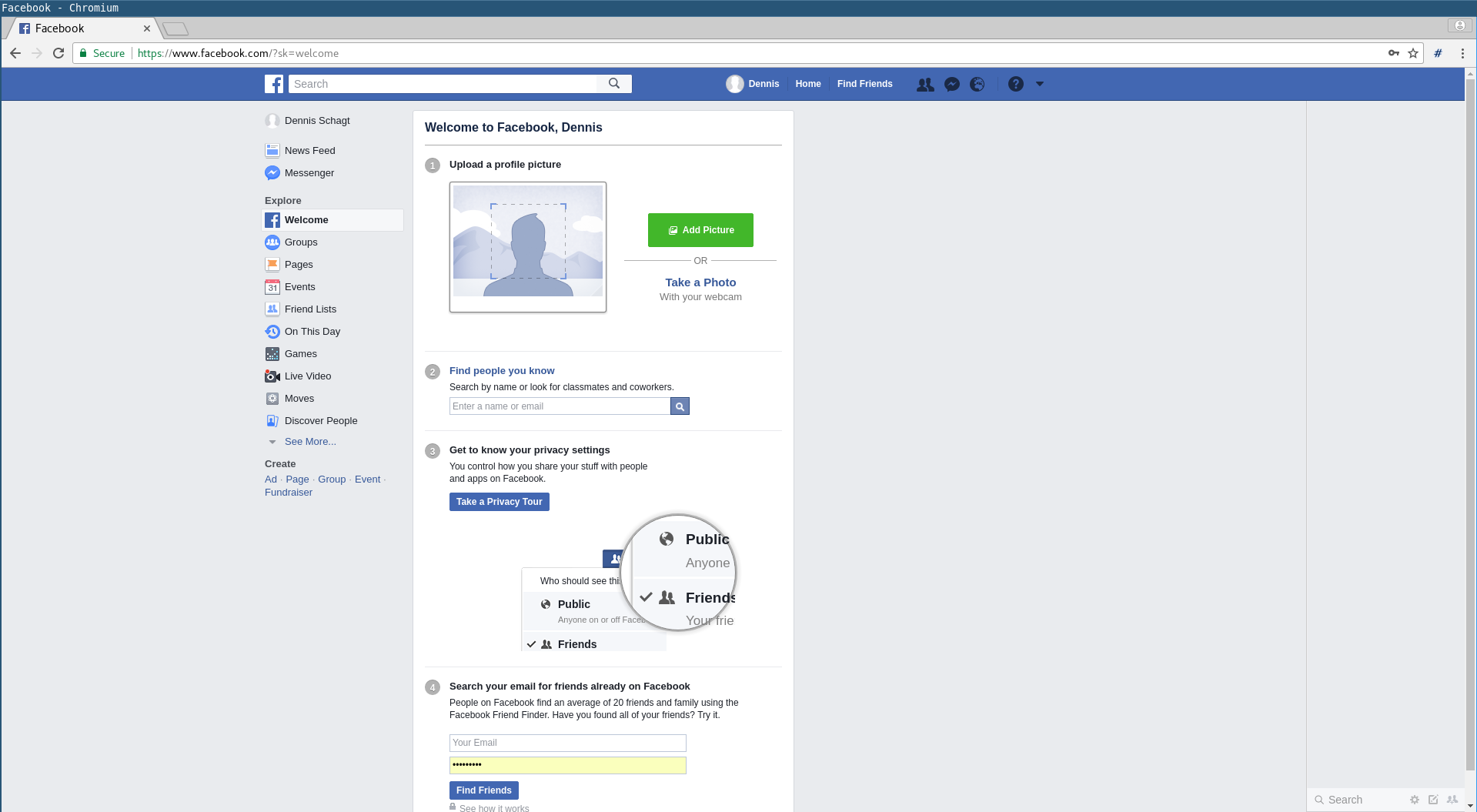
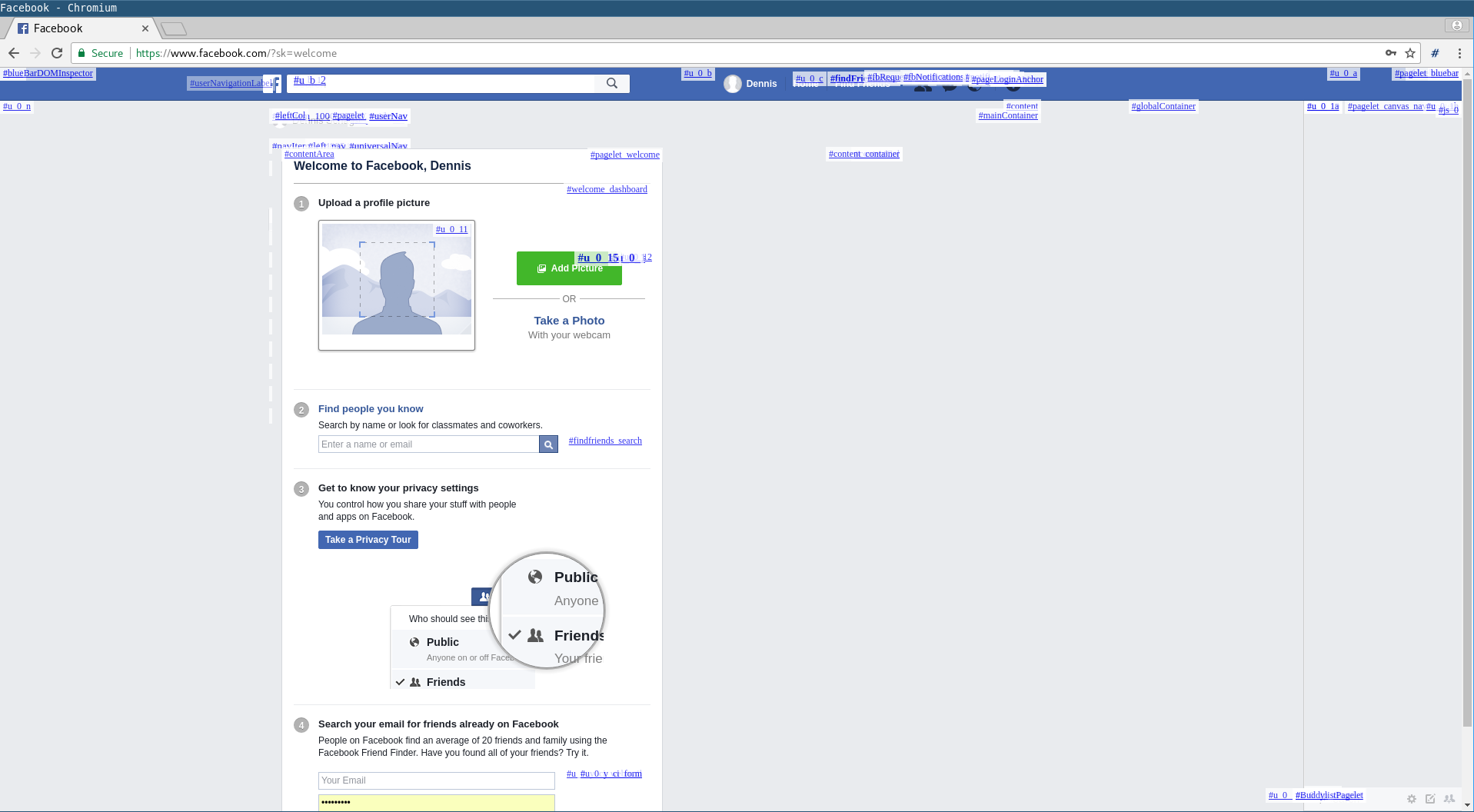
When activating display-anchors, it adds <:a.href:> elements as first child of each node which has an id. This results in the original first child nodes not receiving the CSS :first-child styling anymore. For webpages using the :first-child selector this might result in a broken layout or changed style. The following images show this effect on facebook.com. The top image shows the page when display-anchors is not active while the bottom image shows the page after the plugin has been used. Expected behavior is that the plugin does not change the layout of the page it is used on.
A minimal example:
<!DOCTYPE html>
<style>
  li:first-child {
    color: green;
  }
</style>
<ul id="test">
  <li>Item 1
  <li>Item 2
</ul>
In this example HTML, the first list item is colored green. I would expect this to stay the same when display-anchors is activated but when actually activating display-anchors, the first item gets the default color (black).

I thought about how to fix this and found no good solution.
- You could insert the overlays at a different spot and reposition them, but then
:last-child,:nth-child(...)or whatever would fail. - In Firefox' bug tracker there is a feature request to allow overlays without modifying the DOM. But I don't think that feature will be here any time soon.
- Until then, maybe you could pack the whole page into an
iframeand position the markers on top of that. But there are (solvable) problems as described in this question and reliably positioning the markers seems pretty hard or expensive. Overall, it didn't seem worth the hassle.

Regardless of the chosen position in the document tree, there will always be pages whose layout may change, e.g. if they use significant styles for :first-child.
I have considered the use of an overlay when I created the extension, but decided against that because it's more complex and comes with its own problems. It requires the insertion of a large full-page overlay that covers the whole page with (absolutely) positioned anchor elements, and these positions can easily become out-of-date, for example by content changes (e.g. image loaded), user interaction (e.g. scrolling/zooming) and so on. It's possible to frequently recompute the positions if needed, but detecting when to do that and doing the actual computation is expensive.
