
install-release
 install-release copied to clipboard
 Rishang
Simple package manager to easily install, update and manage any command-line(CLI) single binary tool directly from github releases
Install Release 🚀


Install Release is a CLI tool by name ir to install any tool for your device directly from their GitHub releases and keep them updated. Consider it as a small package manager to install tools from GitHub releases.
This can be any tool you want to install, which is pre-compiled for your device and present on GitHub releases.
INFO: It's mainly for installing tools that are not directly available officially by package managers like
apt, yum, pacman, brewetc.
Table of Contents 📚
- Install Release 🚀
- Table of Contents 📚
- Getting started ⚡
- Prerequisites 📋
- Install
install-releasepackage 📦 - Updating
install-release🔄 - Example usage
ir --help💡- Install completion for cli 🎠
- Install tool from GitHub releases 🌈
- List installed tools 📋
- Remove installed release ❌
- Update all previously installed tools to the latest version 🕶️
- Pull state templates for installing tools 📄
- Hold Update to specific installed tool ✋
- Config tool installation path 🗂️
- Config updates for pre-release versions 🔌
- Configure GitHub token for higher rate limit 🔑
Getting started ⚡
# Install ir
pip install -U ir
# Example Installation a tool named `gron` directly from its GitHub releases

# ir get [GITHUB-URL]

❯ ir get https://github.com/tomnomnom/gron
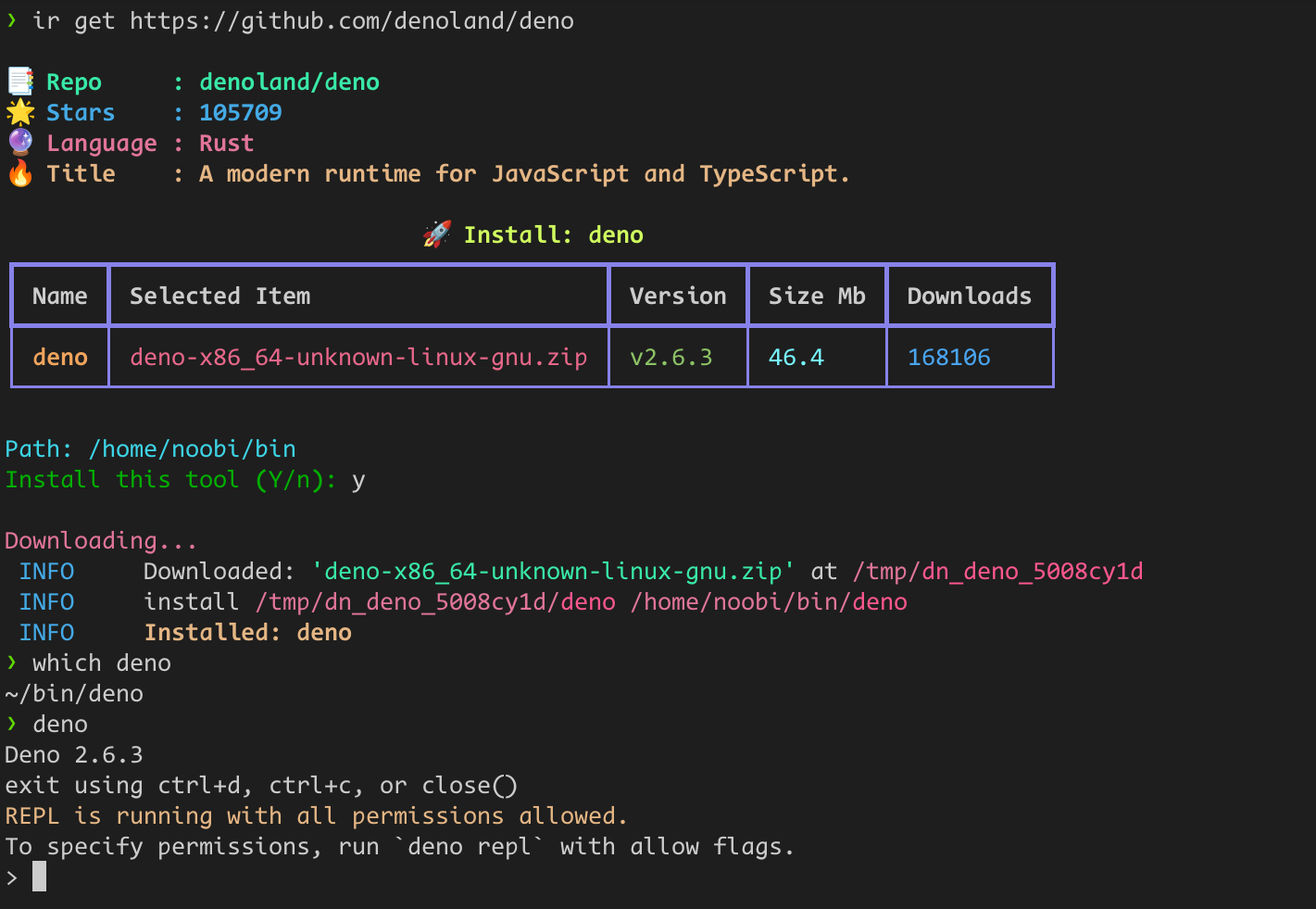
Checking for gron is installed by install-release:
❯ which gron
/home/noobi/bin/gron

❯ gron --help
Transform JSON (from a file, URL, or stdin) into discrete assignments to make it greppable
... # more
Prerequisites 📋
-
python3.8 or higher
-
Default releases Installation Path is:
~/bin/, This is the path where installed tools will get stored. -
In order to run installed tools, you need to add the following line to your
~/.bashrcor~/.zshrcfile:
export PATH=$HOME/bin:$PATH
Install install-release package 📦
pip install -U install-release
Updating install-release 🔄
For seeing version:
ir me --version
For updating:
ir me --upgrade
Example usage ir --help 💡
# Help page

❯ ir --help
Usage: ir [OPTIONS] COMMAND [ARGS]...

  GitHub Release Installer, based on your system

  Commands:
    get      | Install GitHub release, cli tool
    ls       | list all installed releases, cli tools
    rm       | remove any installed release, cli tools
    upgrade  | Upgrade all installed releases, cli tools
    state    | show currently stored state
    config   | Set configs for tool
    pull     | Install tools from a remote state
    hold     | Keep updates a tool on hold.
    me       | Update ir tool.
For sub-command help use: ir <sub-command> --help
Example: ir get --help
Install completion for cli 🎠
# ir --install-completion [SHELL: bash|zsh|fish|powershell]
# Example for zsh:
ir --install-completion zsh
Install tool from GitHub releases 🌈
❯ ir get "https://github.com/ahmetb/kubectx"

📑 Repo     : ahmetb/kubectx
🌟 Stars    : 13295
✨ Language : Go
🔥 Title    : Faster way to switch between clusters and namespaces in kubectl

                              🚀 Install: kubectx
┏━━━━━━━━━┳━━━━━━━━━━━━━━━━━━━━━━━━━━━━━━━━━━━━┳━━━━━━━━━┳━━━━━━━━━┳━━━━━━━━━━━┓
┃ Name    ┃ Selected Item                      ┃ Version ┃ Size Mb ┃ Downloads ┃
┡━━━━━━━━━╇━━━━━━━━━━━━━━━━━━━━━━━━━━━━━━━━━━━━╇━━━━━━━━━╇━━━━━━━━━╇━━━━━━━━━━━┩
│ kubectx │ kubectx_v0.9.4_linux_x86_64.tar.gz │ v0.9.4  │ 1.0     │ 43811     │
└─────────┴────────────────────────────────────┴─────────┴─────────┴───────────┘
Install this tool (Y/n): y
 INFO     Downloaded: 'kubectx_v0.9.4_linux_x86_64.tar.gz' at /tmp/dn_kubectx_ph6i7dmk                                                               utils.py:159
 INFO     install /tmp/dn_kubectx_ph6i7dmk/kubectx /home/noobi/bin/kubectx                                                                  core.py:132
 INFO     Installed: kubectx
# checking if kubectx is installed
❯ which kubectx
/home/noobi/bin/kubectx

❯ kubectx --version
0.9.4
List installed tools 📋
❯ ir ls

                       Installed tools
┏━━━━━━━━━━━┳━━━━━━━━━┳━━━━━━━━━━━━━━━━━━━━━━━━━━━━━━━━━━━━━━┓
┃ Name      ┃ Version ┃ Url                                  ┃
┡━━━━━━━━━━━╇━━━━━━━━━╇━━━━━━━━━━━━━━━━━━━━━━━━━━━━━━━━━━━━━━┩
│ terrascan │ v1.15.2 │ https://github.com/tenable/terrascan │
│ gron      │ v0.7.1  │ https://github.com/tomnomnom/gron    │
│ kubectx   │ v0.9.4  │ https://github.com/ahmetb/kubectx    │
└───────────┴─────────┴──────────────────────────────────────┘
Remove installed release ❌
# Remove installed release

❯ ir rm gron

INFO     Removed: gron
Update all previously installed tools to the latest version 🕶️
❯ ir upgrade

Fetching: https://github.com/tenable/terrascan#terrascan
Fetching: https://github.com/ahmetb/kubectx#kubectx

Following tools will be upgraded:

terrascan

Upgrade these tools, (Y/n): y

Updating: terrascan, v1.15.0 => v1.15.2
 INFO     Downloaded: 'terrascan_1.15.2_Linux_x86_64.tar.gz' at /tmp/dn_terrascan_0as71a6v
 INFO     install /tmp/dn_terrascan_0as71a6v/terrascan ~/bin/terrascan
 INFO     Installed: terrascan

Progress... ━━━━━━━━━━━━━━━━━━━━━━━━━━━━━━━━━━━━━━━━ 100% 0:00:00
Pull state templates for installing tools 📄
You can push your state to somewhere like GitHub and use it for any other device, to make a sync for tools installed via ir
❯ ir pull --url https://raw.githubusercontent.com/Rishang/dotFiles/main/templates/install-release/state.json
Hold Update to specific installed tool ✋
In case you want to hold an update to the specific tool, you can use hold {tool-name} command which will pause update for that tool.
Example: keep tool named k9s update on hold
❯ ir hold k9s
 INFO     Update on hold for, k9s to True
You can list tools on hold updates by ls --hold command
❯ ir ls --hold
             Installed tools kept on hold
┏━━━━━━┳━━━━━━━━━┳━━━━━━━━━━━━━━━━━━━━━━━━━━━━━━━━━━━┓
┃ Name ┃ Version ┃ Url                               ┃
┡━━━━━━╇━━━━━━━━━╇━━━━━━━━━━━━━━━━━━━━━━━━━━━━━━━━━━━┩
│ k9s  │ v0.26.7 │ https://github.com/derailed/k9s   │
└──────┴─────────┴───────────────────────────────────┘
In case you want to unhold update to the specific tool, you can use hold --unset {tool-name} command by which it will pause update for that tool.
❯ ir hold --unset k9s
 INFO     Update on hold for, k9s to False
Config tool installation path 🗂️
❯ ir config --path ~/.local/bin

INFO   updated path to:  ~/.local/bin
INFO   Done
Config updates for pre-release versions 🔌
This is useful when you want to install pre-release versions of tools like beta or alpha releases. By default, it is set to False in which case it will only check for latest release.
❯ ir config --pre-release
Configure GitHub token for higher rate limit 🔑
❯ ir config --token [your github token]

INFO: Update token
INFO: Done.
 Rishang