

 RenderHeads
360 Capture rendering to picture
Sometimes, only need to take a screenshot, and the rendering sequence frame will render many

I use windows, unity2019.3.3hdrp. After rendering, my project will be very slow and will have to be restarted
Rendering sequence frames, the name of PNG cannot be customized
Yes it can be. If you're using the component you can set the filename here:

If you're using the tool window, then you can set the file name here:


Sometimes, only need to take a screenshot, and the rendering sequence frame will render many
You can set the number of frames here:
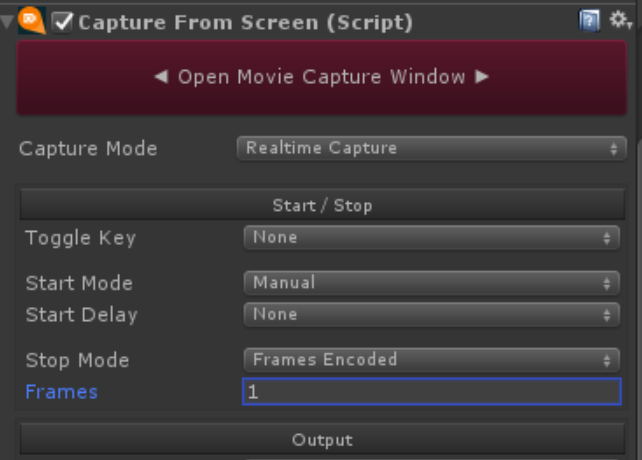
In the future though we do plan to add a snapshot mode that will just save a single image.
I use windows, unity2019.3.3hdrp. After rendering, my project will be very slow and will have to be restarted
Thanks for reporting this - could you tell us how you're using the plugin to achieve this effect? Is it possible to replicate it using one of our demo scenes?
How exactly is the project slow?
Thanks,