

 Rem0o
Rem0o
Sensors shown in the system tray appear in random order
Describe the bug Temperature sensor order in system tray appears random. Doesn't always match specified sensor order. So if I select CPU core max temp and Coolant temp as the two sensors to show in the system tray. Sometimes they will be shown in the order listed. Other times, the order will be reversed.
Is there a log.txt file next to FanControl.exe with recent date entries? Seems like you'd need debug-level logging to have any hope of helpful logs for this.
Relevant hardware specs and setup Asrock Z790 Pro RS motherboard + Corsair H115I AIO Cooler

I can't control the order of the icons in the tray. I would recommend setting a different color for each to get an easier time differentiating them.

I'm aware of two programs that are able to show multiple system tray icons in a fixed order that appears to be consistent each time the program is run.
- HWiNFO64 is one such program. You can display multiple sensors in the system tray, and they will be consistently shown in the same order as the sensors are listed in the monitor window.
- "Enable Virtual Desktop" for Windows is another. it's no longer maintained, but you can probably still find it out on the web. It has an option to show a system tray icon for each window (4 by default), and they're always displayed consistently in order.
I have no idea how hard it would be to follow whatever strategies these programs used, but it does look possible. I've run the programs above on the latest version of Windows 10. In the case of HWiNFO64, it's not open source, but the maintainer may be willing to tell you how he solved the problem if you contact him, or ask in the support forums.
Did you move any of the icon at all, like for one to be permanently in your task bar? In my case, I put two temperatures in my always visible tray, and they always stay in the same place. I always spawn them in order, but Windows ultimately decides where to put them.
OK, upon further investigation I don't think I reported this bug correctly. There still is a bug, but it may be easier to fix than the original one.
I don't actually see a random order in the sensors. The order is deterministic, but the problem is:
- When I add or edit sensors, they appear in the same order as they do in the GUI (expected)
- If I then save and exit FanControl, and restart it, they are displayed in the reverse order as they are listed.
So, the workaround for me is just to create the sensors in the reverse order as what I want. Then I just need to save and exit FanControl, and all future restarts will show them in the order I want, unless I need to edit them again.
Ah! Tested this a bit, and by default they get added from right to left. Could add a simple reverse() to get a left to right behavior.
So I came looking for this answer is there anyway we can get the GPU temp to be the one that is shown in the taskbar?

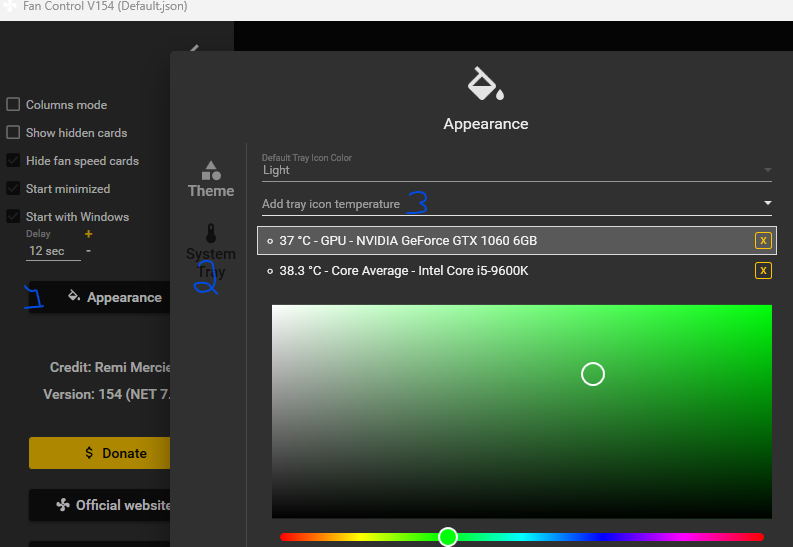
I have tried every kind of order but when I reboot Windows, I always get gpu temperature first and cpu second.

I take it this problem hasn't been solved yet?
Green - GPU Blue - CPU Brown - VRM.
Well, it is not convenient at all: the order in Fan Control b system tray does not coincide at all.

The issue still persists, the items on the Tray Icons screen are ordered correctly but in the tray they are not, I have to initiate drag action to order them
The solution is to put the definitions in "TrayIcons" section in userConfig.json file in the order you want them to show up (from left to right). It seems until I start fiddling with the settings they will display in correct order.

@jacklul im the ui you can drag to reorder the tray icons, no need to manually do it in the json config.
@jacklul im the ui you can drag to reorder the tray icons, no need to manually do it in the json config.
I have to initiate drag action to order them
This is what I've been doing, but the order they appear in tray after reboot is always reverse, so you can either put them reversed in the UI or do it manually in the file. So basically the order they show up after dragging them in the UI is wrong, what matters is the order in the config file.
Are you expecting right to left or left to right?
This is what I get and expect everywhere:
Did you try to reorder by dragging them on the tray itself? That won't stick. Just make sure the order in the app is ok and every time it restarts it the order will be the same.
Reordering in the UI puts them in reverse order than it is after app restart I did not reorder them on the tray, assumed that won't work (knowing MSI Afterburner had the same behavior)
current: Version 201 (NET 8.0), but I saw this behaviour since many previous versions When the app starts, the icons are ordered from left to right in systray the same as they are top to bottom in the UI. But! When changing configs (through right click on the systray icons) the icons are in reversed order (right to left) in the systray. At least in my case. Also in reverse when the Tray Icons are changed (adding, removing, changing order, etc ...) through the UI and saving the config.
