

 Rem0o
Rem0o
As of the 121 update, the app can no longer control my AMD Radeon 6650XT PowerColor HELLHOUND, it worked on V120.(I'm on Windows 11)
As of the V121 update, the app can no longer control my AMD Radeon 6650XT PowerColor HELLHOUND, it worked on V120. (I'm on Windows 11)

If you revert back to https://github.com/Rem0o/FanControl.Releases/releases/tag/V120, works?

yes.Version 120 can control my GPU.Sent from my Galaxy -------- Original message --------From: Rem0o @.> Date: 8/8/22 08:19 (GMT-05:00) To: "Rem0o/FanControl.Releases" @.> Cc: ELEMENTALFARTS @.>, Author @.> Subject: Re: [Rem0o/FanControl.Releases] As of the 121 update, the app can no longer control my AMD Radeon 6650XT PowerColor HELLHOUND, it worked on V120.(I'm on Windows 11) (Issue #1000) If you revert back to https://github.com/Rem0o/FanControl.Releases/releases/tag/V120, works?
—Reply to this email directly, view it on GitHub, or unsubscribe.You are receiving this because you authored the thread.Message ID: @.***>
yes.Version 120 can control my GPU.Sent from my Galaxy -------- Original message --------From: Rem0o @.> Date: 8/8/22 08:19 (GMT-05:00) To: "Rem0o/FanControl.Releases" @.> Cc: ELEMENTALFARTS @.>, Author @.> Subject: Re: [Rem0o/FanControl.Releases] As of the 121 update, the app can no longer control my AMD Radeon 6650XT PowerColor HELLHOUND, it worked on V120.(I'm on Windows 11) (Issue #1000) If you revert back to https://github.com/Rem0o/FanControl.Releases/releases/tag/V120, works?
—Reply to this email directly, view it on GitHub, or unsubscribe.You are receiving this because you authored the thread.Message ID: @.***>
Further support for AMD cards will be worked on here: https://github.com/Rem0o/FanControl.ADLX
I had same issue.
AsRock RX6750XT PhantomGaming
Already added ADLX, but its throwing me and error:
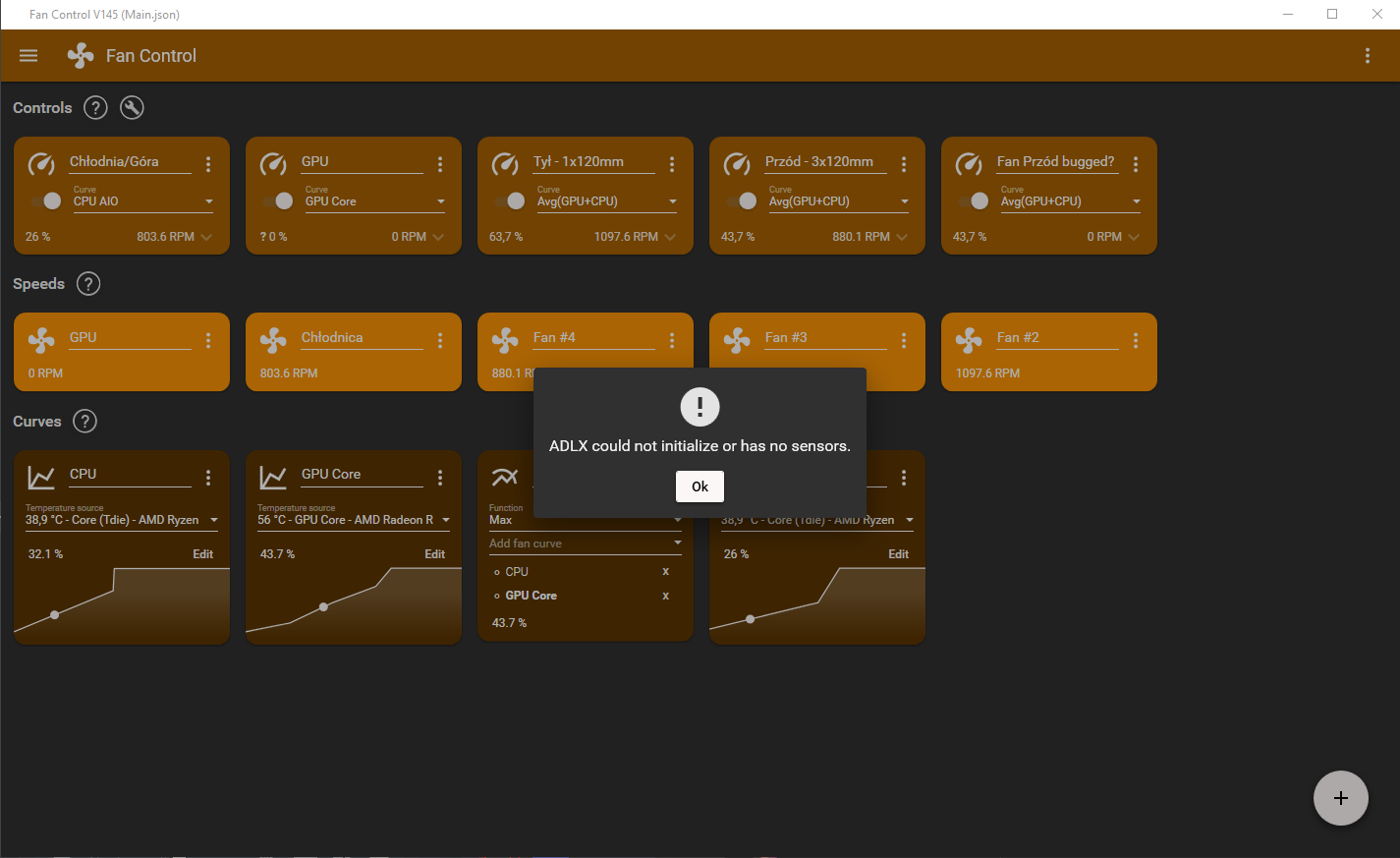
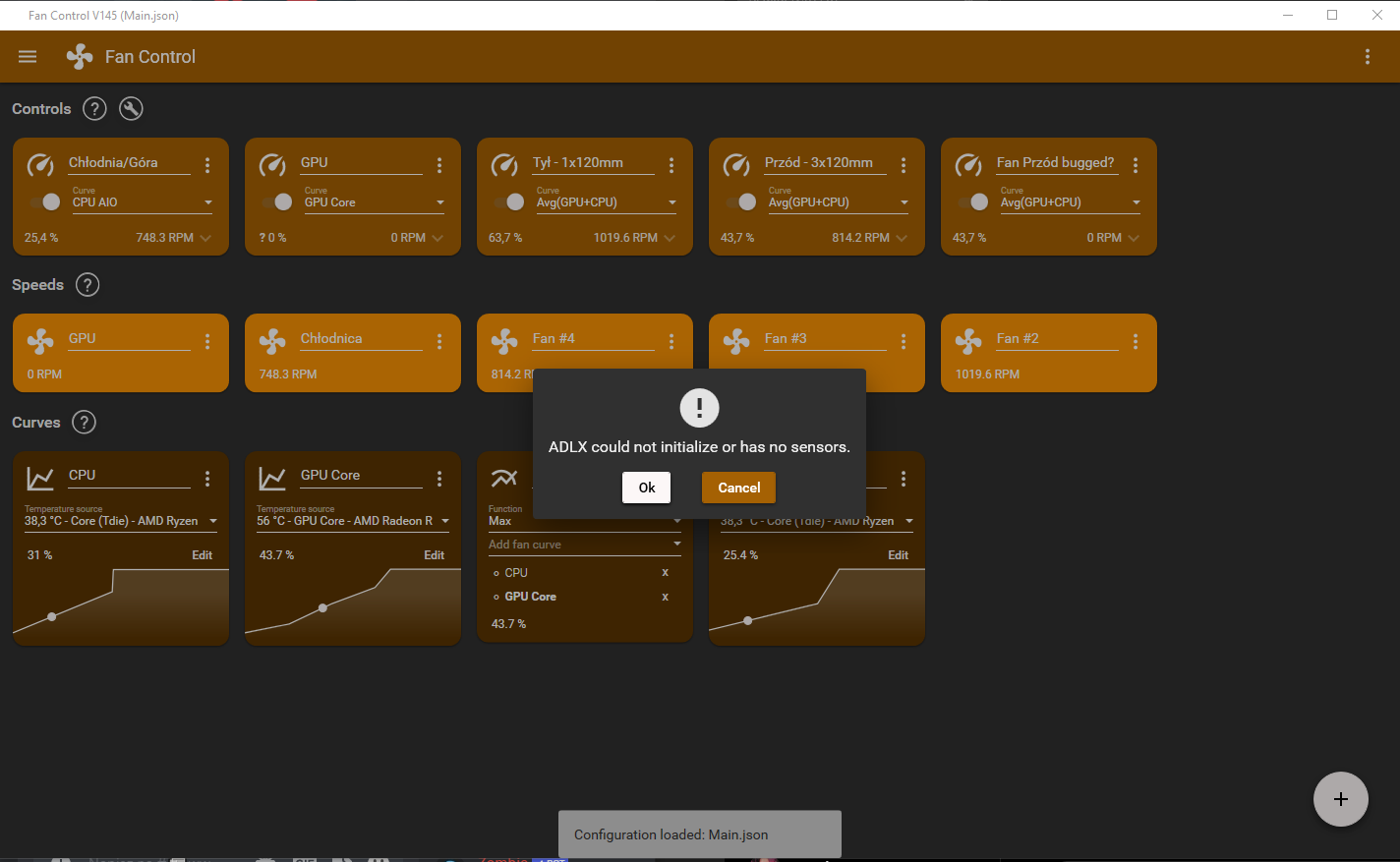

Unblocked every file one by one but still throws errors
log.txt:
11.02.2023 22:55:33: Unhandled exception in FanControl v1.0.0.0
11.02.2023 22:55:33: System.IO.FileNotFoundException: Nie można załadować pliku lub zestawu 'ADLXWrapper, Version=1.0.0.0, Culture=neutral, PublicKeyToken=null' lub jednej z jego zależności. Nie można odnaleźć określonego pliku.
Nazwa pliku: 'ADLXWrapper, Version=1.0.0.0, Culture=neutral, PublicKeyToken=null'
w FanControl.ADLX.ADLXPlugin.Close()
w System.Collections.Generic.List1.ForEach(Action1 action)
w FanControl.Domain.ComputerAccessLayer.Close()
w Autofac.Core.Disposer.Dispose(Boolean disposing)
w Autofac.Util.Disposable.Dispose()
w Autofac.Core.Lifetime.LifetimeScope.Dispose(Boolean disposing)
w Autofac.Util.Disposable.Dispose()
w Autofac.Core.Container.Dispose(Boolean disposing)
w Autofac.Util.Disposable.Dispose()
w FanControl.App.OnExit(ExitEventArgs e)
w System.Windows.Application.DoShutdown()
w System.Windows.Application.ShutdownImpl()
w System.Windows.Application.ShutdownCallback(Object arg)
w System.Windows.Threading.ExceptionWrapper.InternalRealCall(Delegate callback, Object args, Int32 numArgs)
w System.Windows.Threading.ExceptionWrapper.TryCatchWhen(Object source, Delegate callback, Object args, Int32 numArgs, Delegate catchHandler)
OSTRZEŻENIE: rejestrowanie informacji o powiązaniach zestawów jest wyłączone. Aby włączyć rejestrowanie błędów powiązań zestawów, ustaw wartość rejestru [HKLM\Software\Microsoft\Fusion!EnableLog] (DWORD) równą 1. Uwaga: z włączeniem rejestrowania błędów powiązań zestawów wiąże się pewien spadek wydajności. Aby wyłączyć tę funkcję, usuń wartość rejestru [HKLM\Software\Microsoft\Fusion!EnableLog].
11.02.2023 22:55:50: ADLXWrapper.ADLXEception: Result: ADLX_FAIL Couldn't initialize ADLX w ADLXWrapper.Extensions.ThrowIfError(ADLX_RESULT result, String message) w FanControl.ADLX.ADLXPlugin.Initialize() w C:\projects\fancontrol-adlx\ADLXPlugin.cs:wiersz 56 11.02.2023 22:55:51: ADLXWrapper.ADLXEception: Result: ADLX_FAIL Couldn't initialize ADLX w ADLXWrapper.Extensions.ThrowIfError(ADLX_RESULT result, String message) w FanControl.ADLX.ADLXPlugin.Initialize() w C:\projects\fancontrol-adlx\ADLXPlugin.cs:wiersz 56 11.02.2023 22:55:51: ADLX could not initialize or has no sensors.
