

 RPCS3
RPCS3
Regression: Metal Gear Solid: Peace Walker - Missions with required equipment refuse to start (#9065)
Missions that require a certain item in Metal Gear Solid: Peace Walker cannot be started even after equipping the required item. This issue didn't happen on previous builds of RPCS3. Unfortunately I can't recall exactly after which build this problem started to happen as there have been multiple releases since the last time I played the game. I'm fairly sure this bug has never happened on original PS3 hardware as well.
I've tried both PAL and NTSC versions of the game, the bug happens on both of them.
Screenshots and the log file have all been uploaded here.
- Windows 10
- CPU: Intel(R) Xeon(R) CPU E5-1650 v3 @ 3.50GHz (12 CPUs), ~3.5GHz
- GPU: NVIDIA GeForce GTX 1070
- Driver version: Version 456.71
- RPCS3 Version: 0.0.12-11042-a90801e2 Alpha

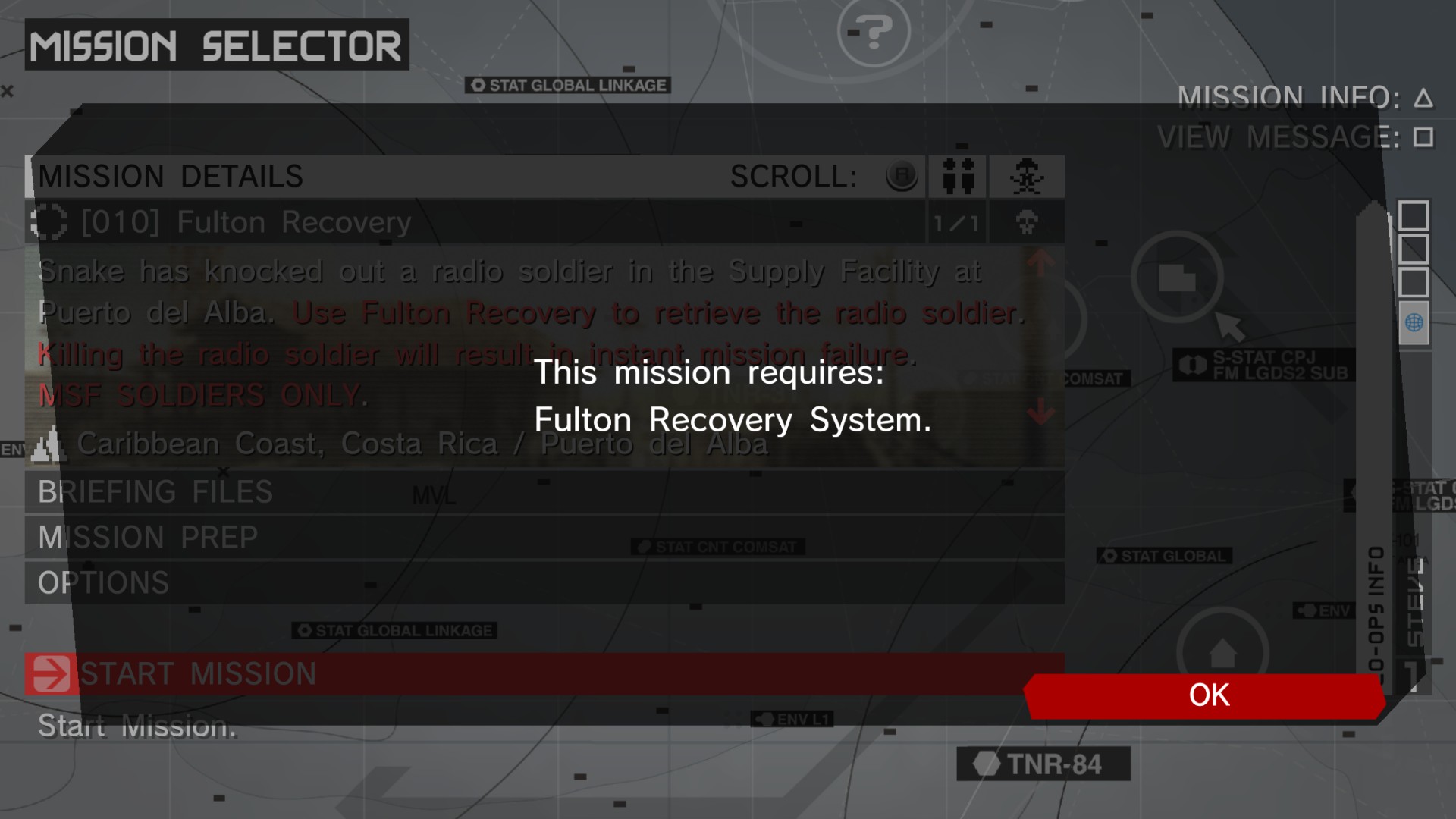


After testing many builds,i can conclude that the new builds re the problem. Build 11032 breaks peace walker for me. Every build from 11023 and before works flawlessly. Please look into this, rpcs3 team.

It's possible that 0.0.12-11032 (#9065) breaks it, but weird Can you confirm? Confirmed through Discord

After investigation the change to return a real mac address is the one that breaks it, I want to investigate a bit further before doing a revert(kinda worried it would break lan games).


Can also confirm this with the latest version. Is possible to do a workaround just for this game?


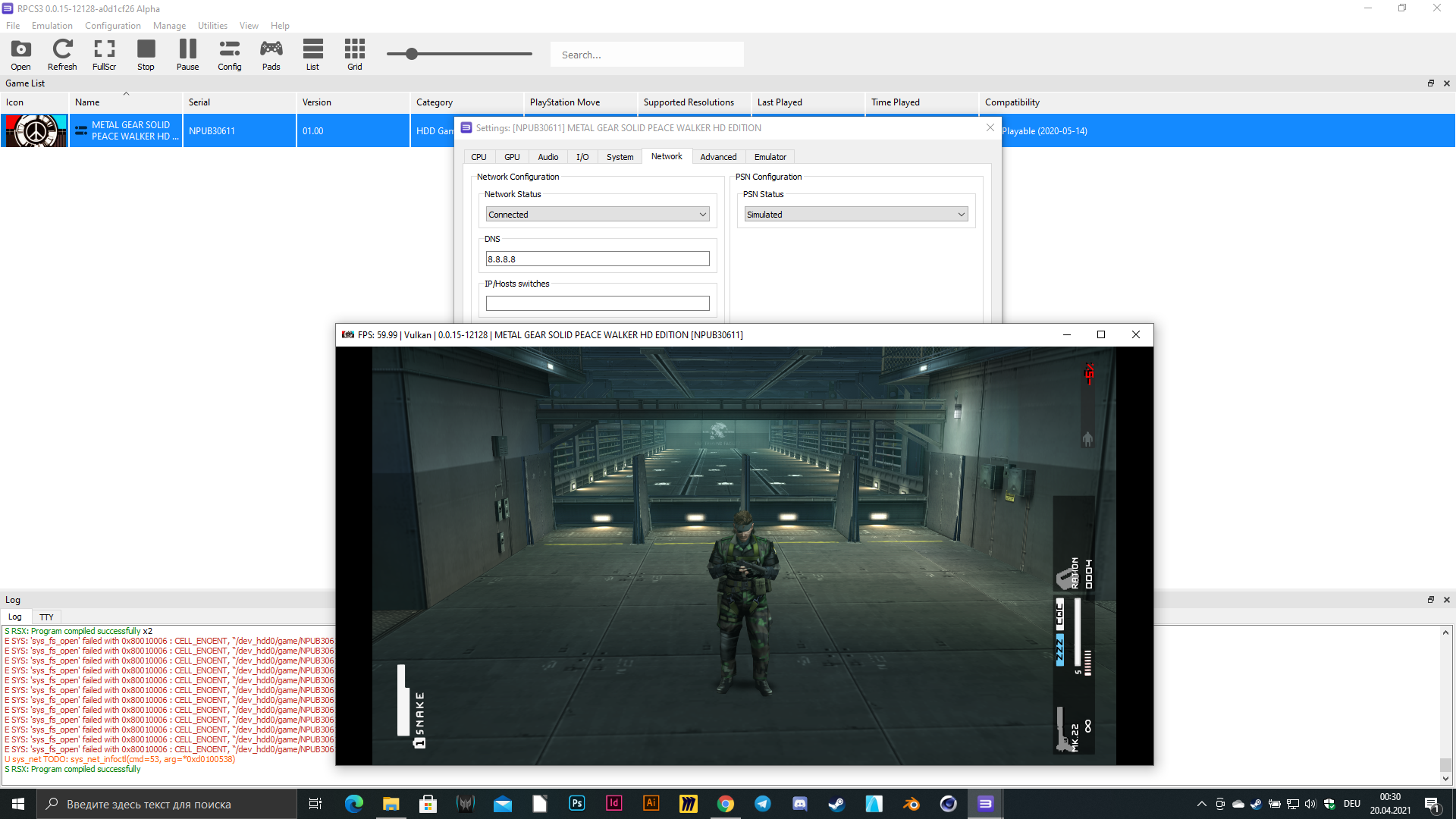

Hi guys i fixed this by enabling network status and simulated psn
That works!!
comfirmed working technique, don't know if we can auto patch it but at least we can play the game with the last version

On latest version(0.0.16-12316-44f0ca08 Alpha) when you enable simulated PSN enemies for some reason can see you and shoot you through the walls, also C4 does not plant where it requiered to(actually you cant plant it at all).

On version (0.0.16-12366-6ac9e6f9 Alpha) and experiencing the same issue (Enemies seeing and shooting through objects and not being able to plant C4) regardless of simulated PSN being on or off.

Hi guys i fixed this by enabling network status and simulated psn
bro thanks a lot it works

same issue on build 0.0.26-14727-23da7703. The above solution also does not work.

Hello, it seems that this bug is still present in the latest build (0.0.26.14743), at least on macOS 13.2.1, running on a apple M1.
So far, the network trick doesn't work either

This issue is still present with build 14845 running macOS 13.3 on M2.
Network workaround from earlier also does not work.


I think the issue on mac is unrelated, it should be a macOS specific issue regarding fetching the mac address
For the people on Windows that were able to solve this by setting the emulator to connected: were you using a savedata file originally created in the emulator or did you import a savedata file from a PS3 console?
I think the issue on mac is unrelated, it should be a macOS specific issue regarding fetching the mac address
For the people on Windows that were able to solve this by setting the emulator to connected: were you using a savedata file originally created in the emulator or did you import a savedata file from a PS3 console?
I am using save made by RPCS3

The psn option only shows RPCN so I can't fix the issue Update: I found that turning on network status to connected and maybe having the RPCN option on to

as of today 20230711, I am still stuck with RPCS3 for Mac version 0.30 running Mac Mini M1. I'm sure my network is set to CONNECTED and SIMULATED

I also have this problem on Mac M1 Max, so sad it is not yet fixed
Apparently they had the same issue on ppsspp running through retroarch: https://github.com/hrydgard/ppsspp/issues/13115
Was fixed by setting a fake MAC address

I was able to find a workaround for this.
Set the Network Status to Connected. I didn't change any other settings.
Tested on Metal Gear Solid HD Collection [BLUS30847] with commit b5aac6d8
