

 RPCS3
RPCS3
MotorStorm [BCES00006]: Cars stutter when using PPU LLVM
Cars stutter/jump constantly. Present on user vehicle and on other racers. Not present on bikes or when using PPU Intepreter.
Config: Windows 10 64-bit GeForce GTX 1080 i7-6700k @ 4GHZ 16GB RAM

Is the crowd T-posing also only present on PPU LLVM? Perhaps the ticket could be generalized then to "MotorStorm issues with PPU LLVM" or similar.
Also, which interpreter do you mean? Fast, precise or both?

I'm not sure what t-posing you're talking about - never seen the issue. The npcs are frozen but not in tpose on both interp and LLVM. You'll have to test yourself.

Huh, I went ahead and scanned through every mention of MotorStorm I saw on Discord and YouTube and indeed couldn't find the issue. I could swear I saw it, but I can't find it again. Maybe the NPCs being still tripped me off. Luckily them being still is accurate behaviour though.
still have the same issue "Cars stutter when using PPU LLVM" aka "vehicles are warping forward/backward". It can be partially fixed by downclocking the CPU (e.g. 10600k at 60% via power manager) but for sure it is just a workaround. Is there any chance it will be fixed this year? also mentioned here: https://forums.rpcs3.net/thread-183124-page-2.html

some of the latest few builds partially or fully fixed the issue. But game itself are freezing after 1 min of gameplay and has a lot of graphic glitches (maybe even more than before). But imho it is great progress, maybe soon it will be fully playable.
This issue has not improved at all unfortunately. I've been testing this issue for years so no idea what you're basing that on. It's a logic issue - once it's fixed, it'll be gone completely. This isn't an issue that will just get a little better here and there.
And also the gfx have regressed badly with flickering black dirt all over the place now. So no progress just regression. I hope they can focus on getting this fan favorite console exclusive game working once and for all soon.
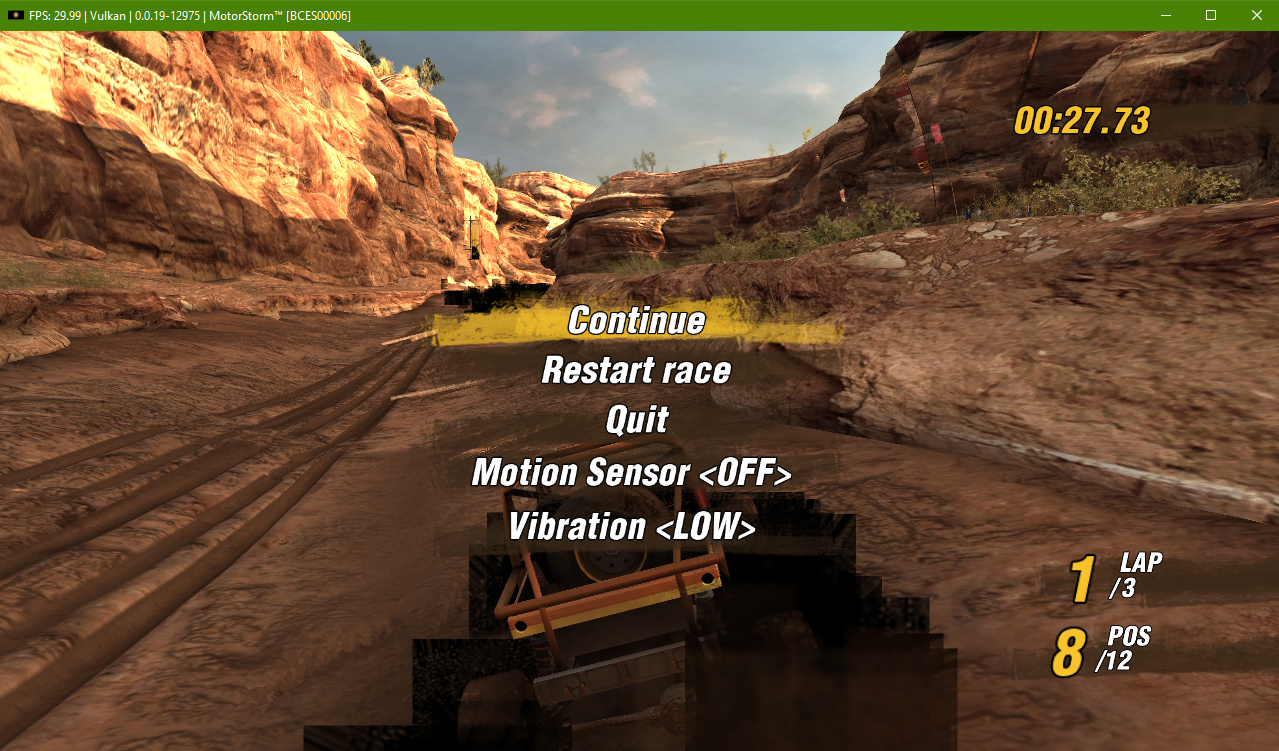

I've seen this game run quite well lately. Is the stutter still an issue ?

No change here. Cars still stutter as much as they always have for years. First level doesn't have the issue as much as every other level, especially lvl 3 Speed Kills. Only Intepreter fixes it but runs at 15fps max on a high end machine.

I'm cross referencing here some forum posts wich address this issue with different "possible fixes" which seem to be not definitive and don't work for everyone.
These include
- running game on linux
- running game at 50% cpu process speed adjusting it in windows power mode window
- some other settings in the simulator which seem to help the issue for some people.
Forum threads:
- https://forums.rpcs3.net/thread-183124-page-2.html?highlight=Motorstorm
- https://forums.rpcs3.net/thread-204386.html?highlight=Motorstorm https://forums.rpcs3.net/thread-183124-page-2.html?highlight=Motorstorm
I advice people who want to help solve this in the first place to condense all the informatiom about fixes (rumors or verified info) in this issue, and maybe also try out different settings combinations, platforms and OS and write out your experience in here so that together we can find a solution. Hope this helps finding a way to get the best motorstorm experience possible.
The best config I've found is SPU = Interpreter and SPU threads = 1. Fixes 95% of the stuttering with full fps BUT they audio is garbled. I care more about video and can just play some audio in the background.

Using PPU = Interpreter also fixes it completely but you get half speed.
Tested both on Windows 11 and on Arch Linux Can confirm that this bug only happens on Windows on my rig, while on Linux is perfectly fine.
Also SPU = Interpreter and SPU threads = 1 doesn't do the trick, while PPU = Interpreter fixes it with very slow speed
Config: Windows 11 64-bit (vs. Arch Linux) GeForce GTX 4070 TI AMD R5 5600x 32GB RAM

also confirmed that it is still no progress with fixing this issue. I've played with all possible settings without success. I will open a bottle of wine when I will be able to play this game on PC with no issues. Hopefully this year.
Just here again to add that it has been a few months since I play the game using Linux Mint and there's a lot less flickering. It's not completely gone, but it's still 80% better than any Windows experience so far. So for hardcore fans out there, definitely install Linux and play the game there, it's a blast :)
Can confirm this issue is happening to me as well. It isn't unbearable and the game is still playable, but it happens often enough to be noticeable. Windows 11, Ryzen 5600X, Radeon RX 6600, 16GB RAM.
