RPCS3
RPCS3
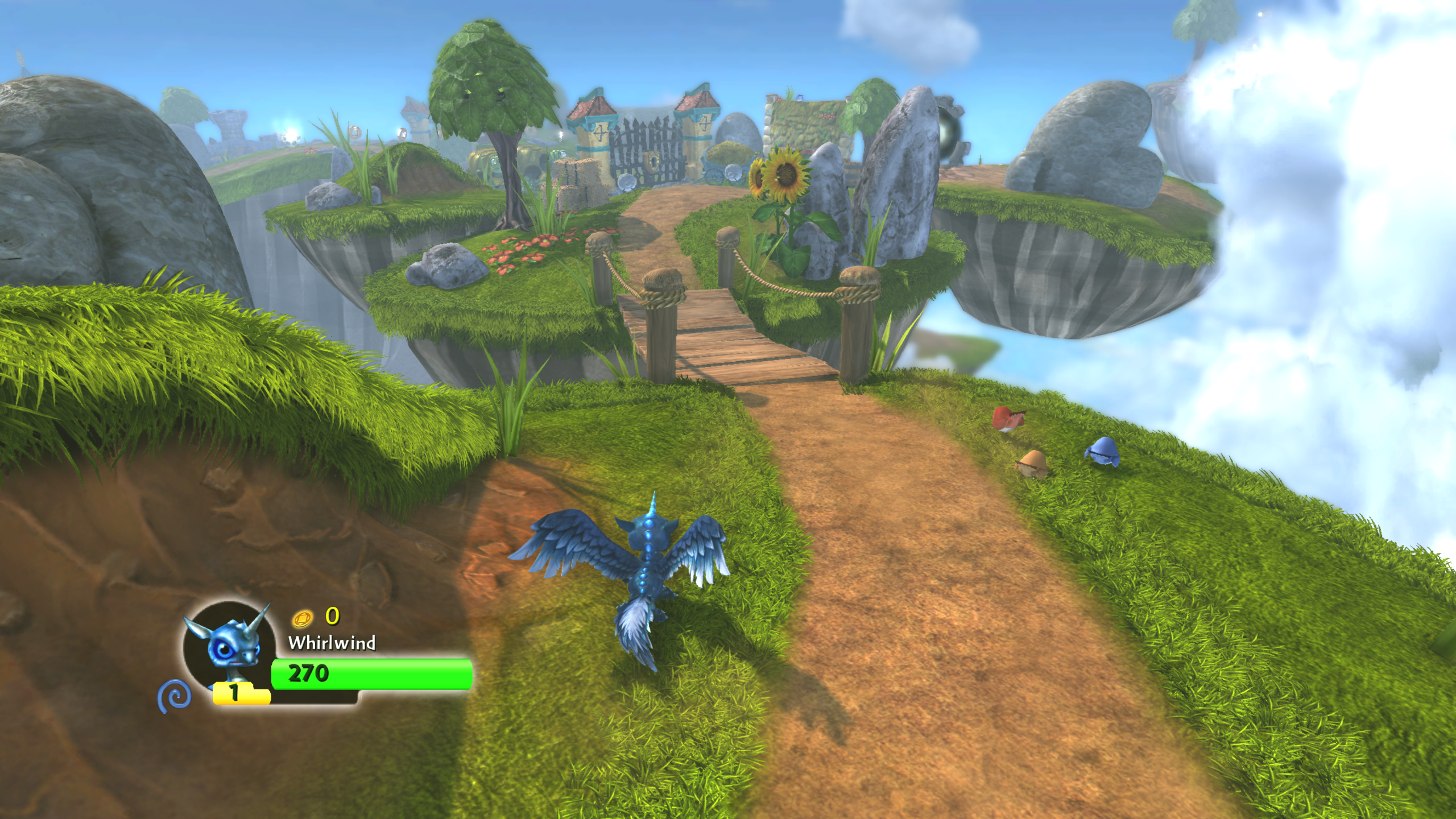
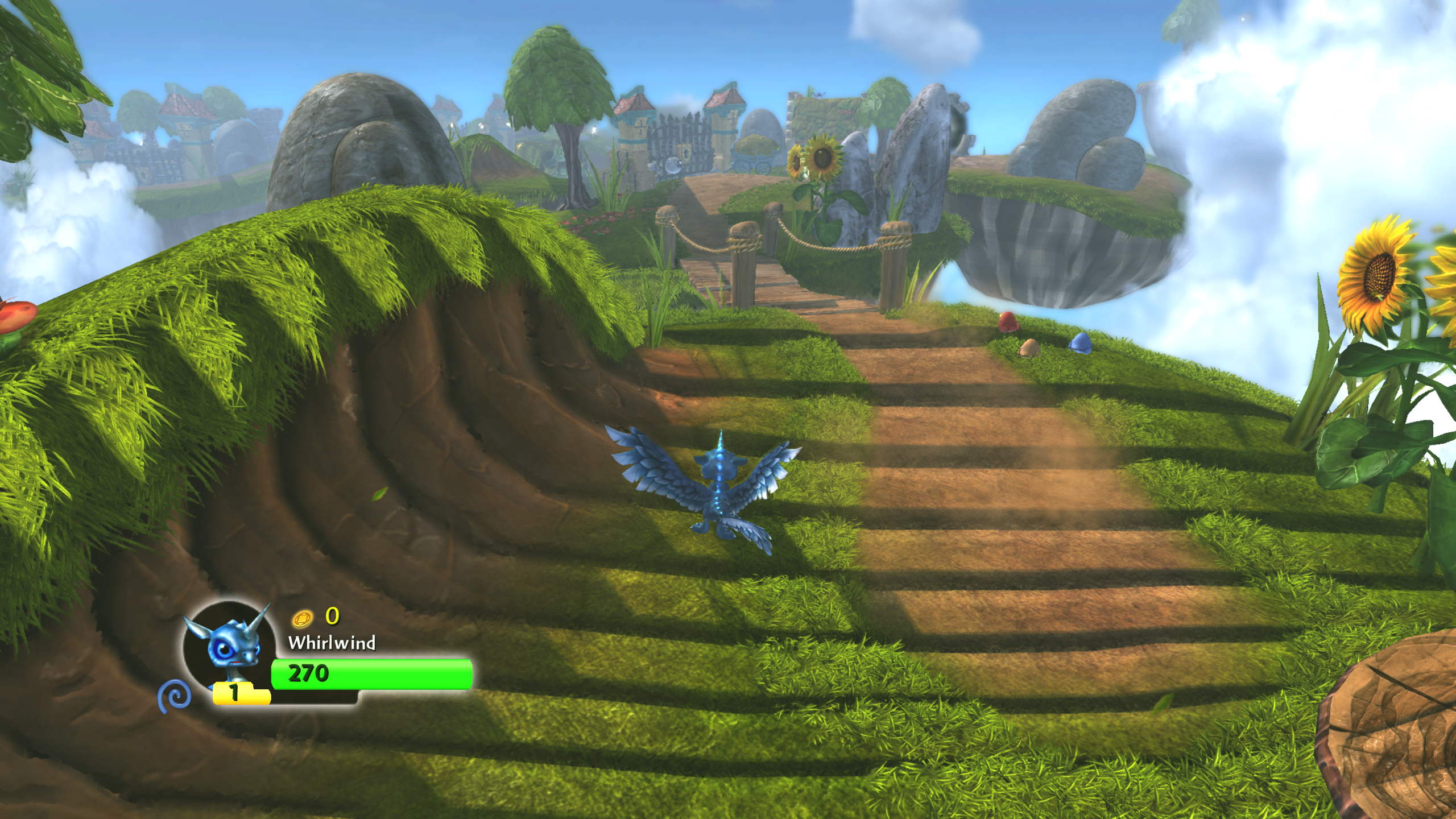
Skylanders Spyro's Adventure [BLES01272] - Skipping shadows visual bug with water still present
Quick summary
Came back to this after a while to see if it was still happening, and on the latest build I tested (0.0.26-14577) it seems so.
Details
Happens in various levels with water. Original issue was identified in #12987, and a fix #13097 was supposedly implemented but hasn't seemed to have worked for this game.

Attach a log file
Attach capture files for visual issues
BLES01272_20230117154442_capture.zip
System configuration
Intel Core i7-6700HQ NVIDIA GeForce GTX 1060 (527.56) Windows 10
Other details
No response

I have the same problem, but it appears fron the second level. The game its dizzy and the preformance drops


I've also been having this problem, although it does not drop performance for me. Stays consistently at 30fps. Been happening since the 2nd level as someone else reported, but occasionally goes away and looks normal at certain points in certain levels. I'm on a laptop with Ryzen 7 6800H 3.2GHz, RTX3060 6GB VRAM, and 16GB RAM.


hey guys, I had the same problem with the second level and was looking for an answer but couldnt find s**t... but I managed to fix it for me by downgarding to an older version, I was just looking up generall tutorials on youtube for setting the game up. but they didnt mention any other bug or glitch like this, soo I just tried to use the older version that he used intead!
I got version 0.0.24-14340 and replaced it in my emulators directory and that fixed it for me (for now atleast) here is the link of the offical download page for older releases, the version taht I used is the first one on top: https://rpcs3.net/compatibility?b&p=20
I hope thatl fix it for anyone else.

If it's a regression maybe someone can help figure out when it broke so we can fix it faster. It would be a great help.

If it's a regression maybe someone can help figure out when it broke so we can fix it faster. It would be a great help.
Seems like #13201 is responsible for it
Footage from 0.0.26-14542
Footage from 0.0.26-14564