

 RPCS3
RPCS3
Dante's inferno crashes randomly.
Quick summary
Dante's inferno crashes randomly. Pc has more than enough to run it, however, the game still crashes.
Details
Hello everyone, as the title says, Dante's inferno crashes randomly. My pc has: 32 gb ram Windows 10 i5-12600kf 3060ti However, the game literally crashes at any point and I just can't figure out what could be the reason. I've mixed and removed configurations sooo many times, like I really think I went over almost all the builds in the internet to play it as well as the most compatible ones and it still crashed.
Sometimes it lets me get through a cutscene, other times not even load the game, other times it loads and works flawlessly for 10 mins and crashes again (by crash I mean it freezes completely). I double checked my AV and the quickstart guide, reinstalled firmware and updates.
Let me know how can I help, I'll be more than happy to do so ;-;
Attach a log file
Github didn't let me upload the file, I'll attach a .txt with the msg from the debug console (I can't open the log file neither) log.txt . Edit: I attached what I believe to be the requested logs in the next comment. See also here: RPCS3.zip
Attach capture files for visual issues
No response
System configuration


Other details
If I use ASMJIT, the audio desyncs like crazy.

A potential fix for your issue has been merged to master. Please update to the latest version and try again.

A potential fix for your issue has been merged to master. Please update to the latest version and try again.
Just re-downloaded the emulator. It is running pretty smooth but there is a bridge scene where it always crashes.
RPCS3.log.gz
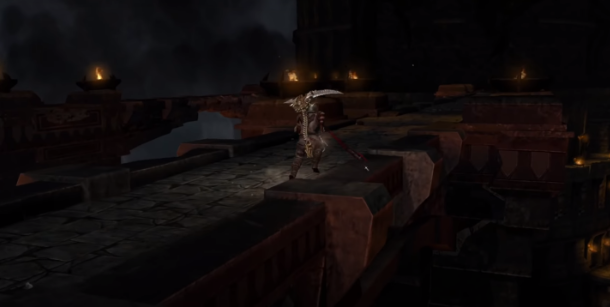
That bridge scene is an old issue only causes slowdown for me. No real crash. Just gotta use plain default settings through that area. It's possible resolution scale may even play a role with the crash.
I've tried like that and nope, still freezes. Edit: here is the log file: RPCS3.log.gz
I tried to find something but can't see any error message really.
The previous log had modified configurations, here is one with the default ones which also crashed: RPCS3.log.gz
I was able to pass this damn bridge after +20 tries.
Configurations:
Restore everything to default. Then set the following: CPU{ SPU Decoder: ASMJIT. Preffered SPU thread: 1. } GPU{ Framelimit: 60 (try the limit that gives you the most stable exp) } Then play the game in windowed mode.
Additional steps that may or may not be related:
- In the first phase of the fight, I killed one of the black demons and then killed the other two only after the minions stopped giving me souls.
- I punished Orfeo.
- I played in windowed mode.
I was able to pass this damn bridge after +20 tries.
Configurations:
Restore everything to default. Then set the following: CPU{ SPU Decoder: ASMJIT. Preffered SPU thread: 1. } GPU{ Framelimit: 60 (try the limit that gives you the most stable exp) } Then play the game in windowed mode.
Additional steps that may or may not be related:
- In the first phase of the fight, I killed one of the black demons and then killed the other two only after the minions stopped giving me souls.
- I punished Orfeo.
- I played in windowed mode.
The random bridge crash is an old issue I opened I think a couple of years ago now. No one could figure it out. It seems to be completely random.

I saw your posts in many forums actually xd. I tried the yt' guy's steps to kill one two demon and what not and it wouldn't work. I literally spent like 5 hours per day this week trying stuff and it finally did.
Moral of the story: Kill orfeo (saves time) and then try the +100 combinations xd.
Edit: format

I'm at a loss as to why this is closed.
There is already like two issues related to this. I figured I'd just close it and wait to check if any dev had any questions, but I think they have a pretty full plate already so... yeh. Very unlikely thats gonna happen
It was this old issue https://github.com/RPCS3/rpcs3/issues/8495 We thought it was fixed, but it seems that the error is still there and it's random, it doesn't happen all the time.


The error is still there @elad335 @digant73 :( , tested using rpcs3 v0.0.38-18327 - all options by default. At this point the game freezes indefinitely, it is not possible to continue playing.

I was noticing on Ryzen 5 3600 that 3 years ago comment only a slow down due to massive amount of resources all at once being used for whatever reason. Now I'm a Ryzen 7 7700x and having played past a couple times testing Lucifer issue. This game is fully playable without crashes or freezes. Only contains the major graphical glitches. Myself with an Nvidia GPU.
OP was posting on an Intel 12th gen CPU, Nvidia GPU. According to the about page of rpcs3.net Elad is testing on Intel 14th gen and Nvidia GPU.
What was previously observed by people was the game would crash at the bridge closing the game window and displaying a fatal error in the log. But now what's being reported is simply freezing without crash? Just stalls and hangs?
Just completed the game from start to finish, no crashes or freezes at all, even leaving the game paused for a while @ViperTheRipper Where's the log file? zero info to work with and we can't help to analyze this thread needs to be closed this time
I'm sorry, I just tested it and tried to answer a question, by chance. As I said, it freezes at the point indefinitely even if you wait hours, forcing the exit is the only thing left. It is not a momentary slowdown with FPS drop. And yes, I don't own an ImTEL i99 - 98758937897 core processing device, but the emulation runs at 60 FPS flawlessly. I was just trying to help.
EDIT: Log+Rec added. log+rec.tar.gz rec2.tar.gz
EDIT2: Log2 - Framelimit: PS3 Native | Framelimit: Auto, VSync ON. log2.tar.gz
https://github.com/user-attachments/assets/4b4ecdf2-d453-40e5-aa39-012f849c3a40 RPCS3.log.gz Use LLVM CPU: haswell Did not freeze for me.
@elad335 @Darkhost1999 Just playing around using a custom configuration over the global settings (all default settings), it seems that the Async (multi-threaded) option is to blame for the indefinite freeze on the famous bridge.
Selecting Async with Shader Interpreter as a workaround in Shader Mode on my device allows me to cross the point without problems! 😵 . (performance was slightly reduced compared to the Async (multi-threaded) mode).