

 RPCS3
RPCS3
Bug: Lighting/shadows issue in Gran Turismo 5 Prologue [NPUA80075]
Quick summary
There is a weird lighting issue in GT5 Prologue - at various points during a race the track gets plunged into shadow, sometimes for just a second or so, other times for much longer.
Details
This only seems to happen when using the 'bumper cam' view, never seen it using the 'in-car', 'roof' or 'chase' cameras. It can however also be seen during the pre-race preview demo. The issue seems far more likely to happen when there are no cars in view ahead. 'Bumper cam' is the only one of the four in-race cameras that doesn't have part of the player's own car on-screen. During the pre-race preview the issue only seems to occur when no cars are displayed on screen.
0. Make sure you're running with settings as close to default as possible
Tried both Vulkan and OpenGL on default settings, issue occurs with both. Tried Write Color Buffers, and WCB+RCB+WDB+RDB but no change with either.
1. Please attach RPCS3's log.
RPCS3's log: RPCS3.log.gz
2. If you describe graphical issue, please provide an RSX capture and a RenderDoc capture that demonstrate it.
RSX: NPUA80075_20220501131648_capture.rrc.gz
3. Please attach screenshots of your problem.
Example of faulty lighting:

Expected lighting:

Video of it occurring during race: https://www.youtube.com/watch?v=UasiIFwm7Y4
Video of it occuring during pre-race preview: https://www.youtube.com/watch?v=nlgNEmVqwiE
5. Please provide your system configuration:
System configuration:
- OS - Windows 10 21H2
- CPU Intel Xeon E3-1240 v5
- GPU NVIDIA GeForce GTX 1060 6GB
- Driver version 512.59.0.0

Try to use WCB+WDB on. Also sometimes Force CPU blit is helping too for GT titles... Just never use any patches or upscaling.

Thanks for the suggestion - I cleared all caches, reset the custom config for the game back to default and then changed those three settings, but unfortunately it made no difference. Can confirm it's set to 100% scaling, no patches enabled.
I've found a way to recreate the issue consistently (Arcade > Daytona > Time Trial), so have played around with various settings and the only one that seems to have any effect is setting PPU decoder to "Intepreter (Static)". Unfortunately however, this causes the lighting to be broken in all camera views, all the time.
Enable "Read Depth Buffers" from advanced tab and set shader compiler mode to "Legacy" to avoid skipping any draw calls.

I cleared the shader cache, reset config to defaults then checked "Read Depth Buffers" under Advanced, and set Shader mode to "Legacy (single threaded)" under the GPU tab. The issue still appears to be occurring:
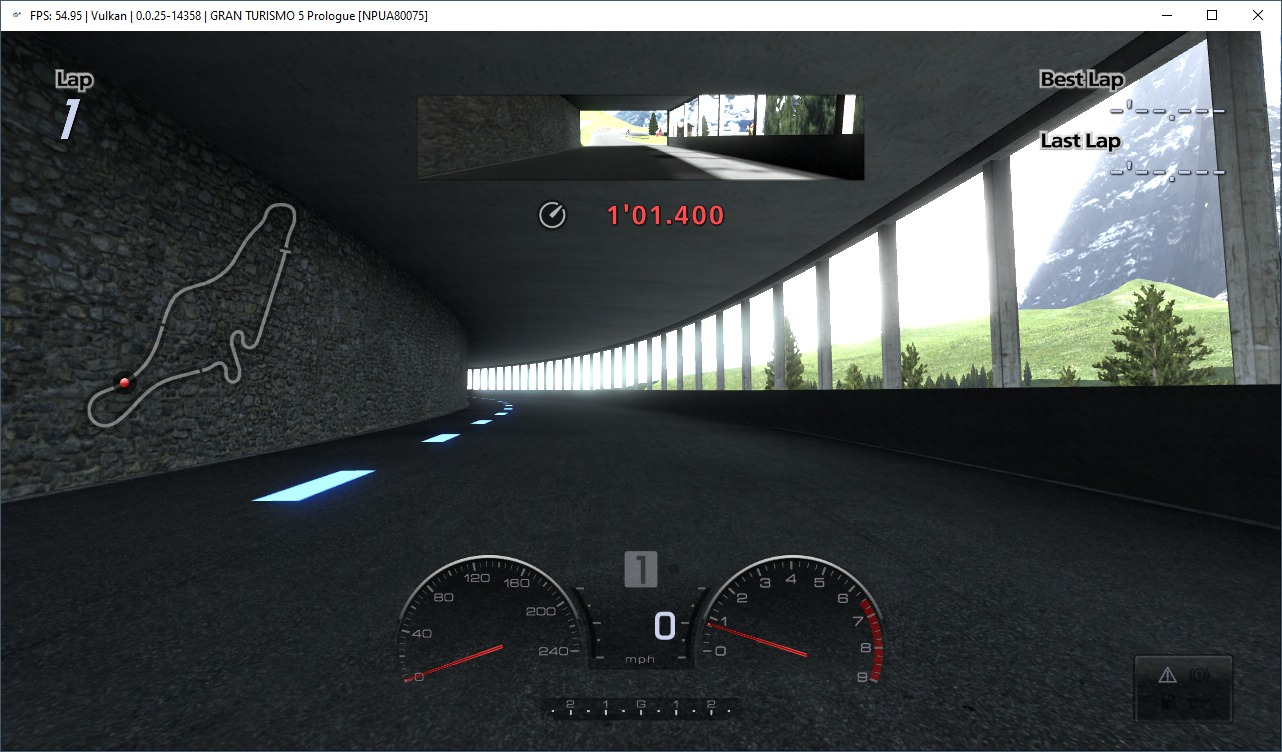
Log file: RPCS3.log.gz
Re-tested on RPCS3 v0.0.29-15783-69ef9c8a and the issue is still present.
Log: RPCS3.log.gz Renderdoc captures: https://mega.nz/file/vcdggLaI#t-3bDF2qKj_E8JcEL6F55l3AnjJVx5QtVXw_cDFTm-w
Is this related to the same lighting bug? This brightness keeps appearing and flashing off and on each time i drive the '08 Honda Civic Type R.

