

 REGoth-project
Add Bob-Shadow under Characters
In the original game, characters have a small round shadow under them. This is done by casting a ray downwards from the character and aligning a plane showing the shadow-texture with the hit-point.
I don't know how far the shadow reaches or whether it fades once the character is too far away. You'd need to fire up good ol' Gothic yourself to see whether that is the case.
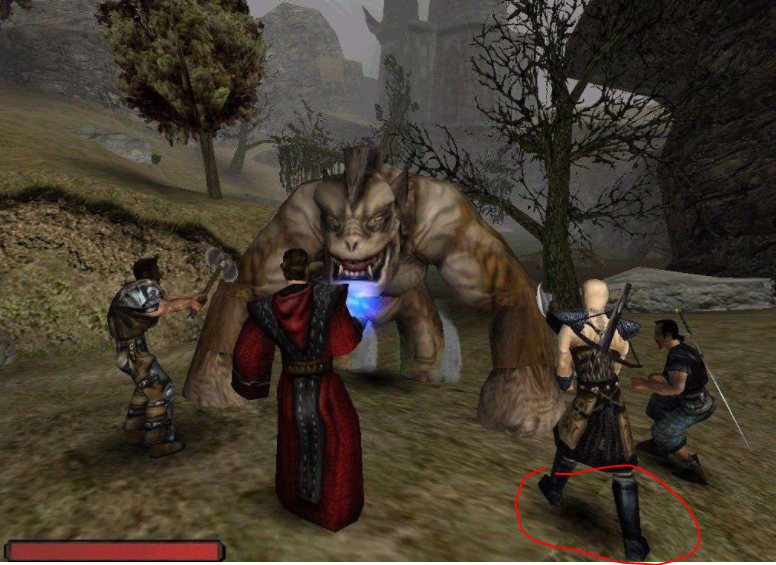
This should be implemented by a component, which:
- Creates a sub-object for the shadow-plane,
- Loads the plane-mesh and adds it as renderable to the sub-object (There should be a builtin-mesh in bsf),
- Loads the Shadow-texture from the Virtual File System via. BsZenLib,
- Performs the Rayscast every frame and positions the sub-object accordingly.
or
- by using the built-in decal system: http://docs.bsframework.io/nightly/User_Manuals/Advanced_Rendering/decals.html

Could this be implemented as a decal? Like just splashing the decal to the world geometry under the character?

Yes it does and from what it seems, it's fairly easy to set up. It would also be interesting to investigate if and how the shadow scales with the size of the character. It looks like it doesn't (see the one under the troll) but who knows.