

 Qengineering
Running App Problem
Hello There, I follow your guide, to run the application. I installed all dependencies follow by links, then downloaded and extracted the project in MyDir folder. After that I opened the project by CodeBlocks, and build it successfully, but when I ran the project in new paddle lite said "The Model File is not supported". Help me to fix this problem, please. Thanks a lot

A few days ago, PaddlePaddle has released a new version of Paddle-Lite 2.7.0. It turns out that this version doesn't support all deep learning models of previous versions, unfortunately also the Face Mask Detection model, which was originally synthesized in version 2.3.0.
In order to keep things simple, I suggest replacing version 2.7.0 by 2.6.3. We've adapted the installation guide on the website. It should now run without any problems.
P.S. Clear your browser cache with
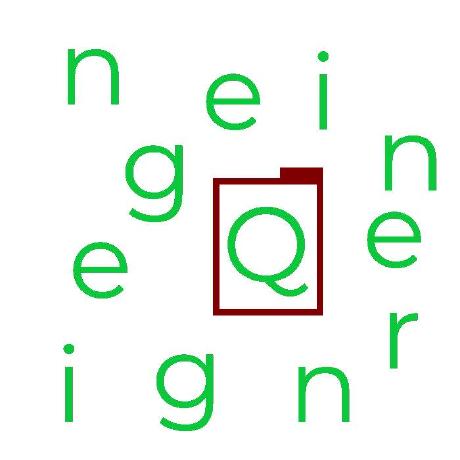
A few days ago, PaddlePaddle has released a new version of Paddle-Lite 2.7.0. It turns out that this version doesn't support all deep learning models of previous versions, unfortunately also the Face Mask Detection model, which was originally synthesized in version 2.3.0.
In order to keep things simple, I suggest replacing version 2.7.0 by 2.6.3. We've adapted the installation guide on the website. It should now run without any problems.
P.S. Clear your browser cache with as we cache the webpages. Clear also your previous installation of Paddle-Lite on your RPi by removing the Paddle-Lite folder. Last, clear your Code::Blocks project by removing the obj and bin folders.
I followed the website, and I had the problem with Paddle-Lite 2.6.3.
Did you get the same error? "The Model File is not supported"? In that case you may still have 'something' of version 2.7.0 on your file system left. Probably the libpaddle_api_light_bundled.a.