

 ProxymanApp
999 Error Code
Proxyman version? (Ex. Proxyman 1.4.3)
Proxyman 2.28.0 (22800)
macOS Version? (Ex. mac 10.14)
Mac 11.2.3
Description
Hi there, previously it's working fine. However, after I enable SSL when debugging my iOS Simulator it's return error. When Proxyman is launched, it blocks the internet access to the browser and iOS Simulator. Had tried reinstall and format the certificate, the issue still persisted.
Steps to reproduce
- Launch proxyman
- Monitor the logs
Expected behavior
- User should be able to view the successful code (eg; 200 or 201) instead of 999
Screenshots (optional)
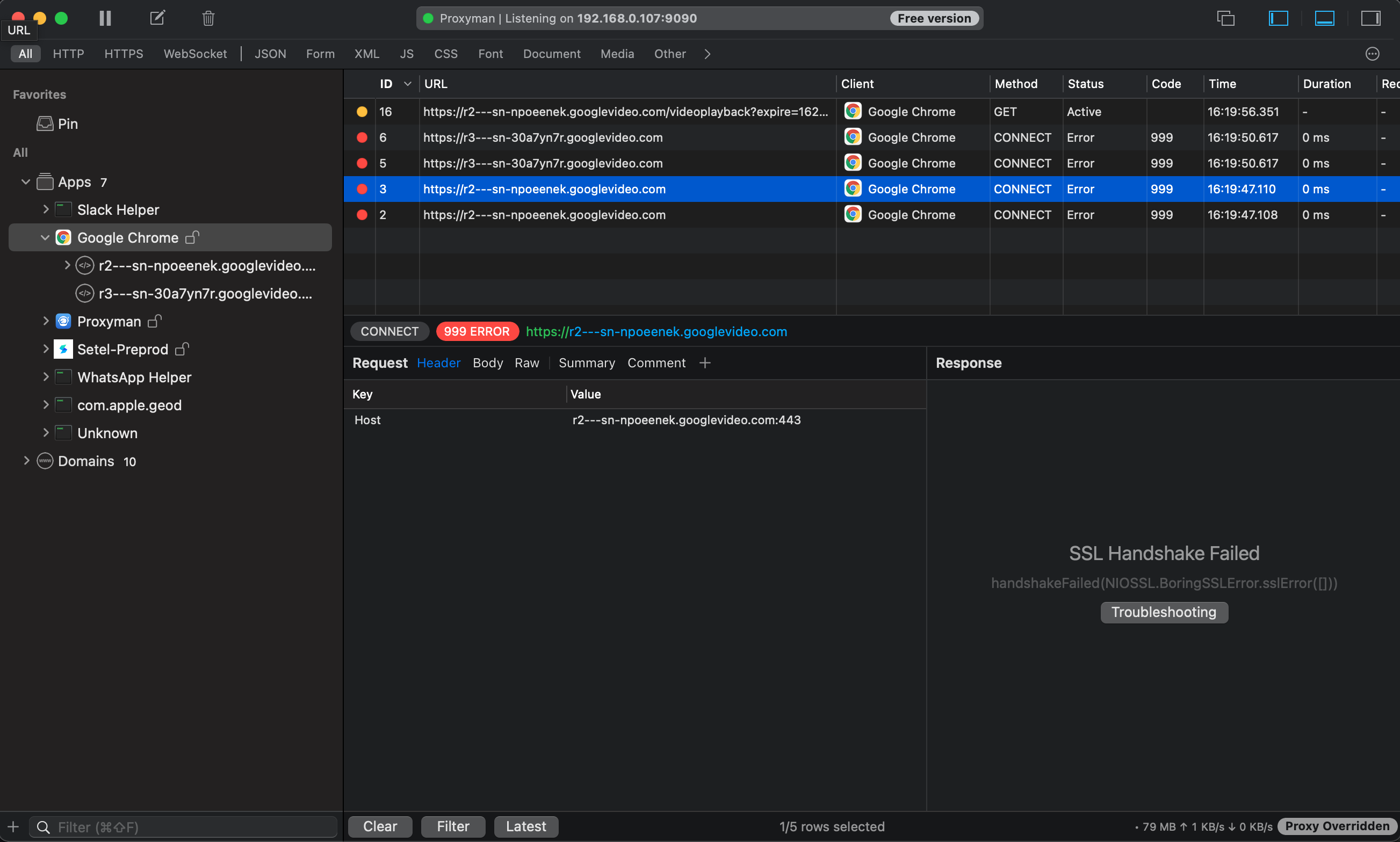

When you enable SSL Proxying for Google Chrome. Are you able to access google.com or other websites?
Maybe you're using VPN app? 🤔
If not, please try Factory Reset in Help Menu -> Advanced to see if it works for you 👍

For the iOS Simulator, Have you installed and trusted the certificate on your iOS Simulator 🤔 ?
You can do it automatically by using Certificate menu -> Install for iOS -> Simulator and follows these steps
I've also seen the 999 error quite a lot which I don't really understand because I'm sure 999 is not a valid HTTP status code. It feels like Proxyman is handling some kind of internal error by returning a response from the proxy which doesn't feel right to me.

yes, 999 is an internal code. I suppose that I should remove it, and improve the wording for common SSL error from Swift NIO 👍


@senolatac you could not intercept AppStore traffic because it's protected by SSL Pinning. It's a security mechanism to protect from Man-in-the-middle apps like Proxyman, Charles Proxy, and Fiddler.
There is no solution to bypass the SSL Pinning unless you hold the Pinned certificate of the AppStore.
@NghiaTranUIT I can listen network with frida + jailbroken-device + objection + proxyman... The problem is initial request.
so, you mean, only the initial requests (from AppStore) is error, other requests are still working fine 🤔
Issue still happening. Proxyman Version 5.10.0 (51000) | macOS: Version 14.7 (Build 23H124) Started happening after updating to macos14.7 and xcode16.1 @NghiaTranUIT
