

 Project-OSRM
Lane assist: selected arrow not always colored correctly
Hello, there.
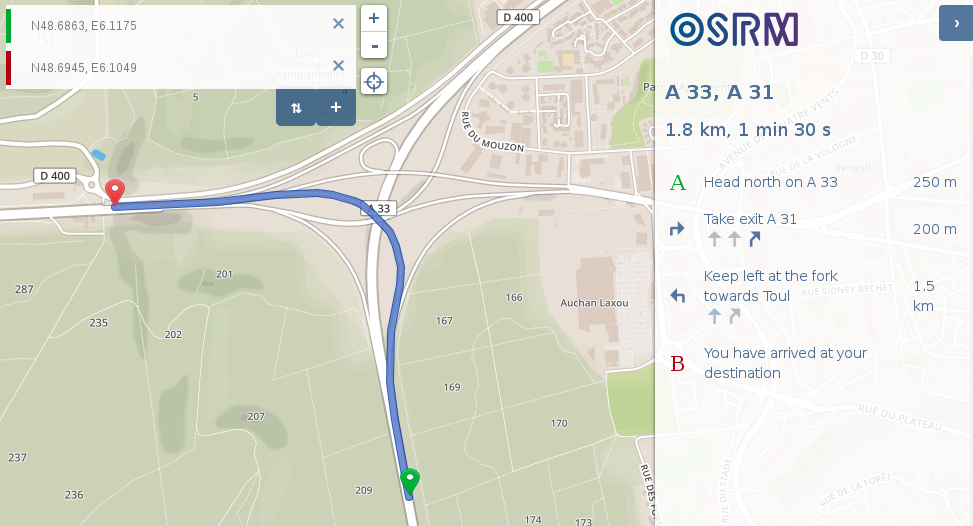
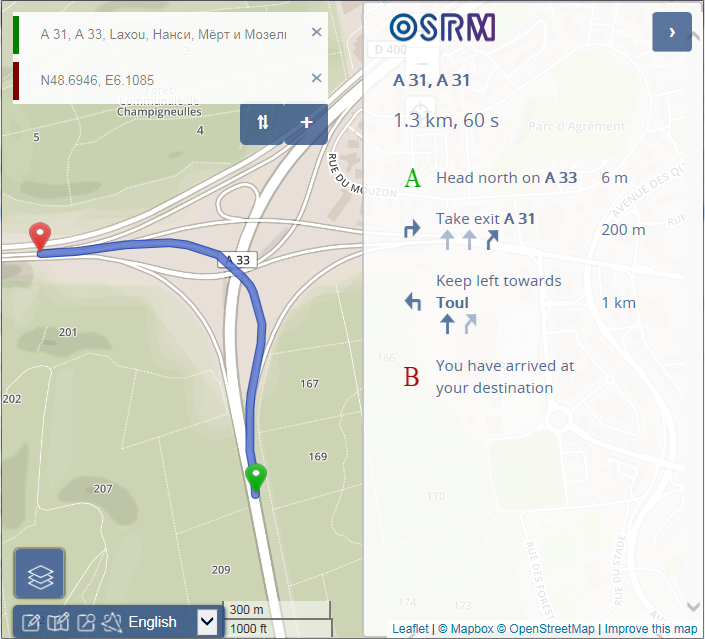
As you can see, the last instruction before arrival includes lane assist, but does not correctly highlight the lane to be used, unlike the instruction above it. I first opened this ticket on Project-OSRM/osrm-backend#5121 but was told the problem lied in osrm-frontend.
Regards.

I don't think this is really frontend issue - the 'Keep left' maneuver from backend is slight left but turn:lanes on that link are through|slight_right. How frontend should suppose that slight left means through here? :wink:
Maybe it's just necessary to update turn:lanes right on OSM to slight_left|slight_right? @Penegal, what are real lane directions on that road?

The OSRM API response returns valid: true for the lanes that should be preferred. Here's what we're returning for the "Keep left" maneuver:
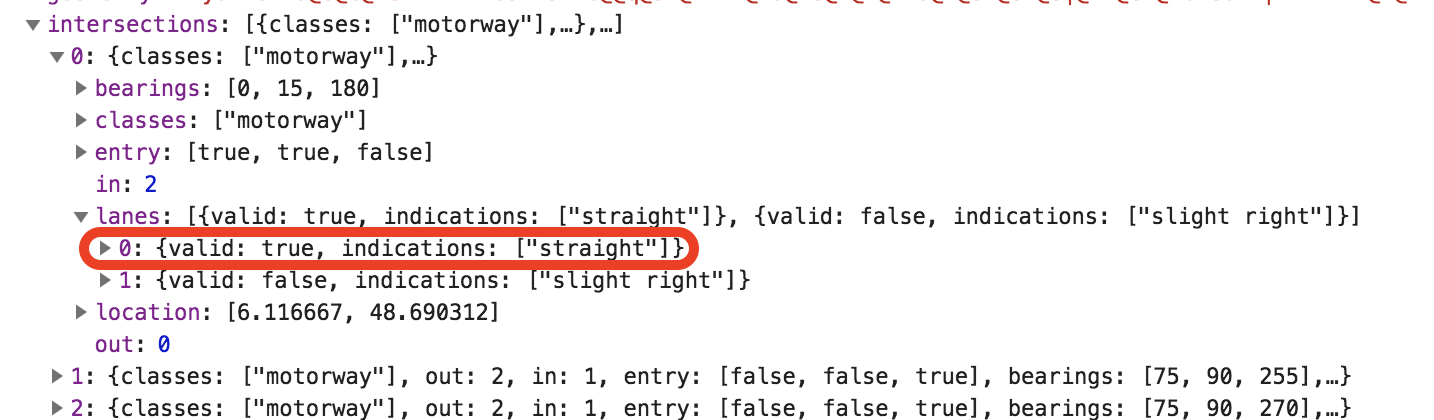
The left-most lane has the valid: true indication. The intent of this flag is to describe which lanes can be used for the maneuver.
However, I think LRM is having a problem with the rendering. Compare the right lane in the "Take exit A 31" step to the left lane in the "Keep left at the fork" step:
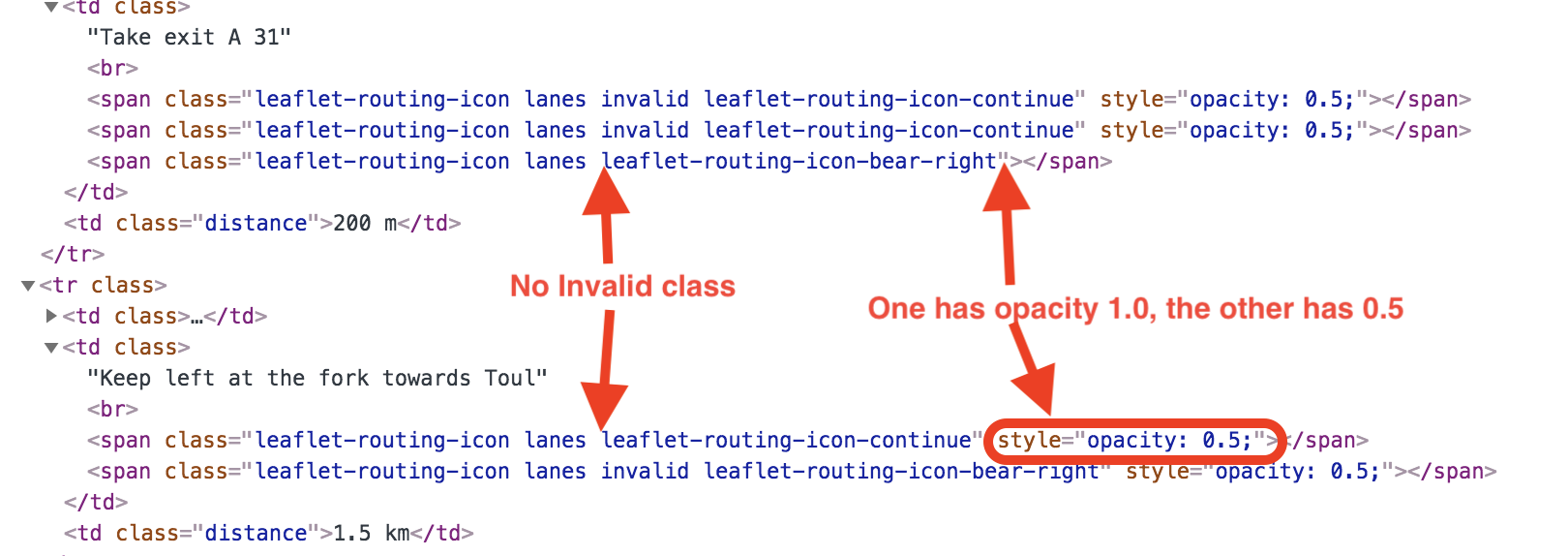
The bug lies here I think:
https://github.com/Project-OSRM/osrm-frontend/blob/gh-pages/src/itinerary_builder.js#L93-L95
where we're doing as @yuryleb suggest - greying out the icon if "through" doesn't match "slight left", even though OSRM has determined already that the lane is valid: true. I don't think this is actually the right thing to do, we should trust the valid: true indication in the API response.

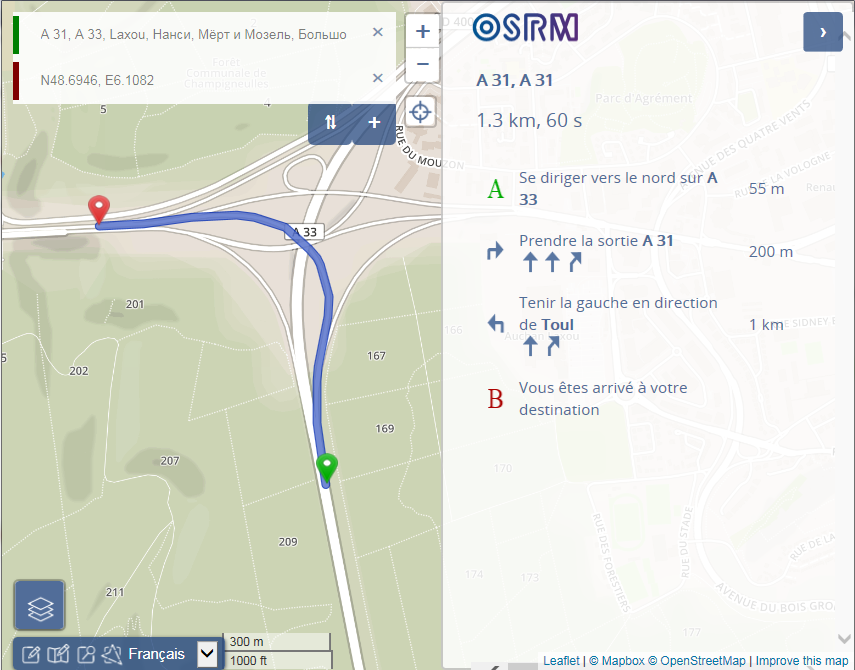
Thanks @danpat for explanation but if I remove my hacks for opacity and maneuver icon, the invalid CSS does gray out lane icons:
invalid style fragment:
.invalid.lanes.leaflet-routing-icon {
	filter: invert(50%);
Maybe we should use opacity instead of filter there?
The intent of the invert(50%) is to convert the original icon (darkblue) in the SVG into a grey version of itself. The opacity set here then fades that.
If we remove https://github.com/Project-OSRM/osrm-frontend/blob/gh-pages/src/itinerary_builder.js#L93-L95 completely, and change the .invalid CSS rule to:
.invalid.lanes.leaflet-routing-icon {
	filter: grayscale(100%) opacity(50%);
}
Then I think it might achieve what's desired here (valid lanes are blue, invalid lanes are light grey).
I saw your comment on the osrm-backend ticket at https://github.com/Project-OSRM/osrm-backend/issues/5121#issuecomment-400202969 and I think you might be right. Not only are we incorrectly fading the icons in the UI, I think there is a different, but related bug in turn lane info when we're collapsing instructions. I think we should keep those problems separate though, they have different solutions.
In the UI case, I don't think we should be separating the idea of greying the icon vs fading the icon, which is what the code is currently doing.
@danpat, it seems filter doesn't work in IE11 :worried: Maybe we could use simple opacity instead?
Gah, and that's the reason I avoid doing frontend browser stuff.
👍 for just fading the icons and not also trying to make them grey in IE11.