PrefectHQ
Improve Agent Automations UX
Why As a user, when I make Agent Automations the installation instructions could be shown more obviously and I'd like to not leave the automations page to copy the agent-config-id (currently I have to leave and ping graphQL for agent-config-ids).
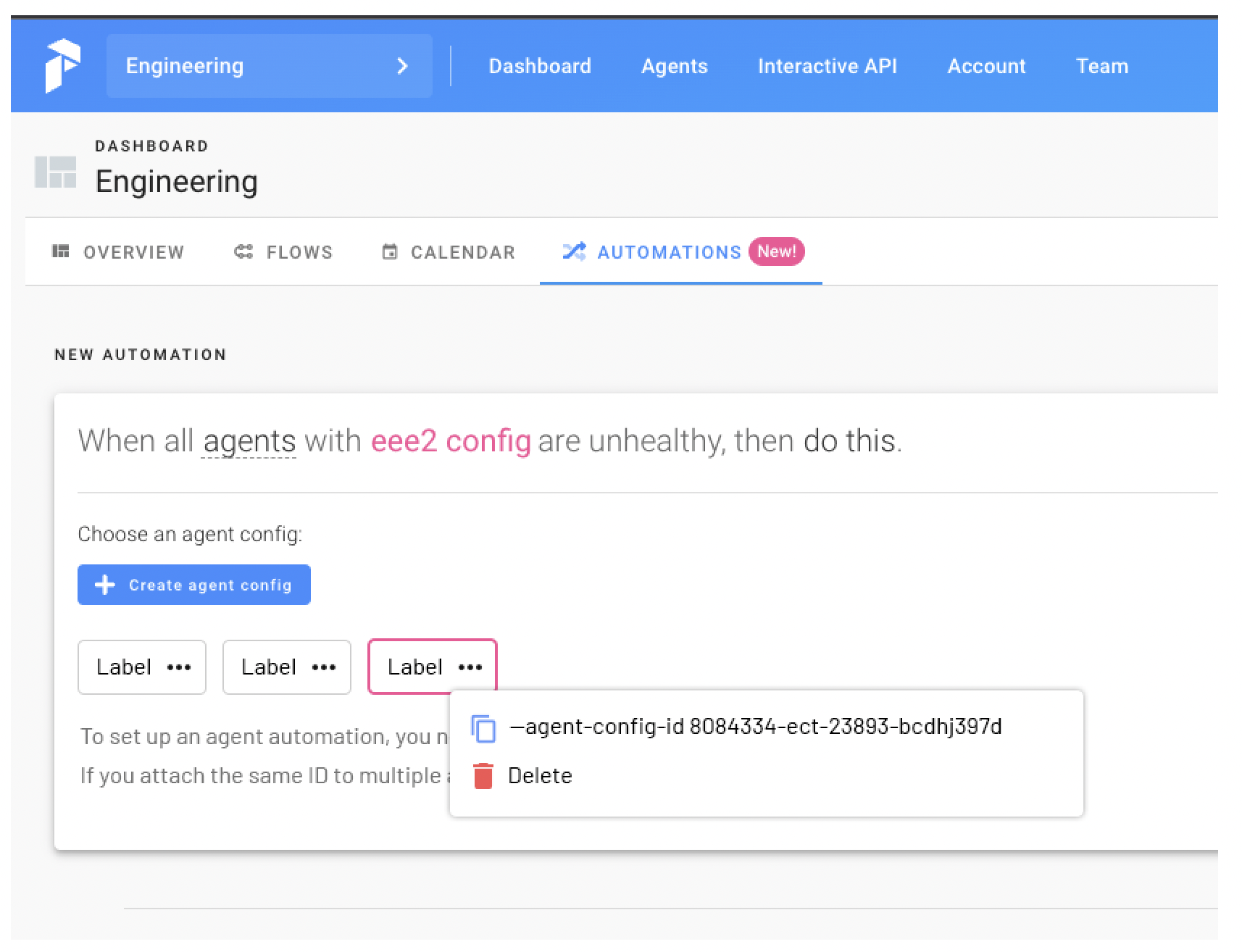
What • After creating an agent config, allow users to simply copy the newly created agent-config-ids in the UI. • Add clear text instructions that inform users how to install these agent automations at registration in the Prefect CLI & that if agents share agent-config-ids, then the automations doesn't work until all agents go unhealthy instead of individually. • This proposal doesn't change any application behavior, only front-end tweaks.
Notes Proposed in-app messaging:
To set up an agent automation, you need to add the agent-config-id flag at agent registration. If you attach the same ID to multiple agents, Prefect will only notify you if all agents are unhealthy.
BEFORE
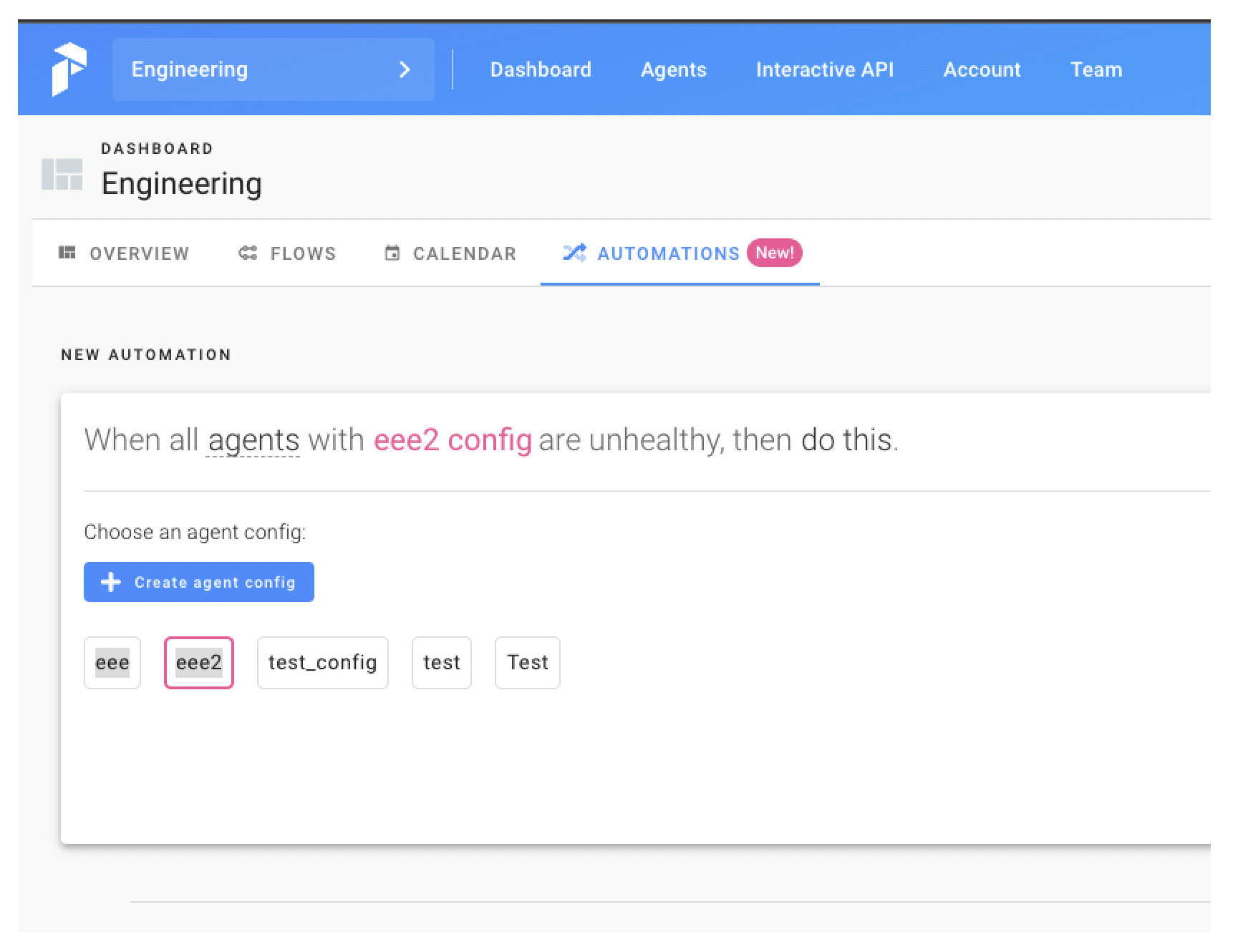
AFTER
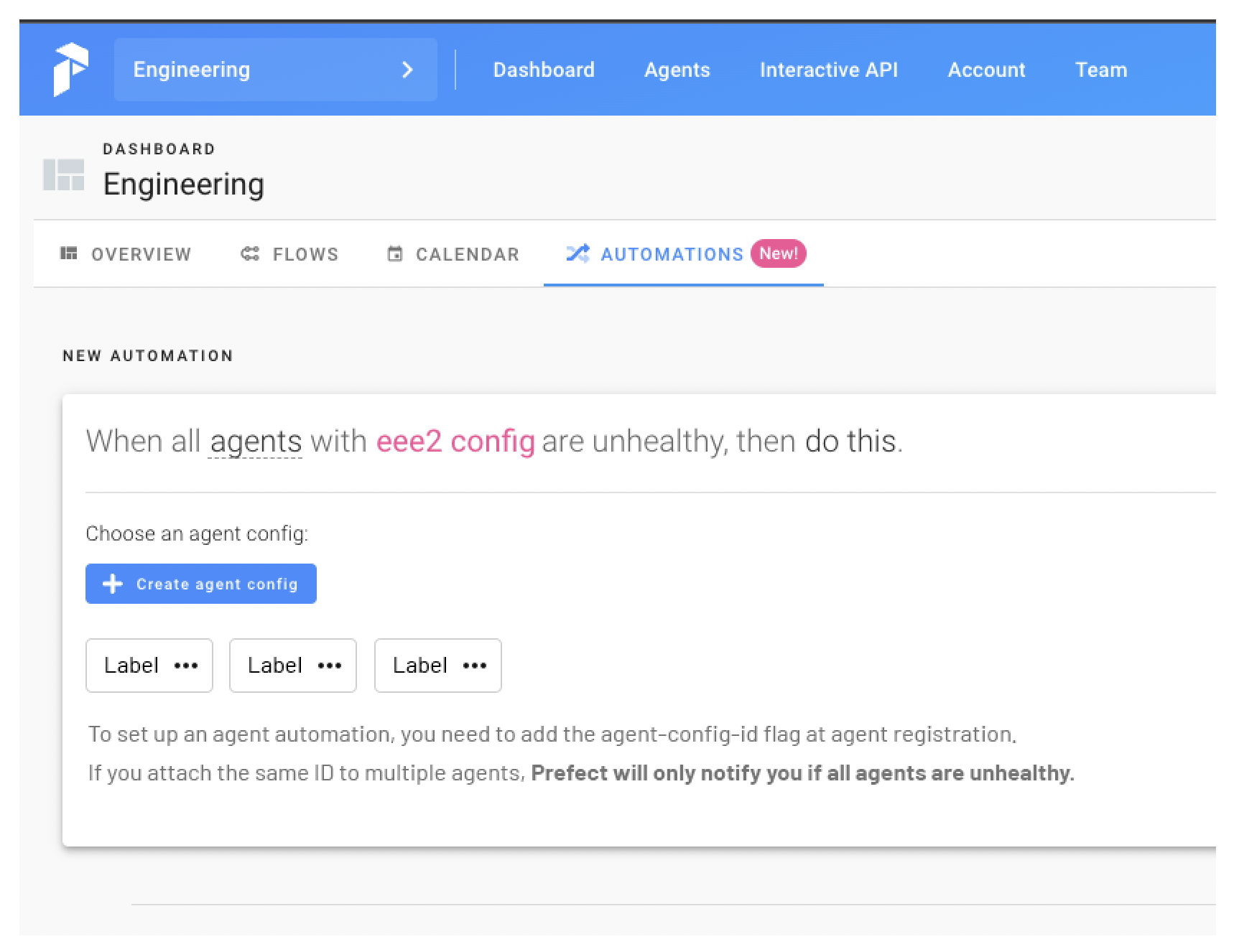
NOTE: On Create Success Modal, reveal agent-config-id



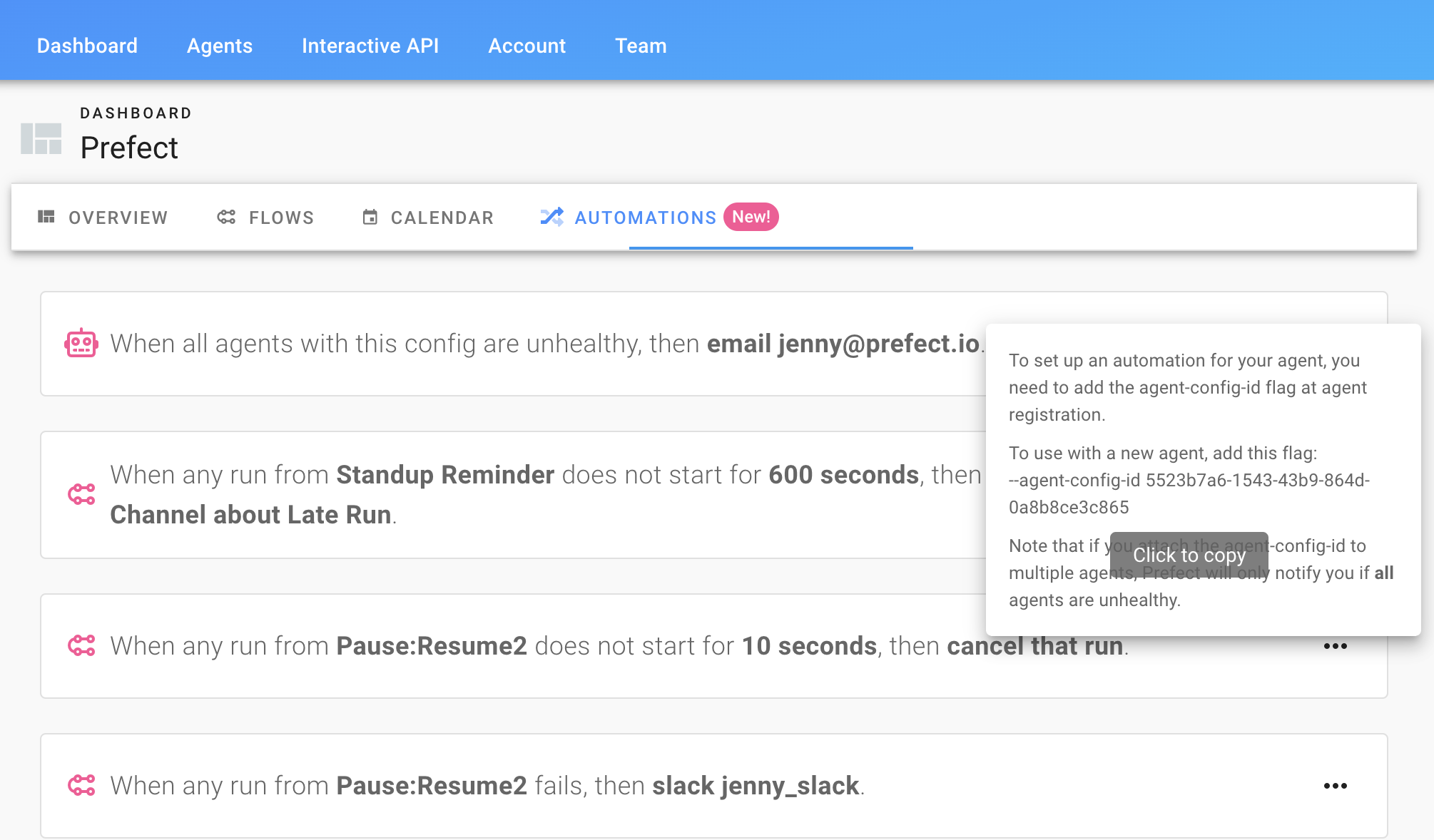
Thanks @joeclayallday - For info (mainly if any users stumble across this before we get changes released) - the UI does currently show agent config IDs without a user needing to use a graphQL query or the API. They're shown by hovering over the info button: