

 PredatH0r
Philips 55OLED803 files throwing exception.
Hi,
on version 2020-03-20 when I am trying to upload channel file exported from Philip 55OLED803 tv it throws System.ArgumentOutOfRangeException
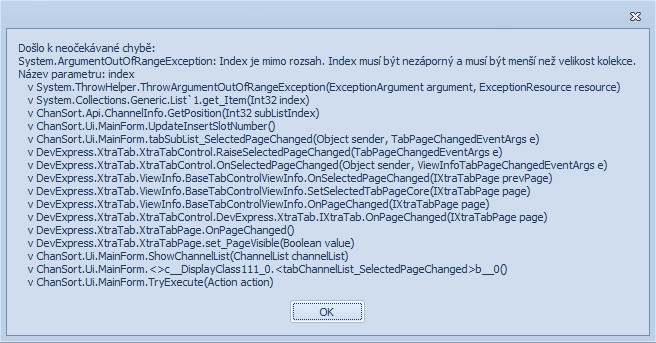
Anyway after error I can manipulate the list. And reopenning will not trigger the issue again. It works with version 2019-08-29, but I see that older version was loading only 1 xml file which I choose (DVBC.xml, ...). The newer version tries to load more of them.

after sorting out the list with version 2020-03-20, saving and uploading back to TV. The TV started to show DVB-C and DVB-T together on the same numbers. Originaly the TV showed only DVB-C. There is no option in menu TV to switch between DVB-C and DVB-T. Only to start searching for the new channels.
It seems that DVB-T and DVB-C, despite being separate files, share the same number range. In your original list I see DVB-C channels using 1-174, then 175-177 are DVB-T, 178 DVB-C, 179-182 DVB-T, ... In the next version of ChanSort I will combine the DVB-T and DVB-C into a single list, which will prevent overlapping numbers.
The error message will also be fixed.
