
vscode-powershell
 vscode-powershell copied to clipboard
 PowerShell
`Write-Output` broken
Prerequisites
- [X] I have written a descriptive issue title.
- [X] I have searched all issues to ensure it has not already been reported.
- [X] I have read the troubleshooting guide.
- [X] I am sure this issue is with the extension itself and does not reproduce in a standalone PowerShell instance.
- [X] I have verified that I am using the latest version of Visual Studio Code and the PowerShell extension.
- [X] If this is a security issue, I have read the security issue reporting guidance.
Summary
Edit: Changed title to remove "for elevated accounts" as it is now not working at all regardless of account used.
The PowerShell Extension is not starting correctly. I worked with folks over at discord who guided me through finding the issue. Attaching diagnostic log files for review as well as screen shots of the symptoms. Essentially I cannot get output from scripts I'm writing in VSCode in the PowerShell Extension terminal window
WARNING: In development mode but PowerShellEditorServices dev module path cannot be found (or has not been built yet): c:\Users\u598743a.vscode\extensions\PowerShellEditorServices\module
PowerShell Version
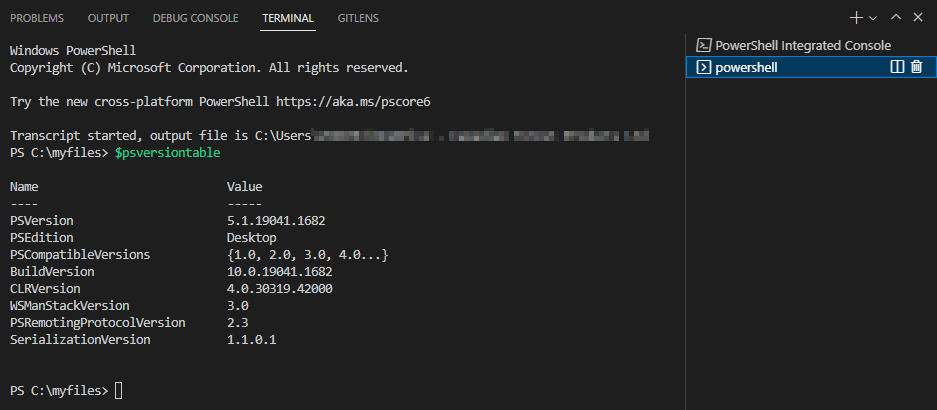
PS C:\Users\u598743a\.vscode> $PSVersionTable

Name                           Value
----                           -----
PSVersion                      5.1.19041.1682
PSEdition                      Desktop
PSCompatibleVersions           {1.0, 2.0, 3.0, 4.0...}
BuildVersion                   10.0.19041.1682
CLRVersion                     4.0.30319.42000
WSManStackVersion              3.0
PSRemotingProtocolVersion      2.3
SerializationVersion           1.1.0.1
Visual Studio Code Version
PS C:\Users\u598743a\.vscode> code --version
1.67.2
c3511e6c69bb39013c4a4b7b9566ec1ca73fc4d5
x64
Extension Version
PS C:\Users\u598743a\.vscode> code --list-extensions --show-versions | select-string powershell

[email protected]
Steps to Reproduce
Just run a script, run a code snippet and nothing gets returned. Interestingly though if I change my code to write-host instead of write-output then I get results to the Extension's terminal.
Visuals


Logs
vscode-powershell.log EditorServices.log StartEditorServices.log

I have two domain accounts I can login with. This problem is affecting the elevated level account, not the regular account.
Ah! That's super helpful @KevinWGagel. Also, thanks for pushing us onto further investigation, we figured out that the "development mode" problem was a red herring caused by really dumb code I wrote a few months back, but is now fixed via https://github.com/PowerShell/vscode-powershell/pull/3992

I didn't bring it up sooner because I have the executable set to launch as administrator. I do a lot of remote ps. I wanted to keep going with a script that didn't do remote ps so I switched over to regular launching and found it working. So, sorry for the extra work in the wrong direction. Glad you're getting to the bottom of it. Any idea on a timeline for a fix?
@KevinWGagel thanks for the report-- we are finding time to investigate this issue...once we do that we will have a better sense of if this is fixable or not. Thanks!

Just wanted give an update. I've been using VS Code in my non-elevated account. Today after a bunch of debugging I had the same problem. No more output from write-output. This time it was right after I added a bunch of write-verbose statements, saved the file, then ran it in the VS Code terminal using -verbose. After all the verbose messages came through the final output which was to show the end results didn't appear. Just like what I get when I'm using an elevated VS Code session. I tried remarking the write-verbose lines to see if it would change anything. It didn't. I ran the script from an elevated PS shell with -verbose and it displayed all the verbose and the final output.
I then exited VS Code and restarted it in a non-elevated session and tried the script again - then the final output displayed as it should. I unremarked the write-verbose statements and ran it from the VS Code terminal and it continued to work as expected.
I'm wondering if there is a memory corruption of some kind that happens after a lot of runs with break points set. I often run to a break point, check some things in the terminal and then stop the script. Make whatever changes I must then try again.
Thanks for the update! If that happens again in a non-elevated session can you grab the logs? Might be helpful to see a before and after

I can't get any output now. Even something as simple as get-variable is outputting nothing at all in the integrated terminal. I can't see any errors in the debug logs. I am working in a non-elevated vscode session. I've killed the terminal and had it restart, I've uninstalled vscode and deleted all the directories and re-installed and still - no output. This is making using vscode very difficult!
I found this in the "EditorServices.log" file.
2022-07-12 13:59:11.978 -07:00 [VRB] Could not write to output handler, perhaps serialization failed?

 .
.
Interestingly I was only able to find an instance of perhaps serialization failed in my own logs; it appears to be emitted by OmniSharp itself and not PSES, and in my case is emitted after an early startup failure, which is something we just fixed. Can you double check which version of the extension you're running?

I have installed Powershell 7.2. Default-output seems to be working again now. I'll leave this open for a while and see how things go when I start working in ps again.
Well, it works perfectly with PS 7. but if I want to switch back to 5.1 for development/debugging then I'm stuck with no output again.
Well, PowerShell 7.x is working like a charm but any development I try in 5.1 sucks. I get no output at all in 5.1. It's a struggle to get anything done when the module you need to use requires PS5.1
Here's something interesting about this. I just found it. When I'm developing with PS 5.1 and I set a breakpoint to debug, while in debug mode I can get results. As soon as I exit debug mode the terminal stops giving me output.

Ok as far as I can tell that means that in PowerShell 5.1, under some circumstances that I don't quite know yet, Out-Default fails whereas Out-String works. That much makes sense as Out-String should always work, and Out-Default depends on some more things to happen. What those things are I'm not entirely sure, I believe it's PSHost implementation, but certainly they're in place at least for PowerShell 7 (and they use the same, so the question is how we broke 5.1 in that case).
Let me know if there is anything else I can do to help narrow this down.
I wanted to follow up here, we seem to finally have a clue! Or at least, we can consistently reproduce this issue with Start-Transcript has been executed (say, in your profile). Can everyone here confirm if this reproduces with transcription happening, and does not when it's not?
@KevinWGagel do you know if you're running with Start-Transcript somewhere before this all happens?
In fact, I am. Yes.
All right! Well, that's at least four confirmations I know of that this is happening when the transcript is running. Which is helpful, except I still can't seem to repro the dang bug.
But also, @lotekjunky in the dup #4390 says they were not using Start-Transcript. So there's still a bit of mystery.
The first thing in my powershell profiles is “Start-Transcript -OutputDirectory "C:\PS Transcripts" -IncludeInvocationHeader” try adding something like that to yours and see if that makes a difference.
I went back and looked at my code in VS code. I actually stopped using VSC because it was so unusable for me. I'm here to report that I was wrong and my logging function WAS using start-transcript. Sorry for the bad info, I'd kinda written it off. Very glad to see someone looking at it!
On Fri, May 5, 2023, at 1:40 PM, Andy Jordan wrote:
In fact, I am. Yes.
All right! Well, that's at least four confirmations I know of that this is happening when the transcript is running. Which is helpful, except I still can't seem to repro the dang bug.
But also, @lotekjunky https://github.com/lotekjunky in the dup #4390 https://github.com/PowerShell/vscode-powershell/issues/4390 says they were not using
Start-Transcript. So there's still a bit of mystery.— Reply to this email directly, view it on GitHub https://github.com/PowerShell/vscode-powershell/issues/3991#issuecomment-1536633595, or unsubscribe https://github.com/notifications/unsubscribe-auth/AG6CC6ABAKYXCRY5LFGOONDXEVCRHANCNFSM5WM3MXGQ. You are receiving this because you were mentioned.Message ID: @.***>
Thanks, Nick

Ah ha! Great. Ok, we have a narrower scope. And a way to workaround for all you for now (obviously that workaround is to not start the transcript). I am really trying to figure out what it is about the transcript that breaks it, but even with it started in profile I have yet to see a repro locally. Are any of you on Windows 11? I'm about to move to an older Windows 10 device to see if that makes a difference for me.
Both laptops this has been happening on are Windows 10 professional. Since reporting this issues work has replaced my laptop and the issue followed once the laptop was setup the same. IE with the transcript enabled.
Ok folks, I have a hunch. When I've left my session overnight or so, I've seen the transcript file grow easily to 200 MB. That in and of itself is a problem (inspecting it I'm finding all sorts of things I can fix). Can you guys take a look at your transcript files when things stop working and let me know what you find? Like, how big is the file, what's getting repeated over and over (probably a few things, one I've found is 0 from the artificial pipeline we use to flush events, another is Failed to load DSC since it keeps trying when it fails, another is Get-Command -Type Aliases which we use when finding references). I'm working on all three of those right now. As it is, I still don't repro even with a huge a transcript file...so given my hunch I'm going to get this as cleaned up as possible, do a pre-release, and ask you guys to test things out.