
vscode-powershell
 vscode-powershell copied to clipboard
 PowerShell
Can we get back folding on help sections?
Ever since the "syntax based" code folding was introduced

The documentation sections won't fold the way they used to:
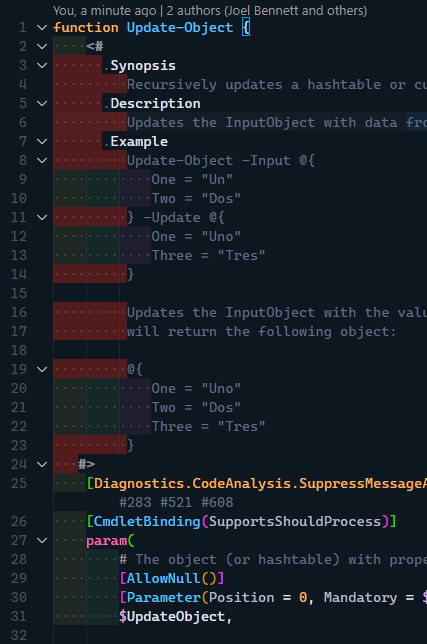
Because the whole comment block is one big blob:

Can we add support for the comment-based help documentation keywords to fold the help below them?
P.S. When I turn that setting off, it completely kills folding for PowerShell files until I kill the integrated terminal.

Thanks @Jaykul this is because the "non-syntax" based folding is purely indentation-based but this is a valid request

Oh yeah, I know it's just because I indent it to make it happen. 😉 I mean, I've been adjusting how I write code to take advantage of features in editors that don't really grok PowerShell since before we wrote a scintilla syntax for Notepad++ 😁 I'm sometimes ashamed of how many things I do just to keep the syntax highlighting working ... like putting quotes around strings even when they don't need it ...
My team enforces long help blocks at the top - my preference is to fold those windy regions and just read the code. I would love a feature like powershell.editor.foldHelpBlocks.
