
PSResourceGet
 PSResourceGet copied to clipboard
 PowerShell
Dependency not installed if older version is already installed
Prerequisites
- [X] Write a descriptive title.
- [X] Make sure you are able to repro it on the latest released version
- [X] Search the existing issues.
Steps to reproduce
If you install an old version of a module, then install something that depends on a newer version of it, the newer dependency is not installed
Install-PSResource -Name Az.KeyVault -Version 2.0.0
Install-PSResource -Name Az -Version 8.0.0
Expected behavior
Az 8.0.0 has a dependency of Az.KeyVault 4.5.0, so that should get installed
Actual behavior
WARNING: Resource 'Az.KeyVault' with version '2.0.0.0' is already installed.  If you would like to reinstall, please run the cmdlet again with the -Reinstall parameter

Specifying `-Reinstall` works, but that isn't very intuitive - if Az depends on a certain version of Az.KeyVault then that should get installed
Error details
No response
Environment data
ModuleType Version    PreRelease Name                                ExportedCommands
---------- -------    ---------- ----                                ----------------
Binary     3.0.14     beta14     PowerShellGet                       {Find-PSResource, Get-PSResource, Get-PSResourceRepository, Install-PSResource…}

Key   : PSVersion
Value : 7.2.4
Name  : PSVersion


Key   : PSEdition
Value : Core
Name  : PSEdition


Key   : GitCommitId
Value : 7.2.4
Name  : GitCommitId


Key   : OS
Value : Microsoft Windows 10.0.19041
Name  : OS


Key   : Platform
Value : Win32NT
Name  : Platform


Key   : PSCompatibleVersions
Value : {1.0, 2.0, 3.0, 4.0…}
Name  : PSCompatibleVersions


Key   : PSRemotingProtocolVersion
Value : 2.3
Name  : PSRemotingProtocolVersion


Key   : SerializationVersion
Value : 1.1.0.1
Name  : SerializationVersion


Key   : WSManStackVersion
Value : 3.0
Name  : WSManStackVersion
Visuals
No response

When I installed something today, I literally got a screenful of warning:
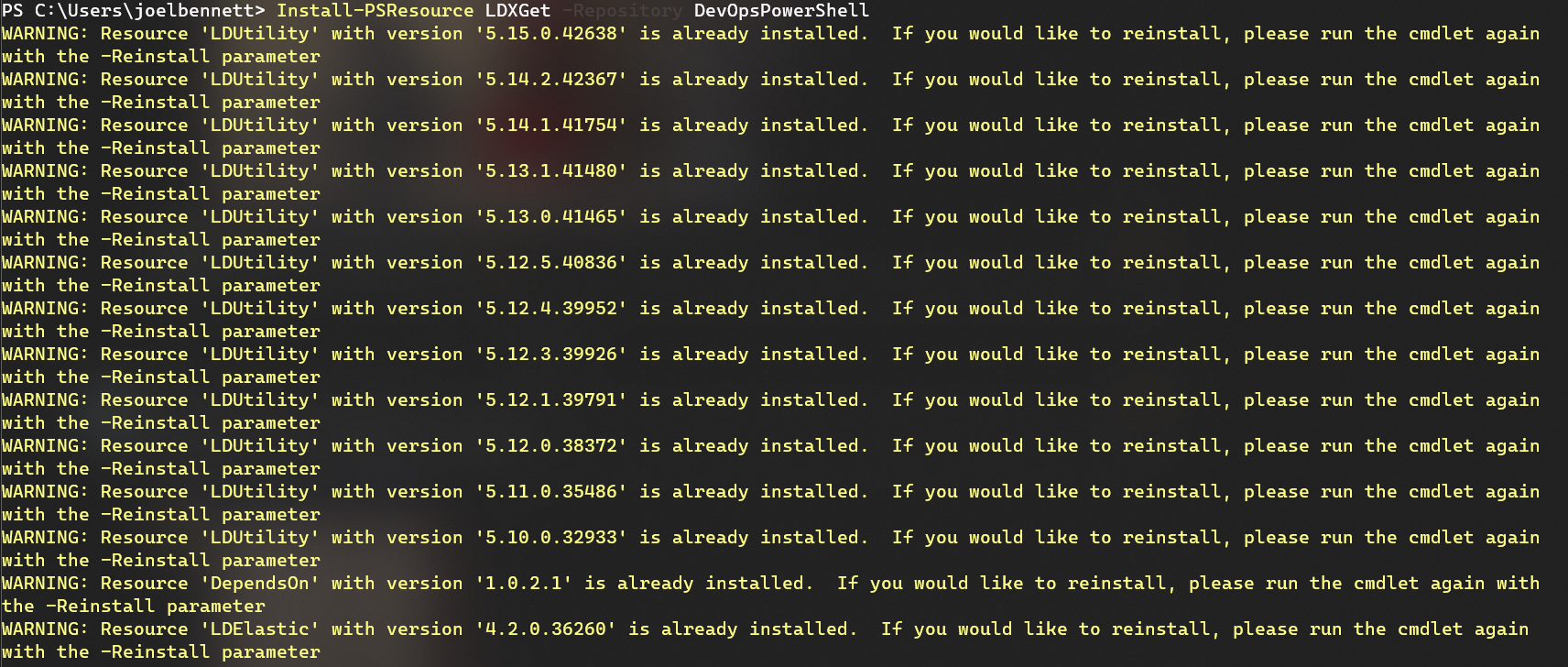
In my case, the "LDXGet" module requires LDUtility, LDElastic, and Micrsoft.PowerShell.SecretManagement -- but does not specify a version for those.
I have (a lot of) old versions of LDUtility, and thus, lots of output
The problem: I don't know why I'm being warned about these modules.
Based on this bug (and the fact that SecretManagement wasn't mentioned in my output) I assume I'm being warned because there are newer versions of all the other dependencies in the gallery, and Install-PSResource isn't doing anything about that.
However, I can't imagine why that merits a warning, if I have a valid version installed -- and if I didn't, I would hope this would install a valid version instead of just warning me...
