
PSResourceGet
 PSResourceGet copied to clipboard
 PowerShell
Update-Module fails when new version is signed with new certificate
Prerequisites
- [X] Write a descriptive title.
- [X] Make sure you are able to repro it on the latest released version
- [X] Search the existing issues.
- [X] Refer to the FAQ.
- [X] Refer to Differences between Windows PowerShell 5.1 and PowerShell.
Steps to reproduce
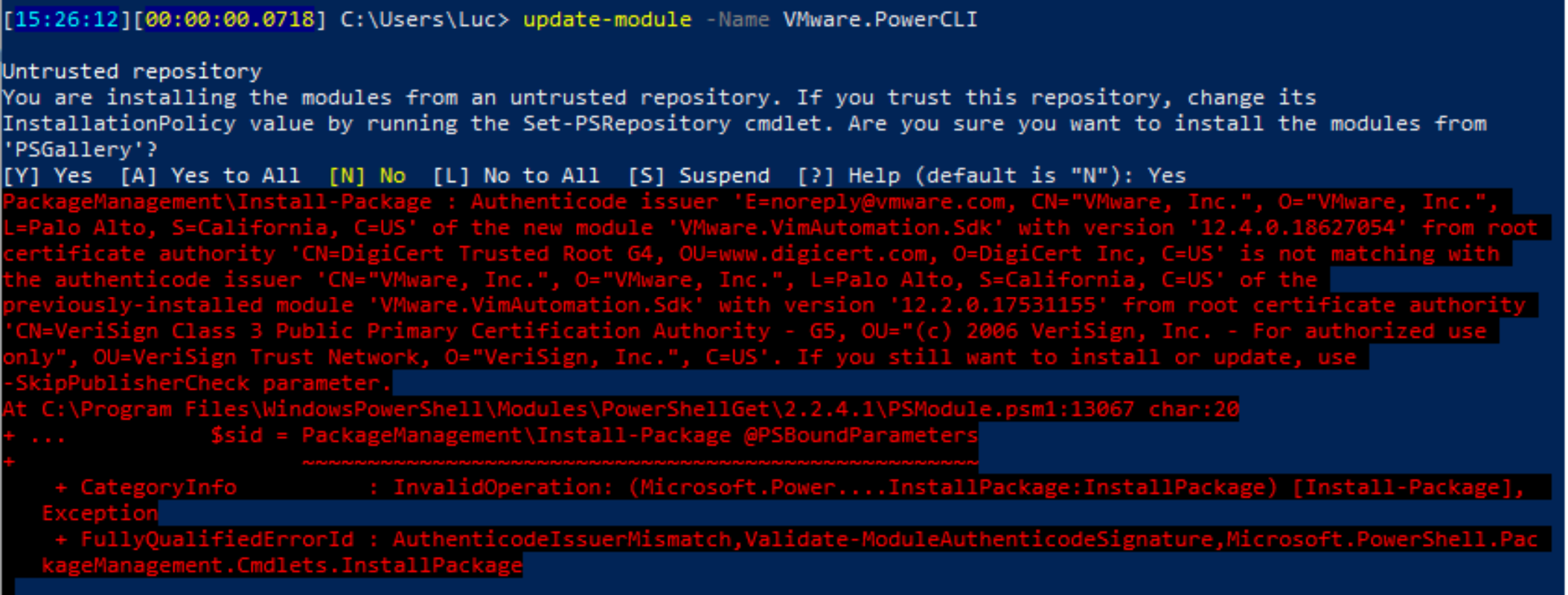
When updating from VMware PowerCLI 12.3 to 12.4 the Update-Module command fails with the error message below. The error message proposes the use of -SkipPublisherCheck, but Update-Module does not have such parameter. Even if it had I don't think that some of our highly regulated customers like banks, government organizations etc. would be fine with skipping the publisher check.
PackageManagement\Install-Package : Authenticode issuer 'CN="VMware, INC.", O="VMware, INC.", L=Palo Alto, S=California, C=US' of the new module 'VMware.VimAutomation.Sdk' with version '12.4.0' from root certificate authority 'CN=DigiCert High Assurance EV Root CA, OU=www.digicert.com, O=DigiCert Inc, C=US' is not matching with the authenticode issuer 'CN="VMware, Inc.", O="VMware, Inc.", L=Palo Alto, S=California, C=US' of the previously-installed module 'VMware.VimAutomation.Sdk' with version '12.2.0' from root certificate authority 'CN=Verisign Class 3 Public Primary Certificate Authority - G5, OU=Verisign Trust Network, O=Verisign Inc, C=US'. If you still want to install or update, use -SkipPublisherCheck parameter. At C:\Users\user\Documents\PowerShell\Modules\PowerShellGet\2.2.5\PSModule.psm1:13069 char:20
- ... $sid = PackageManagement\Install-Package @PSBoundParameters
-
~~~~~~~~~~~~~~~~~~~~~~~~~~~~~~~~~~~~~~~~~~~~~~~~~~~~ - CategoryInfo : InvalidOperation: (Microsoft.PowerShel\u2026lets.InstallPackage:InstallPackage) [Install-Package], Exception
- FullyQualifiedErrorId : AuthenticodeIssuerMismatch,Validate-ModuleAuthenticodeSignature,Microsoft.PowerShell.PackageManagement.Cmdlets.InstallPackage
Expected behavior
The new version of the module is properly signed, so my expectation is that it should be installed without any errors. If users remove the old version first it installs without any issues.
Actual behavior
An error message is thrown
Error details
No response
Environment data
The same issue is observed in both PowerShell 5.1 and PowerShell 7
Visuals


@alerickson @anamnavi @PaulHigin Please take a look to see if this is covered in the PowerShellGetv3

Thanks for bringing this to our attention we will be sure to handle this scenario!
